EasyManua.ls Logo

FujiFilm FinePix A607 - Quality Settings in Movie Mode

FujiFilm FinePix A607
88 pages
Print Icon
To Next Page IconTo Next Page
To Previous Page IconTo Previous Page
Loading...
45
Advanced Features
3
1
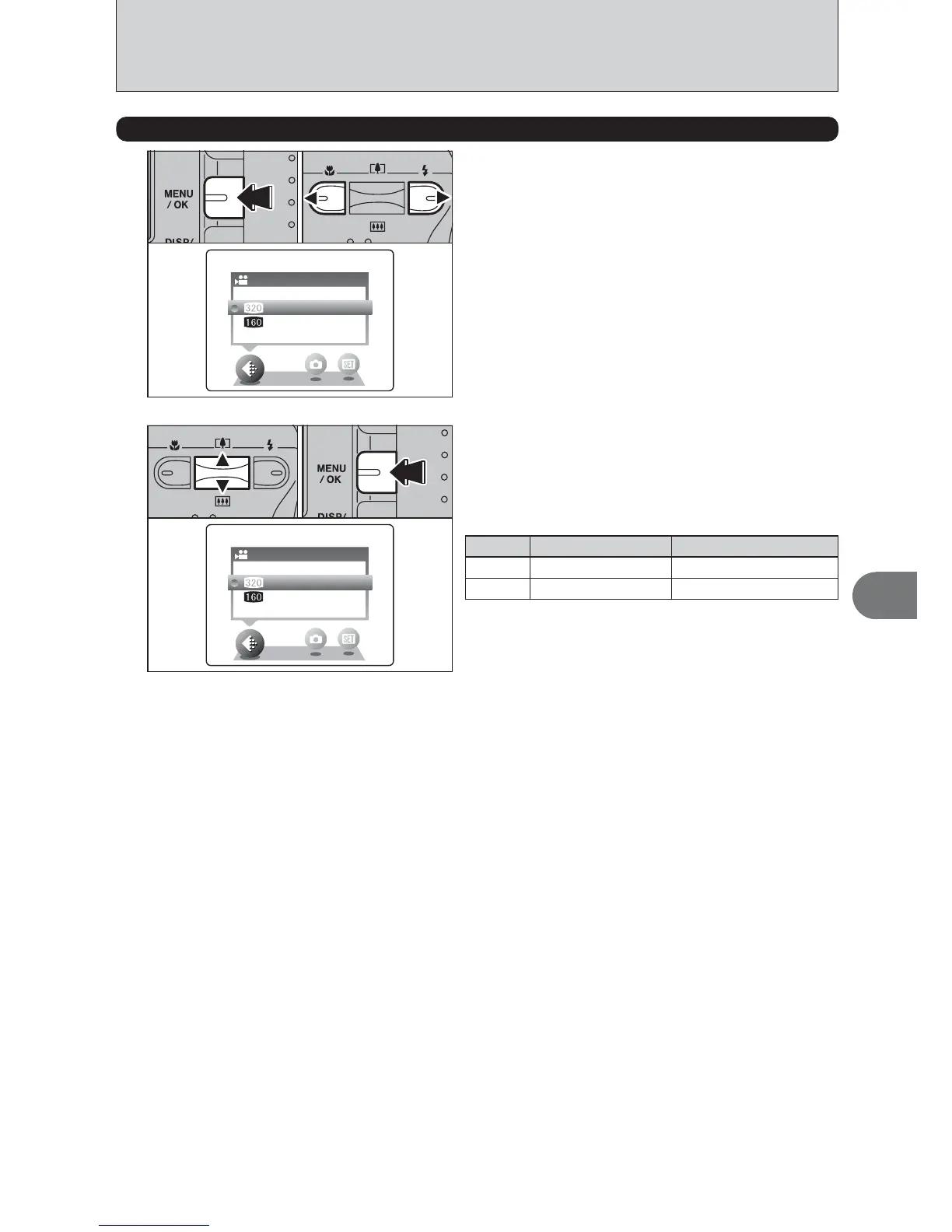
1Press the “MENU/OK” button to display the
menu on the LCD monitor.
2Press “d” or “c” to select “y” QUALITY.
QUALITYQUALITY
320×240320×240
160×120160×120
01 02
2
QUALITYQUALITY
320×240320×240
160×120160×120
01 02
1Press “a” or “b” to change the setting.
2 levels of quality can be selected. For better
image quality, select “$ ”, and for longer
photography time, select “#”.
y QUALITY SETTINGS IN MOVIE MODE
2Press the “MENU/OK” button to confirm the
setting.
Recording times per movie
$
#
movie size
320×240
160×120
maximum shooting time
60 sec.
240 sec.

Table of Contents

Related product manuals