29
Advanced Features
3
1
PHOTOGRAPHY MENU OPERATION
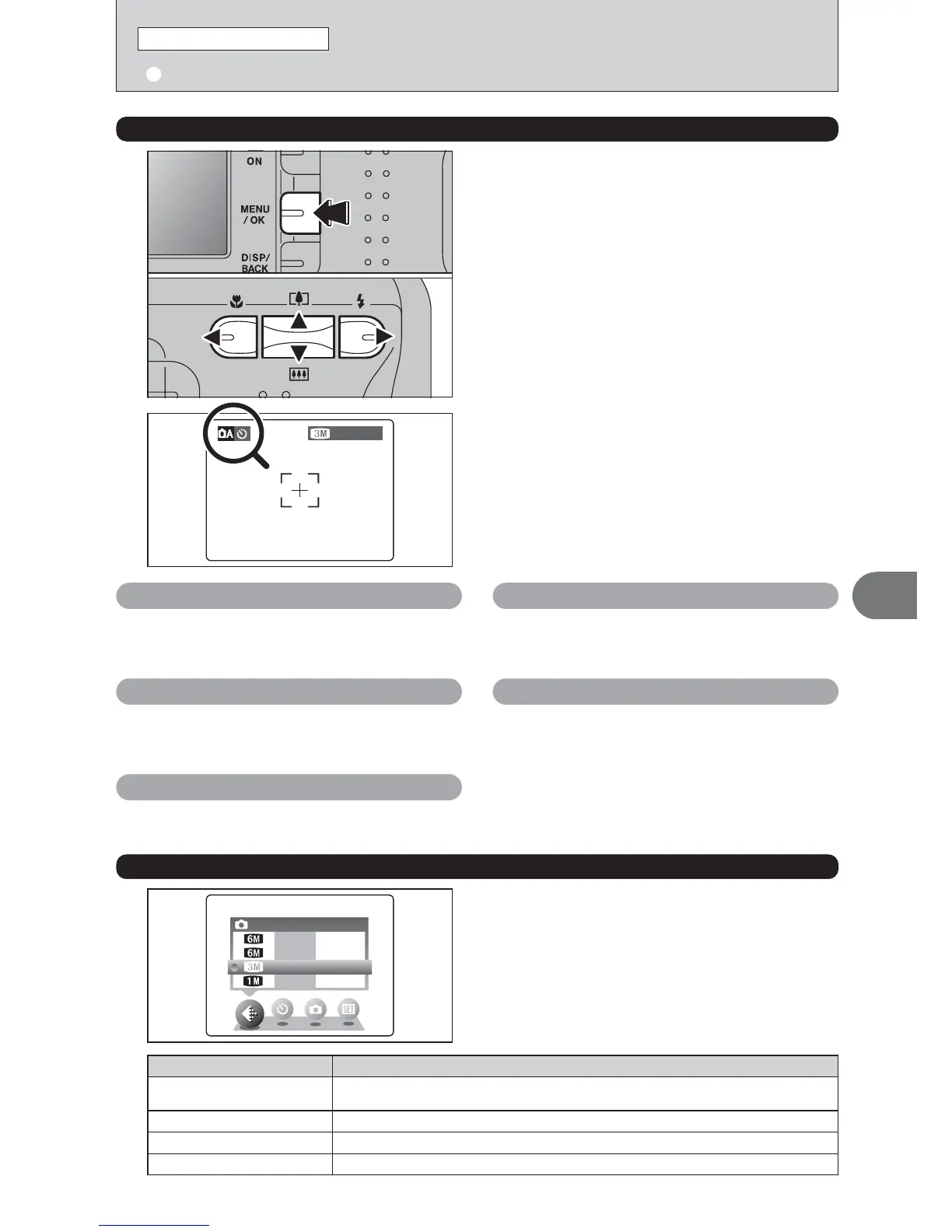
1Press the “MENU/OK” button to display the
menu on the LCD monitor.
2Press “d” or “c” to select the menu item and
“a” or “b” to change the setting.
3Press the “MENU/OK” button to confirm the
selection.
01
02
03
q
STILL PHOTOGRAPHY MENU OPERATION
(
Important. Please read.
)
STILL PHOTOGRAPHY MENU
2
When you enable the setting, an icon appears in
the top-left corner of the LCD monitor.
●
!
The settings available in the menu screen vary depending on
the Still photography mode.
q
Shooting mode ➡P.31, 43
Specify “a” Auto, “s” Manual, “m” Portrait, “,”
Scene, “
.” Sports, “/” Night or “r” Movie.
y
Quality ➡P.29
Set the size of the recorded image when the
picture is taken. The size set is matched to the
intended use of the print size.
D
EV ➡P.32
Set when the correct exposure cannot be obtained.
*
Self-timer ➡P.30
Use this setting for taking pictures such as group
shots where the photographer is included in the
shot.
A
White balance ➡P.32
Change this setting to take a picture with the white
balance fixed for the surroundings and lighting
when the picture is taken.
Choose from 4 settings. Using the table below as a
guide, select the setting that best suits the aims.
y
QUALITY SETTINGS IN STILL PHOTOGRAPHY MODE
●
!
The numbers to the right of each setting show the number of
available frames.
●
!
When changing the quality setting, the number of available
frames also changes (➡P.19).
Printing at A4 size or printing part of the image cropped at A5 or A6 size.
For better image quality, select “
5
F”.
Quality mode
5
F (2816 × 2120)
Printing at A4 size or printing part of the image cropped at A5 or A6 size.
5
N (2816 × 2120)
Printing at A4 or A5 size or printing part of the image cropped at A6 size.
3
(2048 × 1536)
Printing at A6 size
1
(1280 × 960)
Sample Uses













 To Next Page