76
Power Supply and Batteries
DISCHARGEDISCHARGE
SETSET
OKOK
OKOK CANCELCANCEL
DISCHARGEDISCHARGE OK?OK?
ITIT MAYMAY TAKETAKE A
WHILE
WHILE FORFOR
DISCHARGINGDISCHARGING
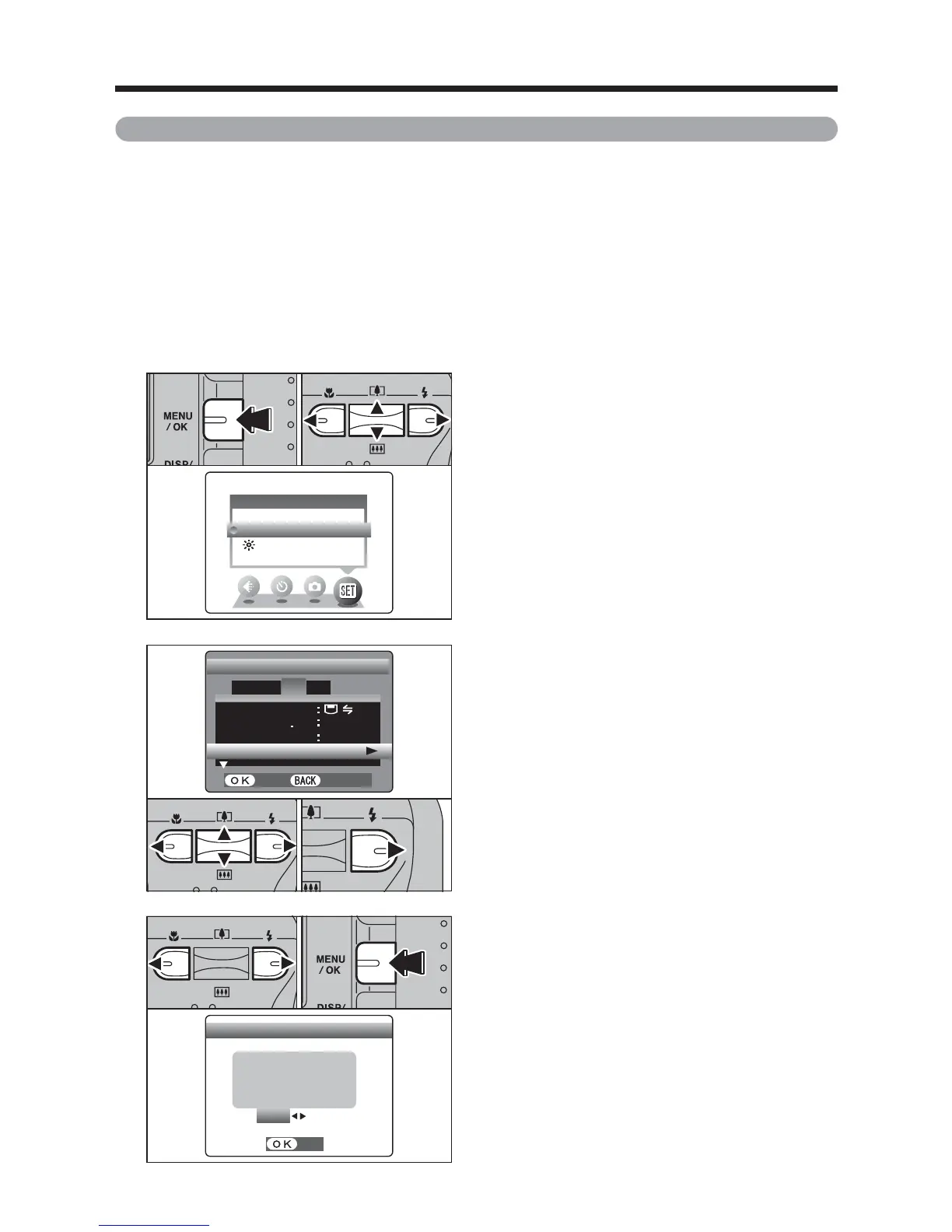
1Press “d” or “c” to move to option 3 and then
press “a” or “b” to select “DISCHARGE”.
2Press “c”.
2
SET−UP SET−UP
SETSET
CANCELCANCEL
言語言語
/LANG/LANG
ENGLISHENGLISH
VIDEO SYSTEMVIDEO SYSTEM
PALPAL
OKOK
USBUSBMODEMODE
DISCHARGEDISCHARGE
1 2
3
4
01 02
Procedure for discharging rechargeable Ni-MH batteries
Only use the “Discharging rechargeable batteries” function with Ni-MH batteries
(rechargeable batteries).
The “Discharging rechargeable batteries” function should not be used with
alkaline batteries as it will completely drain the battery charge.
Use the “Discharging rechargeable batteries” function in the following situations:
i When the batteries can only be used for a short time after being charged normally
i When the batteries have not been used for a long period
i When you purchase new Ni-MH batteries
Do not use the “Discharging rechargeable batteries” function when the camera is set in the cradle or
while using the AC power adapter. In these situations, the Ni-MH batteries will not be discharged
due to the external power supply.
1
SET−UPSET−UP
OPTIONOPTION
LCDLCD
1Press the “MENU/OK” button.
2Press “d” or “c” to select “F” OPTION and
then press “a” or “b” to select “SET-UP”.
3Press the “MENU/OK” button.
01 03 02
●
!
Remove the camera from the cradle when discharging
batteries.
●
!
Do not use the procedure for discharging
rechargeable batteries with alkaline batteries.
1Press “d” or “c” to select “OK”.
2Press the “MENU/OK” button.
The screen changes and discharging begins.
When the battery level indicator blinks red and
discharging ends, the camera turns off.
3
01
02
●
!
To cancel discharging, press the “DISP/BACK” button.













 To Next Page