24
1
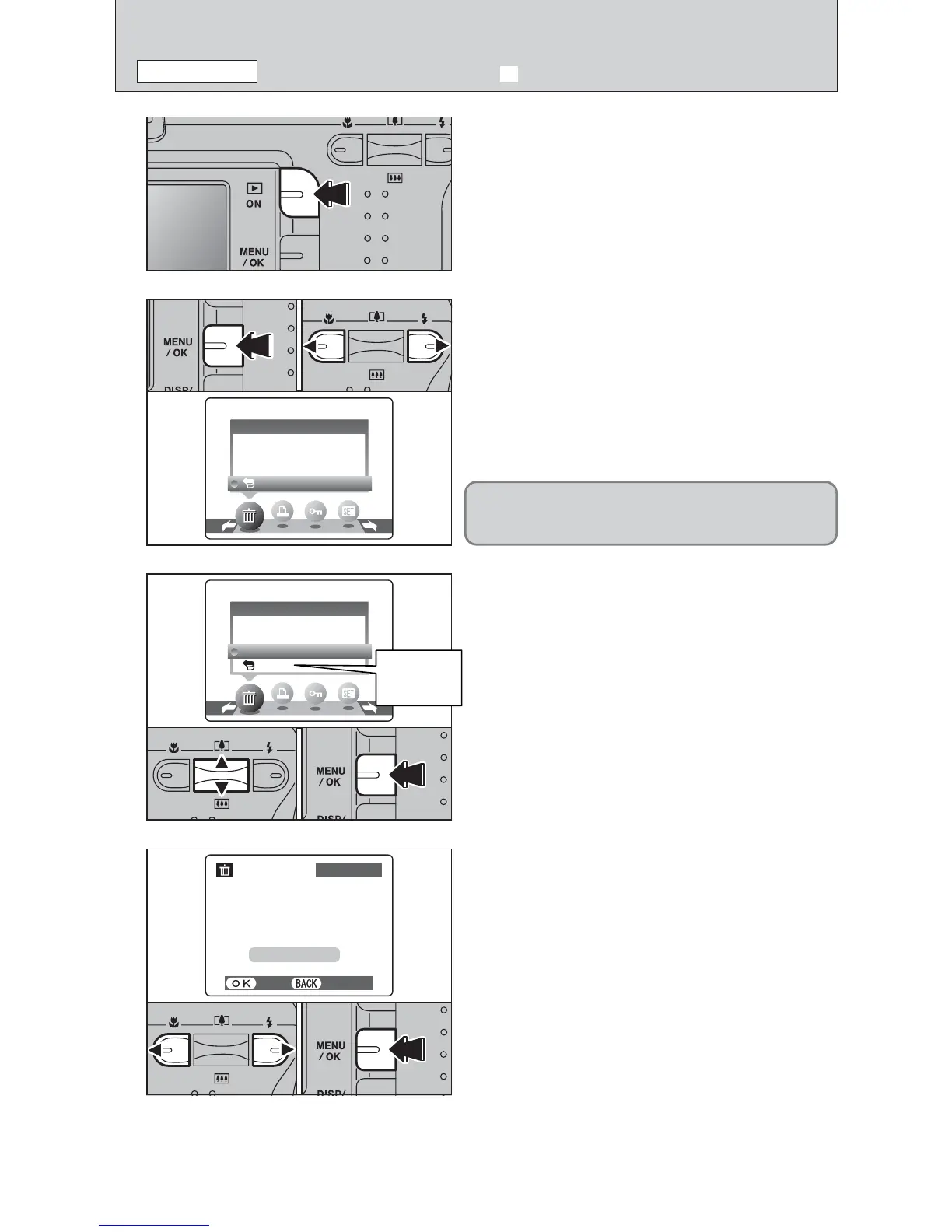
Press the “Playback” button for approx. 1 second to
turn the camera on in Playback mode.
2
3
1Press the “MENU/OK” button during playback to
display the menu.
2Press “d” or “c” to select “o” ERASE.
1Press “a” or “b” to select “FRAME”.
2Press the “MENU/OK” button to confirm the
selection.
See P.33 for information on “ALL FRAMES”.
FRAMEFRAME
ALL FRAMESALL FRAMES
BACKBACK
ERASEERASE
4
1Press “d” or “c” to select the frame (file) to be
erased.
2Press the “MENU/OK” button to erase the
displayed frame (file).
To erase another image, repeat steps 1 and 2.
When image erasing is completed, press the
“DISP/BACK” button.
YESYES CANCELCANCEL
100−0009100−0009
ERASEERASE OK?OK?
FRAMEFRAME
FRAMEFRAME
ALL FRAMESALL FRAMES
BACKBACK
ERASEERASE
Return to
single-frame
playback
●
!
Press the “MENU/OK” button repeatedly to erase consecutive
images. Take care not to erase important images.
01 02
ERASING IMAGES
(
o ERASE FRAME
)
PLAYBACK MODE
Erased frames (files) cannot be recovered. Back up
important frames (files) onto your computer or
another media.













 To Next Page