33
Advanced Features
3
o ERASING SINGLE / ALL FRAMES
PLAYBACK MENU
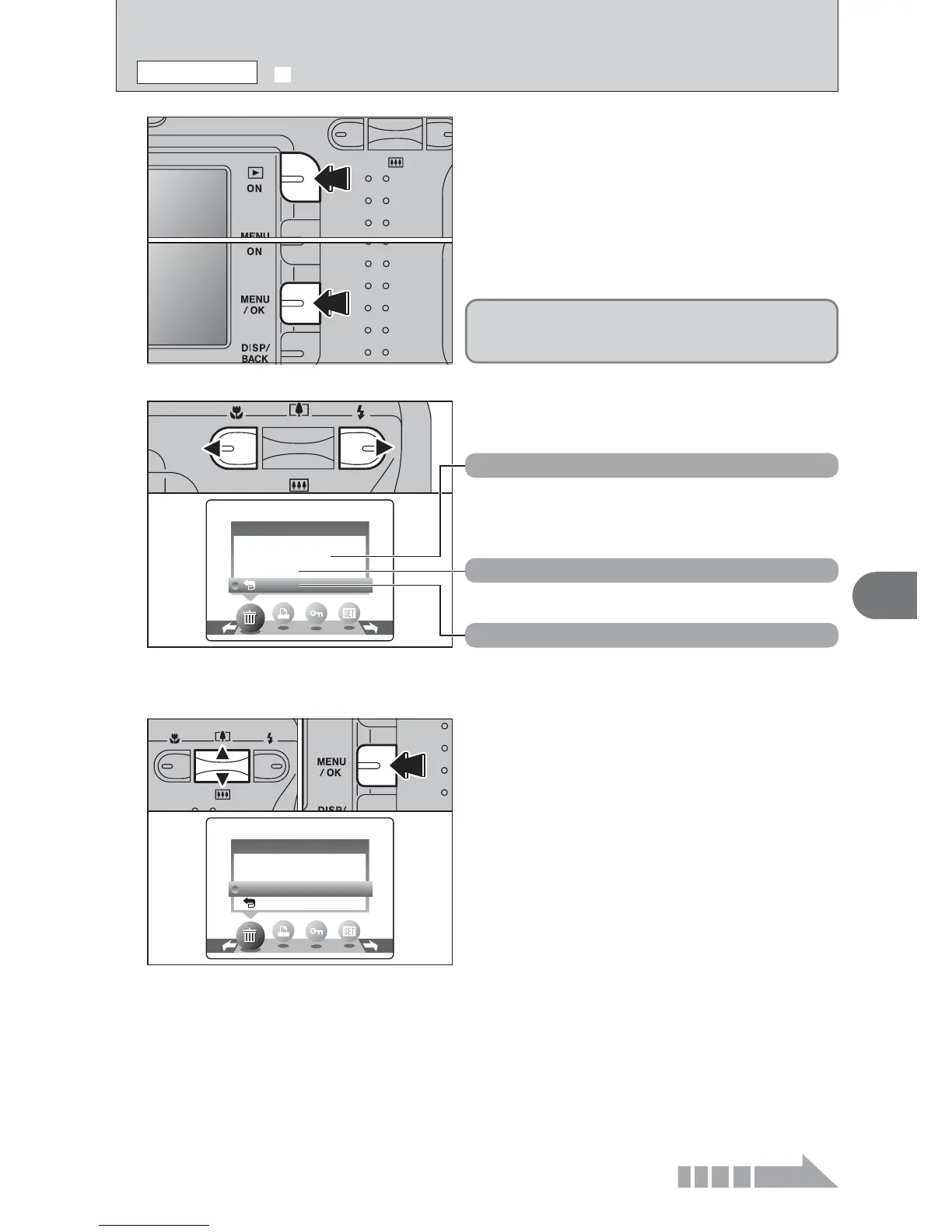
1
1Press the “Playback” button for approx. 1
second to turn the camera on in Playback mode.
2Press the “MENU/OK” button to display the
menu on the LCD monitor.
1Press “a” or “b” to select “ALL FRAMES” or
“FRAME”.
2Press the “MENU/OK” button.
2
Press “d” or “c” to select “o” ERASE.
ALL FRAMES
Erase all unprotected frames (files).
Back up important frames (files) onto your
computer or another media.
FRAME
Erase only the selected frame (file).
¡ BACK
Return to playback without erasing any frames
(files).
3
01
02
01 02













 To Next Page