25
Advanced Features
3
TAKING PICTURES — SELECTING THE CAMERA SETTINGS
STILL PHOTOGRAPHY FUNCTIONS
3
Advanced
Features
Consider the scene you are photographing and the sort of image you want to
achieve when you specify the camera settings. A general guide is given below.
1
Select the Photography mode (➡P.31).
a
Auto Leaves the “EV” and “White balance” settings to the
camera.
s
Manual Sets the “EV” and “White balance” to manual to easily
control yourself.
m
Portrait Uses for photography getting beautiful skin tones and
soft overall tone.
,
Scene Uses for shooting scenery in daylight.
.
Sport Uses for shooting sporting events.
/
Night Uses for shooting evening and night scene.
2
Specify the photography settings (➡P.26-30, 32).
e
Macro Uses for close-up shots.
d
Flash Uses for photography in dark locations or for backlit
subjects, etc.
y Quality
Set the size of the recorded image when the picture is
taken. The size set is matched to the intended use of
the print size.
*
Self-timer Uses in situations such as group shots where the
photographer is included in the shot.
D
EV (Exposure compensation)
Uses the AE exposure as a reference value of 0, this
function brightens (+) or darkens (–) the shot.
A
White balance Uses to fix the white balance to suit the photography
conditions and lighting.
3
Take the pictures
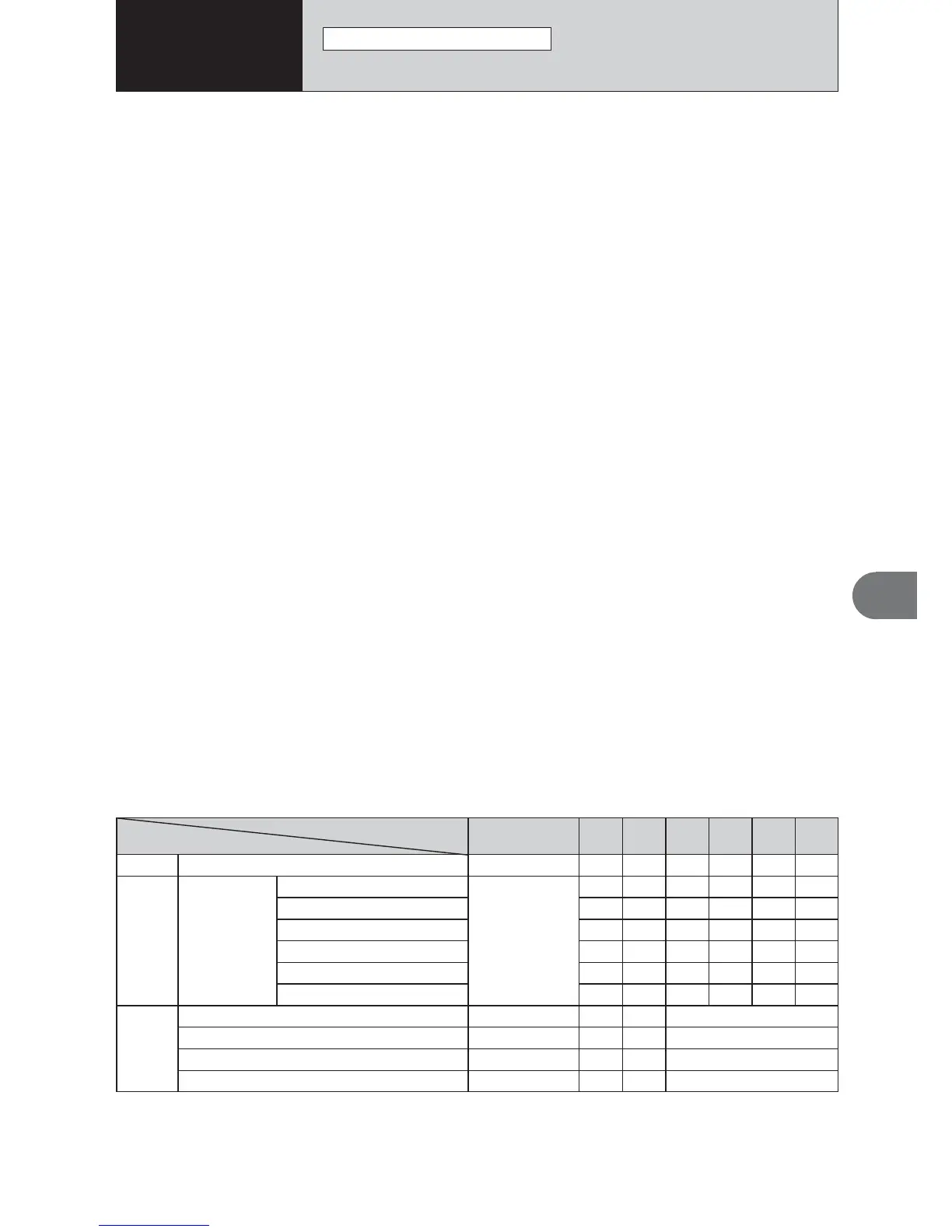
■ Photography Mode Specifications
d
e MACRO
YES
c
d FLASH
AUTO Auto Flash
bRed-Eye Reduction
d Forced Flash
v Suppressed Flash
c Slow Synchro
n Red-Eye + Slow
y Quality
YES
YES
YES
NO
YES
YES
NO
NO
YES
Menu
* Self-timer
NO
D EV (Exposure Compensation)
A White balance
a
YES
YES
YES
YES
YES
YES
YES
YES
YES
YES
YES
s
YES
YES
YES
YES
NO
YES
YES
YES
YES
NO
NO
m
NO
NO
NO
YES
NO
NO
NO
,
YES
NO
YES
YES
NO
NO
NO
.
NO
NO
NO
YES
YES
YES
NO
/
Default Setting
OFF
AUTO
3
OFF
0
AUTO













 To Next Page