2
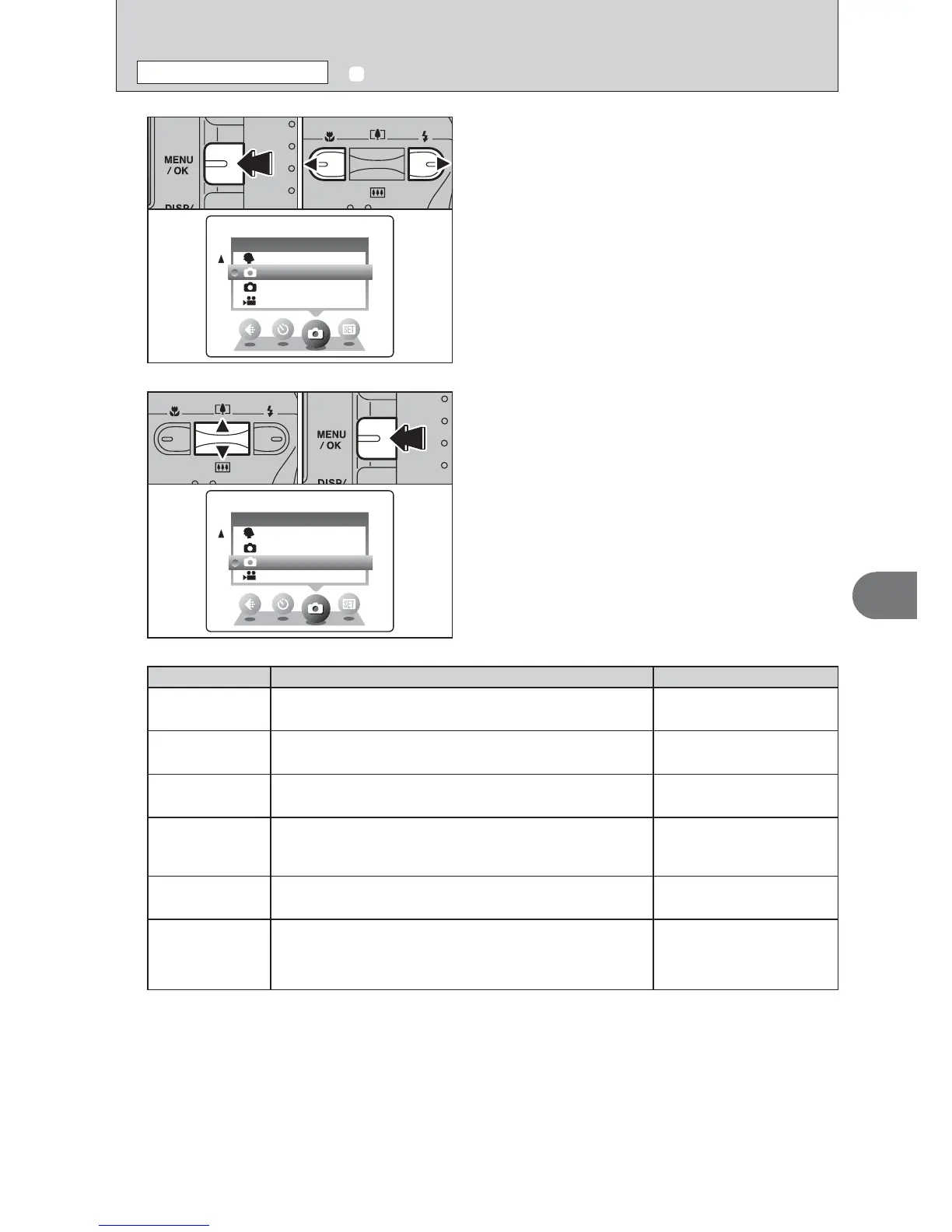
1Press “a” or “b” to select “q” SHOOTING
MODE.
2Press the “MENU/OK” button to confirm the
selection.
01 02
q SHOOTING MODE
STILL PHOTOGRAPHY MENU
Shooting mode Explanation Available flash modes
m
PORTRAIT
This is the best mode for shooting portraits. Skin tones are
shown beautifully and the overall tone is soft.
AUTO / b / d / v / c /
n
q
MANUAL
This is the mode for specifying “EV” (exposure compensation)
(➡P.32) and white balance (➡P.32) settings.
AUTO / b / d / v
q
AUTO
This is the easiest mode for taking pictures and can be used in
a wide range of conditions.
AUTO / b / d / v / c /
n
,
SCENE
This is the best mode for shooting scenery in daylight and
provides crisp, clear shots of scenery such as buildings and
mountains.
can not be used
.
SPORT
This is the best mode for shooting sporting events. This mode
gives priority to faster shutter speeds.
AUTO / d / v
/
NIGHT
This is the best mode for evening and night scenes. This mode
allows you to take shots where priority is given to slow shutter
speeds of up to 2 seconds. To prevent camera shake, always
use a tripod.
c / n / v
✽ “m”, “,”, “.” and “/” can not be selected Macro mode.













 To Next Page