EasyManua.ls Logo

FujiFilm FinePix A150 - User Manual

FujiFilm FinePix A150
96 pages
Print Icon
To Next Page IconTo Next Page
Loading...
Before You Begin
First Steps
Basic Photography and Playback
More on Photography
More on Playback
Movies
Connections
Menus
Technical Notes
Troubleshooting
Appendix
BL00833-201
EN
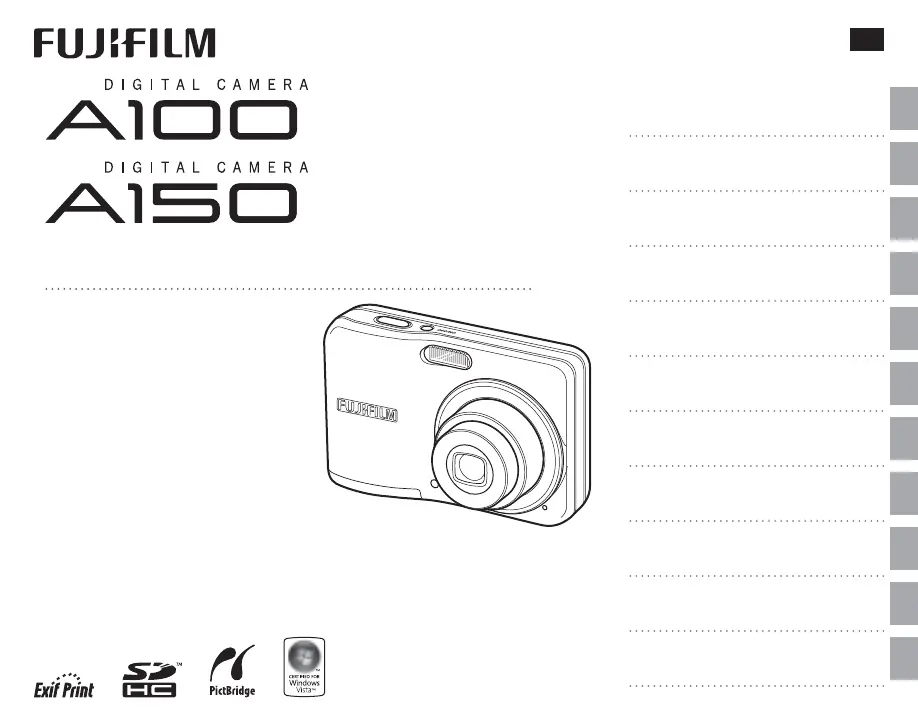
Owners Manual
Thank you for your purchase of
this product. This manual de-
scribes how to use your FUJIFILM
A100/A150 digital camera and
the supplied software. Be sure
that you have read and under-
stood its contents before using
the camera.
A100 – 2.7 inch monitor model
A150 – 3.0 inch monitor model
For information on related products, visit our website at
http://www.fujifilm.com/products/index.html

Table of Contents

Questions and Answers

  • J
    Jerry KeithSep 8, 2025
    What to do if the flash does not fully light the subject on FujiFilm Digital Camera?
    • J
      James NorrisSep 9, 2025
      If the flash on your FujiFilm Digital Camera does not fully light the subject, it could be because the subject is not in range of the flash. Position the subject within the flash range. Alternatively, the flash window might be obstructed; ensure you are holding the camera correctly.
  • J
    Justin GutierrezAug 23, 2025
    What to do if no picture is taken when the shutter button is pressed on FujiFilm FinePix A150?
    • M
      michaelsharpAug 23, 2025
      If no picture is taken when you press the shutter button on your FujiFilm Digital Camera, several factors could be at play. The memory might be full, so try inserting a new memory card or deleting pictures. Alternatively, the memory card may not be formatted; in this case, format the memory card or internal memory. Also, ensure that the batteries are not exhausted by inserting fresh or fully-charged spare batteries. Finally, confirm that the camera hasn't turned off automatically and turn it back on if needed.
  • J
    Julie OrtizAug 25, 2025
    Why does my FujiFilm Digital Camera turn off suddenly?
    • S
      Steven HerreraAug 26, 2025
      If your FujiFilm Digital Camera turns off suddenly, the most likely cause is exhausted batteries. Try inserting fresh or fully-charged spare batteries to resolve this issue.
  • J
    Jennifer FosterAug 26, 2025
    Why do the batteries run down quickly on my FujiFilm FinePix A150?
    • A
      Amanda LiAug 26, 2025
      If the batteries in your FujiFilm Digital Camera run down quickly, there could be a few reasons. If the batteries are cold, warm them by placing them in a pocket or warm place before re-inserting them. Also, dirt on the battery terminals can cause this issue, so clean them with a soft, dry cloth. If you're using rechargeable Ni-MH batteries, try discharging them using the o DISCHARGE option and then fully recharge them. If the batteries still don't hold a charge, they may need to be replaced.
  • A
    Ariana TateAug 27, 2025
    Why are my FujiFilm FinePix A150 Digital Camera pictures blurred?
    • J
      Jeremiah ValenciaAug 27, 2025
      If pictures taken with your FujiFilm Digital Camera are blurred, it might be because the lens is dirty. Clean the lens to resolve this issue. Another possibility is that the lens is blocked, so ensure that objects are kept away from the lens.
  • G
    Gabriel ThomasSep 22, 2025
    Why selected pictures are not deleted from my FujiFilm FinePix A150?
    • J
      Jon KimSep 22, 2025
      If selected pictures are not deleted from your FujiFilm Digital Camera, some of the pictures selected for deletion are protected. Remove protection using the device with which it was originally applied.
  • L
    Lisa OrtegaSep 16, 2025
    Why pictures cannot be printed from my FujiFilm FinePix A150 Digital Camera?
    • J
      jesuswhiteSep 16, 2025
      If your FujiFilm Digital Camera pictures cannot be printed, the camera is not properly connected. Connect the camera correctly.
  • C
    Clarence NelsonSep 18, 2025
    Why is there no picture or sound on my FujiFilm Digital Camera?
    • M
      Michael MartinezSep 18, 2025
      If no picture or sound is playing on your FujiFilm Digital Camera, the camera is not properly connected. Connect the camera correctly. If the camera was connected during movie playback, connect the camera once movie playback has ended.
  • S
    Stephen SinghSep 7, 2025
    What to do if no face is detected on FujiFilm FinePix A150 Digital Camera?
    • A
      Anna WilliamsSep 7, 2025
      If no face is detected by your FujiFilm Digital Camera, it could be due to several reasons. The subject’s face might be obscured by sunglasses, a hat, long hair, or other objects; remove these obstructions. The subject’s face might occupy only a small area of the frame; change the composition to enlarge the face area. The subject’s head might be tilted or horizontal; ask the subject to hold their head straight. The camera might be tilted; hold it straight. Finally, the subject’s face might be poorly lit; shoot in bright light.
  • M
    Michael KennedySep 4, 2025
    Why is macro mode not available on my FujiFilm FinePix A150?
    • S
      Stacey RichardsonSep 4, 2025
      If macro mode is not available on your FujiFilm Digital Camera, it's likely because the camera is in a shooting mode where macro mode cannot be selected. Try choosing a different shooting mode.

FujiFilm FinePix A150 Specifications

General IconGeneral
Image SensorCCD
Resolution10.0 MP
Sensor Resolution10.0 MP
Optical Zoom3x
Screen Size2.7 inches
LCD Screen Size2.7 inches
Image Sensor Size1/2.3 inch
ISO Range100 - 1600
ISO SensitivityAuto, 100, 200, 400, 800, 1600
Video Resolution640 x 480
Shutter Speed1/2000 - 8 sec
Storage MediaSD/SDHC
Battery TypeAA

Related product manuals