27
Using the Camera
2
26
ERASING IMAGES
(
ERASE FRAME
)
PLAYBACK MODE
100−0009100−0009
ERASE OK?ERASE OK?
FRAMEFRAME
YESYES
CANCELCANCEL
ERASEERASE
ALL FRAMESALL FRAMES
FRAMEFRAME
BACKBACK
ERASEERASE
ALL FRAMESALL FRAMES
FRAMEFRAME
BACKBACK
1
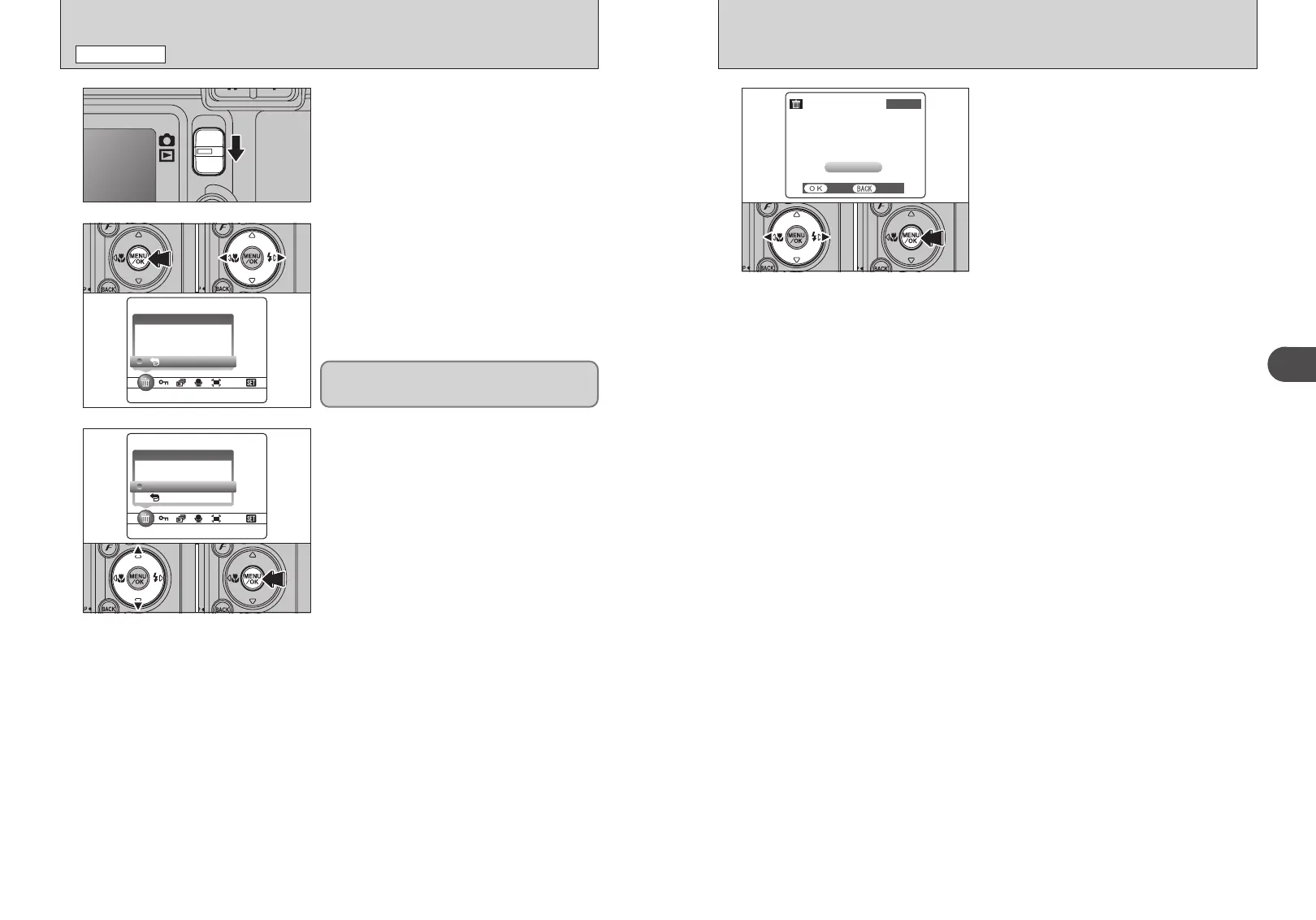
Set the Mode switch to “w”.
2
3
1Press the “MENU/OK” button during playback to
display the menu on the LCD monitor.
2Press “d” or “c” to select “o” ERASE.
1Press “a” or “b” to select “FRAME”.
2Press the “MENU/OK” button to confirm the
selection.
See P.50 for information on “ALL FRAMES”.
4
1Press “d” or “c” to select the frame (file) to be
erased.
2Press the “MENU/OK” button to erase the
displayed frame (file).
To erase another image, repeat steps 1 and 2.
Press the “BACK (DISP)” button to cancel single
frame erasing.
01 02
01 02
01 02
Erased frames (files) cannot be recovered. Back up
important frames (files) onto your PC or another
media.
●
!
To return to single-frame playback, press “a” or “b” to select
“
« BACK” and then press the “MENU/OK” button.
●
!
Press the “MENU/OK” button repeatedly to erase consecutive
image. Take care not to erase important images.











 To Next Page