15
Using the Camera
2
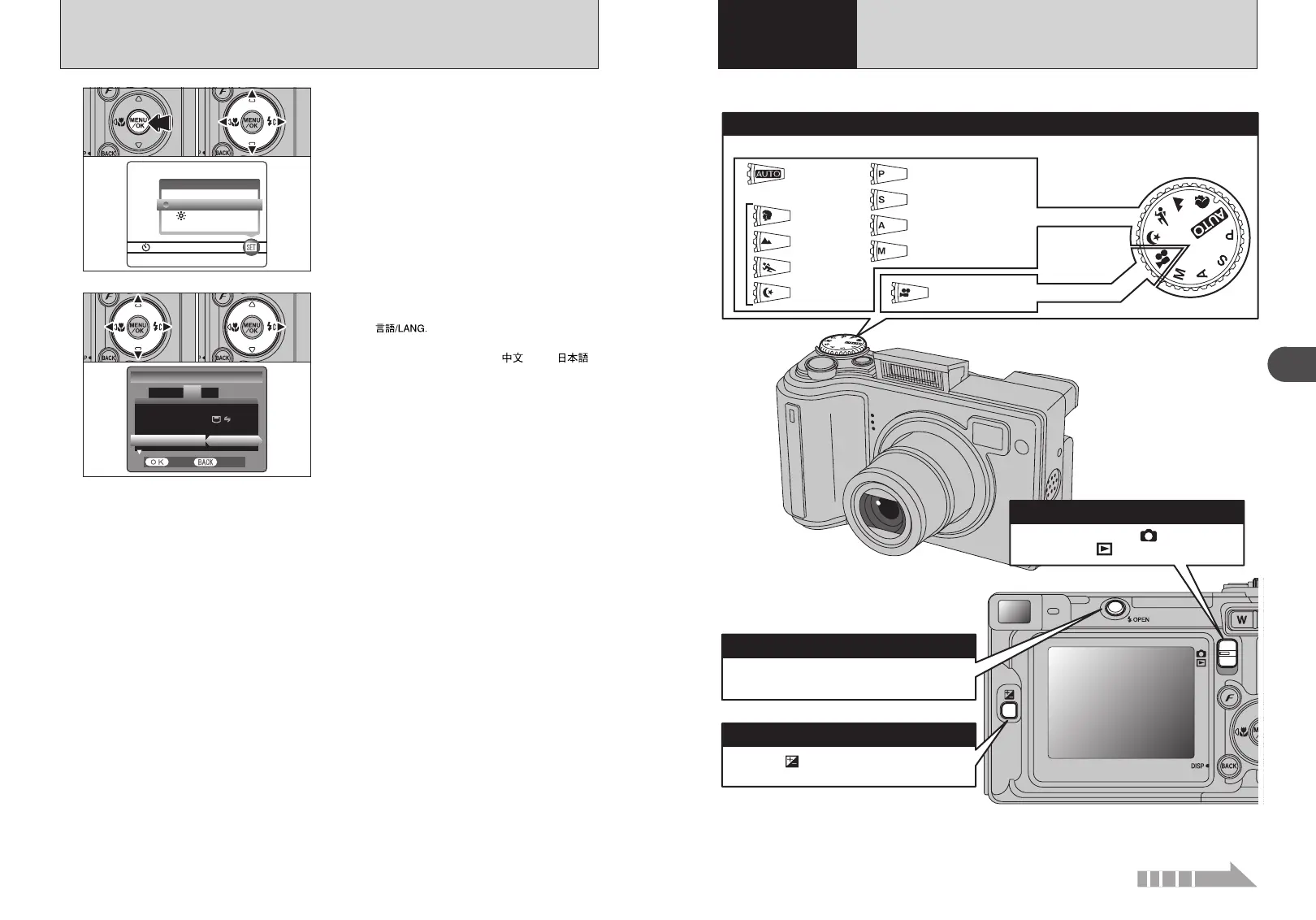
This section describes the camera’s functions.
Changing between the “ ” Photography
mode and the “ ” Playback mode.
With the “ ” button held down, press “d” or
“c” to select the exposure compensation.
Auto
Scene position
Portrait
Landscape
Sports
Night scene
Movie
Manual
Aperture-priority Auto
Shutter-priority Auto
Programmed Auto
● Mode switch
0Photography mode selector
Still photography
Movie recording
Turn the Mode dial to select the Photography mode.
0 Flash pop-up button
To use the flash, press the flash pop-up button
to release the flash.
0 Exposure compensation button
14
SELECTING THE LANGUAGE
1The “SET-UP” screen appears. Press “d” or “c”
to move to option 3 and then press “a” or “b” to
select “ ”.
2Press “c” to select “ENGLISH”, “FRANCAIS”,
“DEUTSCH”, “ESPAÑOL”, “ ” or “ ”.
Press “c ” to cycle through the language
settings.
●
!
The screens in this manual are shown in English.
●
!
See P.69 for more information on the “F” OPTION menu.
1Press the “MENU/OK” button to display the
menu on the LCD monitor.
2Press “d” or “c” to select “F” OPTION and
then press “a” or “b” to select “SET-UP”.
3Press the “MENU/OK” button.
OPTIONOPTION
LCDLCD
SET−UPSET−UP
01 03 02
1
FRAME NO. :CONT.FRAME NO. :CONT.
USB MODE :USB MODE :
言語言語
/LANG. ENGLISH/LANG. ENGLISH
SET−UPSET−UP
1
2
3
4
START−IMAGE :OFFSTART−IMAGE :OFF
SETSET CANCELCANCEL
01 02
2
BASIC OPERATION GUIDE
2
Using
the Camera
Continued











 To Next Page