EasyManua.ls Logo

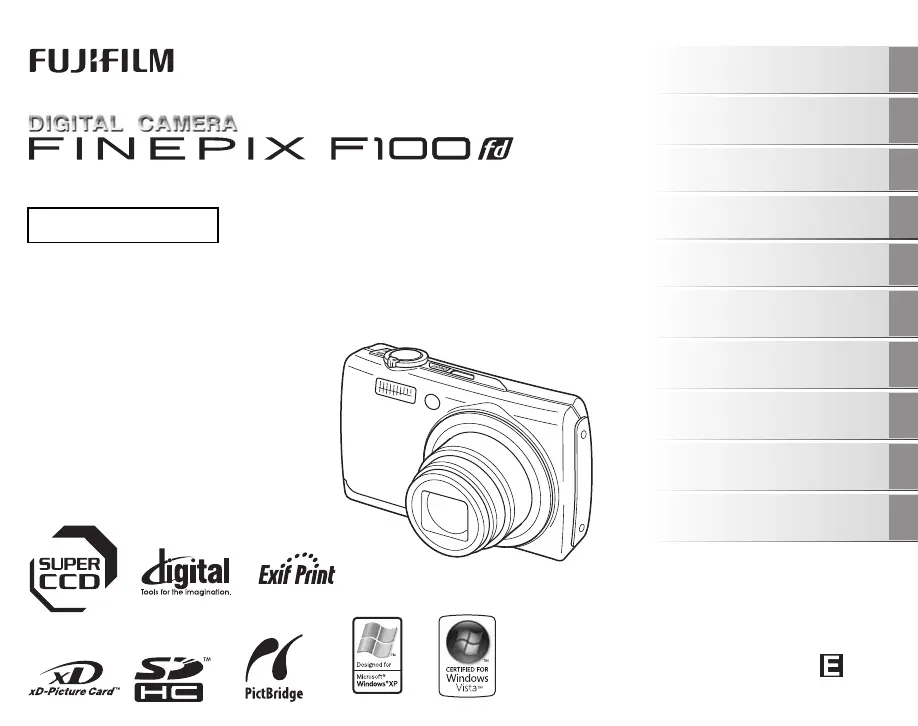
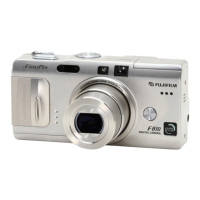
FujiFilm FinePix F100fd - User Manual

FujiFilm FinePix F100fd
166 pages
Print Icon
To Next Page IconTo Next Page
Loading...
OWNER’S MANUAL
This manual will show you how to use
your FUJIFILM DIGITAL CAMERA
FinePix F100fd correctly.
Please follow the instructions carefully.
BL00729-200(1)
Getting Ready
Using the Camera
Advanced Features
Photography
Settings
Camera Connection
Software
Installation
Playback
•Movie
Appendices
Troubleshooting

Table of Contents

Other manuals for FujiFilm FinePix F100fd

Questions and Answers

  • C
    Christopher WoodsSep 3, 2025
    Why are there lines on my FujiFilm FinePix F100fd photos?
    • R
      Robert WeaverSep 3, 2025
      If your FujiFilm Digital Camera displays vertical lines in the images, it might be overheating. Turn the camera off for a while or enable the power save mode in the power management settings.
  • R
    Robert MillerSep 18, 2025
    Why is there no sound coming from my FujiFilm FinePix F100fd Digital Camera?
    • T
      tnewtonSep 18, 2025
      If there is no sound coming from your FujiFilm Digital Camera, it is likely that Silent mode is activated. To restore the sound, simply release Silent mode.
  • H
    Hector SandovalSep 16, 2025
    Why can my FujiFilm Digital Camera only shoot 1 frame in continuous shooting mode?
    • S
      Samuel KleinSep 16, 2025
      If you can only shoot one frame on your FujiFilm Digital Camera, even when continuous shooting mode is set, it's because you're using the self-timer with specific continuous shooting modes ([FINAL 3], [LONG PERIOD], [TOP 12], or [FINAL 12]). Only one frame can be shot when using these modes together.
  • M
    Micheal HumphreySep 15, 2025
    Why can't I set Intelligent Face Detection on my FujiFilm FinePix F100fd Digital Camera?
    • X
      Xavier BridgesSep 15, 2025
      You cannot set Intelligent Face Detection on your FujiFilm Digital Camera if the shooting mode is set to a specific mode. Change the shooting mode to enable this feature.
  • M
    Michael HendersonSep 13, 2025
    How to change the language to English on a FujiFilm FinePix F100fd?
    • J
      Joshua Rivera DDSSep 13, 2025
      If the screens on your FujiFilm Digital Camera are not displayed in English, it is likely that a different language is selected in the [ ] setting within the [SET-UP] menu. To fix this, simply select [ENGLISH].
  • A
    Anthony CainSep 12, 2025
    How to fix charging not beginning on FujiFilm FinePix F100fd?
    • F
      Fernando HillSep 12, 2025
      If charging doesn't start on your FujiFilm Digital Camera, check these: * The battery might be loaded backward. Load the battery in the correct direction. * The battery terminals might be dirty. Briefly remove the battery and wipe the terminals with a clean, dry cloth before reloading. * The battery might no longer be rechargeable. Try a new battery. If it still doesn't charge, contact your FUJIFILM dealer.
  • A
    Alex ArcherSep 10, 2025
    Why does my FujiFilm FinePix F100fd Digital Camera have vertical linear noise in the images?
    • T
      Todd LopezSep 10, 2025
      If your FujiFilm Digital Camera is displaying vertical linear noise in the images, it might be because the camera is being used continuously in a hot environment. Try turning the camera off for a while or select [POWER SAVE] for [POWER MANAGEMENT].
  • A
    Aaron TorresSep 6, 2025
    What to do if my FujiFilm Digital Camera won't take a photo when I press the shutter button?
    • R
      Ronald MillerSep 6, 2025
      If your FujiFilm Digital Camera isn't taking photos when you press the shutter button, here's what might be happening: * The memory card or internal memory might be full. Try inserting a new memory card or deleting some unnecessary photos. * The memory card or internal memory might not be formatted. Format the memory card or internal memory on the camera. * The memory card contact area might be dirty. Clean the memory card contact area with a soft, dry cloth. * The memory card might be damaged. Try inserting a new memory card. * The battery might be dead. Load a fully charged battery. * The auto power off function might have turned the camera off. Turn the camera back on.
  • A
    Aaron MartinSep 5, 2025
    How to change language on FujiFilm Digital Camera?
    • K
      Kevin GreenSep 5, 2025
      If your FujiFilm Digital Camera screens are not displayed in English, select [ENGLISH] in the [ ] setting in the [SET-UP] menu.
  • A
    Andrew FloresAug 21, 2025
    Why won't my FujiFilm FinePix F100fd Digital Camera turn on?
    • K
      Kyle McintyreAug 21, 2025
      If your FujiFilm Digital Camera is not turning on, here are a few things to check: * The battery may be dead. Load a fully charged battery. * The battery might be inserted incorrectly. Make sure it's in the correct direction. * The battery cover might not be closed properly. Ensure it is securely closed. * If you're using an AC power adapter and DC coupler, they may not be connected correctly. Double-check those connections.

Summary

Warning

Camera Parts and Features

Getting Ready

Charging the Battery

Instructions for charging the camera's rechargeable battery.

Loading the Battery

Loading the Memory Card

Turning On and Off

Setting the language, date, and time

Using the Camera

Taking Pictures ( AUTO Mode)

Basic operations for taking photos in AUTO mode.

Using Intelligent Face Detection;Red-eye Removal when taking pictures

Using the Dual Image Stabilizer function when taking pictures

Taking pictures with the focus and exposure locked

Using AF;AE lock

Guide to using AF/AE lock for optimal results with difficult subjects.

Viewing the Images

Erasing the Images;Movies

Advanced Features - Photography

Using the Shooting Functions - Procedure of Setting

General guide to setting camera functions for optimal shooting results.

Select a Shooting mode.

How to choose the most suitable shooting mode based on the scene.

Specifying functions using [p-MODE MENU] (p button)

Using the F-MODE MENU to adjust ISO, Dynamic Range, Quality, etc.

Specifying functions using [SHOOTING MENU]

Using the SHOOTING MENU to adjust Exposure Compensation, Photometry, White Balance, etc.

Setting the Shooting Mode

Selecting a desirable Shooting mode

Guide to choosing the best shooting mode for your subject and scene.

Shooting mode list

Macro (Close-up)

Setting the Flash (Intelligent Flash)

Self-Timer

Taking pictures with the self timer and Intelligent Face Detection function

Using [p-MODE MENU] (Photography);[SHOOTING MENU]

Setting the [p-MODE MENU] (Photography)

Guide to adjusting settings like ISO, Dynamic Range, and Quality using the F-MODE MENU.

Setting the [SHOOTING MENU]

Guide to adjusting Exposure Compensation, Photometry, and AF Mode using the SHOOTING MENU.

Changing the sensitivity setting ([S ISO])

Setting the Dynamic Range ([ DYNAMIC RANGE])

Changing the quality setting ([ QUALITY])

Adjusting the Image Brightness ([S EXP. COMPENSATION])

Selecting light metering method ([ PHOTOMETRY])

Adjusting color balance ([T WHITE BALANCE])

Taking pictures continuously ([ CONTINUOUS])

Specifying focusing mode ([H AF MODE])

Advanced Features - Movie

Recording Movies

Instructions for recording movies with sound using the camera.

Record movies.

Playing Back Movies

Settings

[ SET SET-UP]

Accessing and navigating the camera's main setup menu.

Using the [SET-UP] menu

Guide to using the SET-UP menu to configure camera settings.

[DIGITAL ZOOM]

[FORMAT]

Camera Connection

Connecting to a TV

How to connect the camera to a television for image display.

Connecting Camera Directly to Printer - PictBridge Function

Connecting to a printer

Steps to connect the camera to a printer via USB for direct printing.

Software Installation

Installation on a Windows PC

Instructions for installing the camera software on a Windows PC.

Installation on a Mac OS X

Connecting to a PC

Using FinePixViewer

Using Your Camera Correctly

Notes on the xD-Picture Card, the SD Memory Card and the Internal Memory

Handling Memory Card

Proper procedures for inserting, removing, and handling memory cards.

Using Memory Card or Internal Memory with a PC

How to use memory cards and internal memory with a personal computer.

Warning Displays

Troubleshooting

Getting ready

Troubleshooting common issues related to preparing the camera for use.

Specifications

Power supply

IMPORTANT SAFETY INSTRUCTIONS

FujiFilm FinePix F100fd Specifications

General IconGeneral
Megapixel12 MP
Sensor typeCCD
Image sensor size1/1.6 \
Maximum image resolution4000 x 3000 pixels
Digital zoom8.2 x
Optical zoom5 x
Focal length range6.5 - 31.6 mm
Digital SLRNo
Video capabilityYes
Focal length (35mm film equivalent)28 - 140 mm
Internal memory57 MB
Compatible memory cardssd, xd
Maximum memory card size2 GB
Motion JPEG frame rate30 fps
Video formats supportedAVI
Maximum video resolution640 x 480 pixels
Display diagonal2.7 \
Scene modesbeach, Documents, Fireworks, Museum, Night, party (indoor), Portrait, Sports, Sunset, Underwater, Landscape (scenery)
Image editingrotating, trimming
Photo effectsBlack&White
White balanceauto, daylight, Fluorescent, Incandescent, Shade
Camera playbacksingle image, slide show, thumbnails
Self-timer delay2 s
Product colorBlack
Auto focusing (AF) modesContinuous Auto Focus
Flash modesauto, Flash off, Red-eye reduction
Light meteringCentre-weighted
Light exposure modesAuto
Weight and Dimensions IconWeight and Dimensions
Depth23.4 mm
Width97.7 mm
Height58.9 mm
Weight153 g

Related product manuals