EasyManua.ls Logo

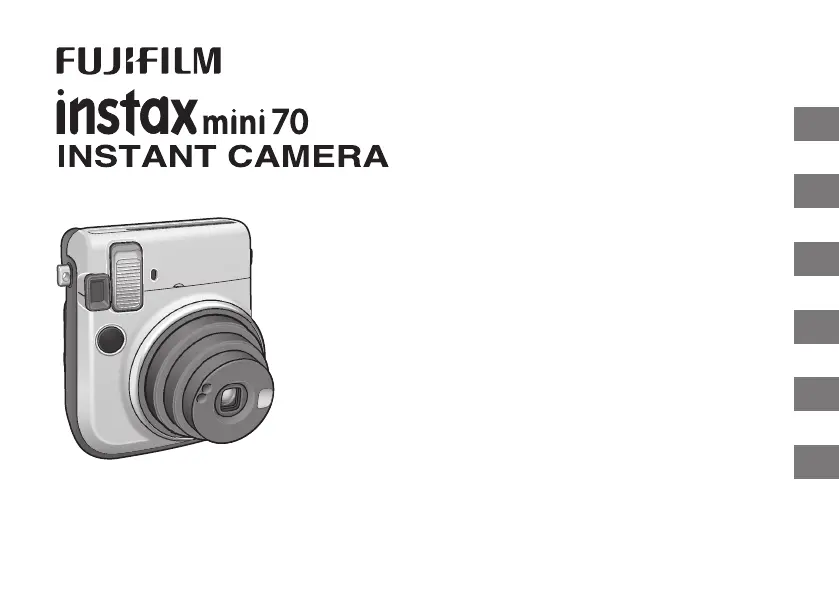
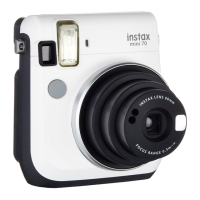
FujiFilm instax mini70 - User Manual

FujiFilm instax mini70
154 pages
Print Icon
To Next Page IconTo Next Page
Loading...
EN
DE
FR
ES
TW
KO
CPL7B105-200
APPAREIL PHOTO INSTANTANÉ
User’s Guide/Trouble shooting/Safety precautions
Bedienungsanleitung/Fehlerbehebung/Sicherheitsmaßnahmen
Guide d’utilisation/Guide de dépannage/Précautions de sécurité
Manual de instrucciones/Solución de problemas/Precauciones de seguridad
使用說明書/現象、可能的原因及解決措施/安全注意事項
사용설명서/문제 해결/안전을 위한 주의사항
BO-7_6lang.indb 1 2015/7/14 8:47:55

Table of Contents

Questions and Answers

  • D
    Douglas NovakSep 9, 2025
    What to do if the film cover cannot be ejected from my FujiFilm instax mini70 Digital Camera?
    • D
      drochaSep 9, 2025
      To address the issue of the film cover not ejecting from your FujiFilm Digital Camera, replace both batteries with new ones and load the film pack again. The problem may be due to low battery power.
  • R
    rhoffmanSep 12, 2025
    Why does it take a while for the flash to be charged on my FujiFilm Digital Camera?
    • M
      Michael WallaceSep 12, 2025
      To resolve the issue of the flash taking a while to charge on your FujiFilm Digital Camera, replace both CR2 batteries with new lithium batteries of the same brand and type.
  • E
    Erica BrownSep 14, 2025
    What to do if pressing the shutter button turns off my FujiFilm Digital Camera?
    • J
      Julie HerreraSep 14, 2025
      To fix the issue of your FujiFilm Digital Camera turning off when pressing the shutter button, replace both CR2 batteries with new lithium batteries of the same brand and type.
  • D
    Denise GonzalezSep 16, 2025
    Why does the subject in the viewfinder shift in the finished print of my FujiFilm instax mini70 Digital Camera?
    • J
      Jonathan AguilarSep 16, 2025
      If the subject in the viewfinder has shifted in the finished print from your FujiFilm Digital Camera, it could be because the shooting distance is too close to the subject. When using Macro Mode, refer to page 16 for specific notes on using the mode.

Summary

Camera Front Parts Identification

Front View Components

Identifies and labels the front components of the camera.

Camera Rear Parts Identification

Rear View Components

Identifies and labels the rear components of the camera.

Attaching Camera Straps

Hand Strap Attachment

Instructions for attaching the camera's hand strap for secure carrying.

Shoulder Strap Attachment

Steps to attach the shoulder strap, including using a clip tool.

Inserting Camera Batteries

Loading Film Pack

Taking Pictures

Unloading Film Pack

Using the Self Timer

One Shot Self Timer

Instructions for using the self-timer function for delayed shots.

Continuous Photo Self Timer

2 Continuous Photo Mode

How to use the self-timer for taking two consecutive photos.

Shooting Modes Overview

Selecting a Shooting Mode

How to cycle through and select different camera shooting modes.

Shooting Mode Descriptions

Explains the effects and uses of Macro, Landscape, Fill-in Flash, and Hi-Key modes.

Self Portrait (Selfie Mode)

Camera Specifications

Troubleshooting Common Problems

Important Safety Notice

General Safety Warnings

Critical safety warnings and precautions to prevent injury or damage.

Product Compliance and Precautions

Safety Precautions & Compliance

Further safety warnings, compliance information (CE, FCC), and usage cautions.

Common Sense Camera Care

Instax Film and Print Care

FujiFilm instax mini70 Specifications

General IconGeneral
TypeInstant camera
Focus Range0.3m - ∞
Exposure ControlAutomatic
Flash Charging Time0.2 - 6 sec
Flash Range0.3 m - 2.7 m
FilmFujifilm Instax Mini Film
Film Size86 x 54 mm
Picture Size62mm x 46mm
Lens60mm, f/12.7
Shutter Speed1/2 to 1/400 sec
FlashBuilt-in
Self-Timer10 sec
Power Supply2 x CR2 Lithium Batteries

Related product manuals