14
Installation
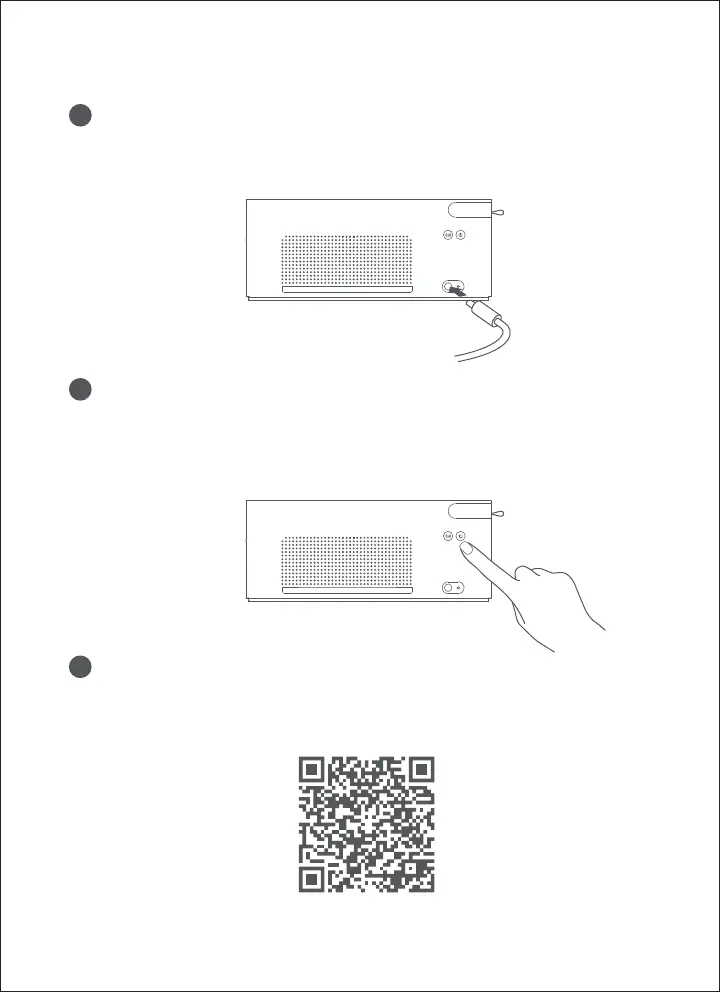
Download FUJIFILM Print APP
Search "FUJIFILM Print" in the APP store or scan the below QR code
to download and install FUJIFILM Print APP.
Connect with power supply
Plug the power cord into the power jack on the back of the printer.
1
2
Power on
Press the power button to turn on the printer. The power indicator
lights up, the printer WiFi automatically enters the state of waiting
for connection, and the indicator light constantly on orange.
3









 To Next Page