17
Installation - Photo Paper
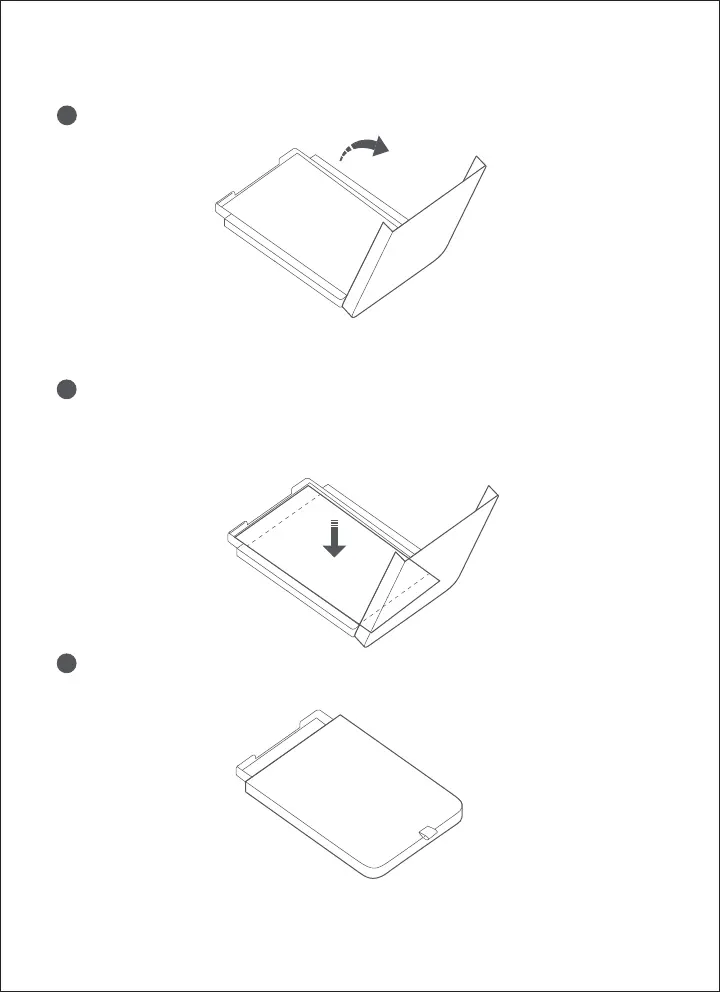
Take out the paper tray and open the paper tray cover.
Close the paper tray cover.
1
Put the photo paper into the paper tray with its polish face up and
FUJIFILM logo face down.
2
3
Note: The paper in the paper tray does not feed if more than 20 sheets of photo paper are
loaded. Do not touch the area within the cutting lines of the paper.









 To Next Page