System expansions
32 A26361-K680-Z122-1-7619, Edition 1
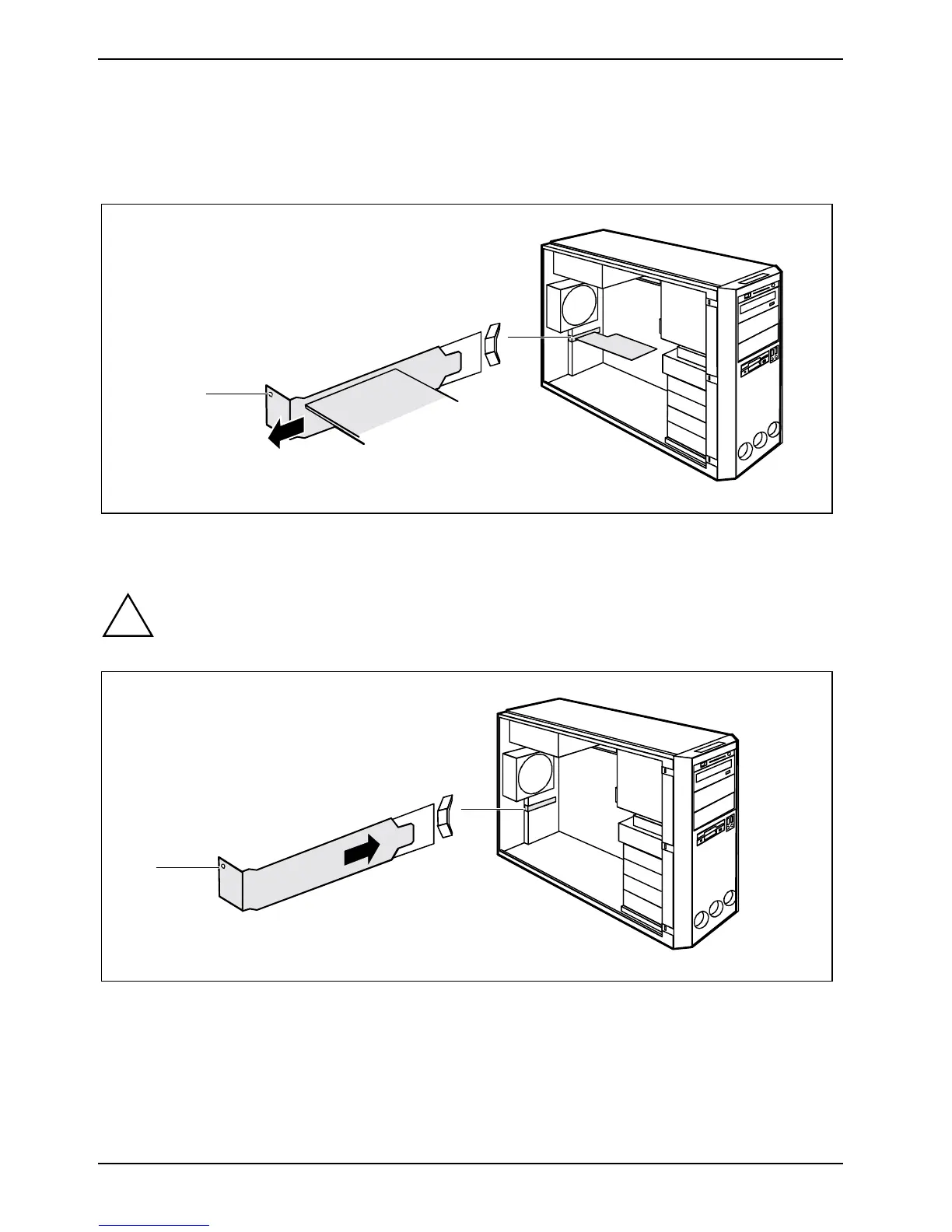
Removing board with screw
► Open the casing (see "Opening the casing" chapter).
► Disconnect the cables connected to the board.
2
1
► Loosen the screw (1).
► Remove the board from the casing (2).
!
For cooling, protection against fire, and in order to comply with EMC (electromagnetic
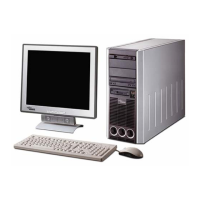
compatibility) regulations, you must refit the cover plate.
1
2
► Push the rear slot cover plate into the slot (1). Ensure that the point of the cover engages on
the outside of the casing.
► Fasten the rear slot cover plate with the screw (2).


 To Next Page