System expansions
48 A26361-K680-Z122-1-7619, Edition 1
Installing and removing SmartCard reader
In systems equipped with a SmartCard reader, access can be restricted to those users who have a
corresponding SmartCard.
Installing a SmartCard reader for the first time
► Open the casing (see "Opening the casing" chapter).
► Remove the front (see "Removing the front panel" chapter).
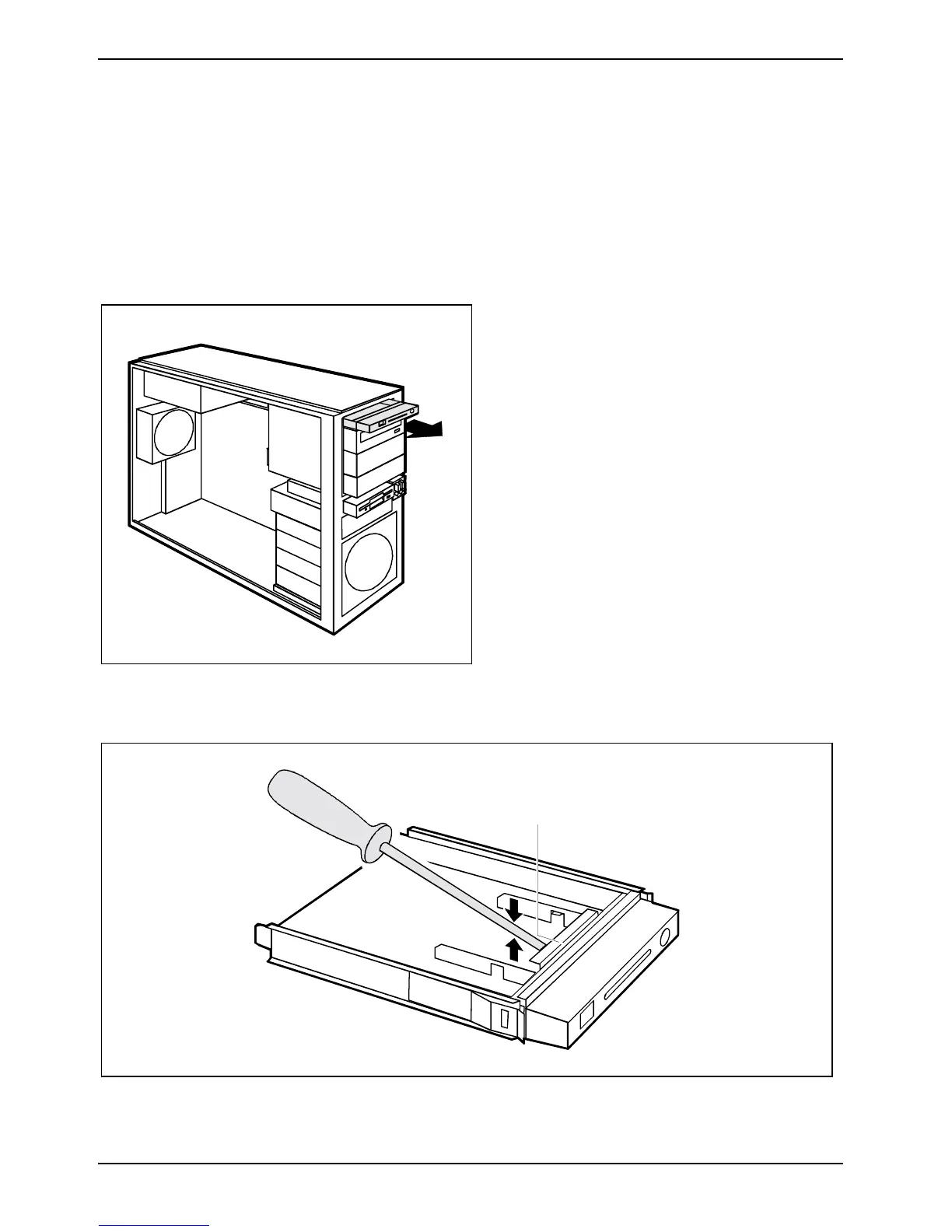
► Pull the empty slide-in module out of the
casing.
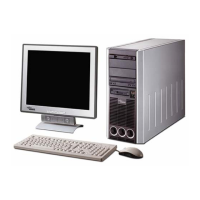
On the inside of the slide-in module, the slot for the SmartCard is protected with a plastic bar on
delivery.
a
► Break off the plastic (a) tag.


 To Next Page