EasyManua.ls Logo

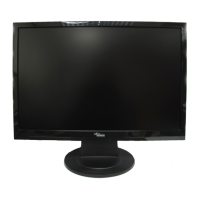
Fujitsu Siemens Computers D22W-1 - User Manual

Fujitsu Siemens Computers D22W-1
302 pages
Go to English
Print Icon
To Next Page IconTo Next Page
Loading...
Monitor
Getting Started
Deutsch, English, Français,
Español, Português, Italiano,
Svenska, Nederlands, Dansk,
Suomi, Pycckий, Norsk, Eesti
keel, Ελληνικά, Lietuviškas,
Latviski, Polski, Slovensko,
Slovenský, Česky, Magyar,
Български, Română, Türkçe
22" LCD Monitor
Downloaded from ManualMonitor.com Manuals

Table of Contents

Questions and Answers

Fujitsu Siemens Computers D22W-1 Specifications

General IconGeneral
BrandFujitsu Siemens Computers
ModelD22W-1
CategoryMonitor
LanguageEnglish

Summary

Monitor

Getting Started

Provides initial steps and guidance for using the monitor.

Technical data

Dimensions and weight

Details the physical dimensions and weight of the LCD monitor.

Electrical data

Provides specifications related to the monitor's electrical components.

Environmental conditions

Outlines the operating temperature and humidity requirements.

Preset operating modes

Lists factory-set display resolutions and corresponding frequencies.

Introduction

Additional information

Provides details on setting resolution and refresh rate via driver software.

Important notes

Safety notes

Crucial safety precautions and warnings for operating the monitor safely.

Connecting the monitor

Connecting cables to the monitor

Details on how to connect the data and power cables to the monitor.

Connecting cables to the computer

Instructions for connecting the monitor cables to the computer.

Operation of the monitor

Adjusting rake

How to adjust the forward and backward tilt of the monitor.

Switching the monitor on;off

Procedures for turning the monitor and computer on and off.

Related product manuals