EasyManua.ls Logo

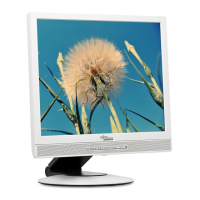
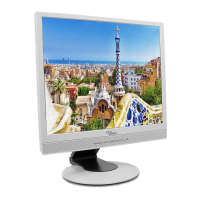
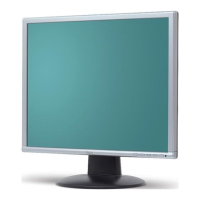
Fujitsu Siemens Computers SCENICVIEW B17-3 - User Manual

Fujitsu Siemens Computers SCENICVIEW B17-3
37 pages
Print Icon
To Next Page IconTo Next Page
Loading...
Monitor
Operating Manual
English
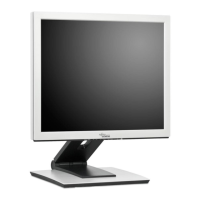
SCENICVIEW B17-3/B19-3/P19-3

Questions and Answers

  • E
    Ethan GoldenAug 12, 2025
    What to do if Fujitsu Siemens Computers SCENICVIEW B17-3 Monitor has power but no display?
    • T
      Troy SchultzAug 12, 2025
      If your Fujitsu Siemens Computers Monitor's power indicator is lit but there's no display, first ensure that your computer is powered on. Next, verify that the monitor's data cable is securely connected to the computer's monitor port. Try pressing any key on the keyboard, as the computer might be in energy-saving mode. Finally, adjust the brightness and/or contrast settings to see if a picture appears.
  • J
    Jill AdamsAug 16, 2025
    How to fix Fujitsu Siemens Computers SCENICVIEW B17-3 Monitor when there is no screen display and the power indicator doesn't light?
    • C
      christopher64Aug 16, 2025
      If your Fujitsu Siemens Computers Monitor screen isn't displaying anything and the power indicator is off, make sure the main switch on the monitor's underside is turned on. Also, check that the monitor's power cable is properly connected. Finally, ensure that your computer is switched on.
  • J
    Jason PattonAug 20, 2025
    What to do if Fujitsu Siemens Computers SCENICVIEW B17-3 Monitor says 'No Signal'?
    • M
      Mercedes MartinezAug 20, 2025
      If your Fujitsu Siemens Computers Monitor displays a 'No Signal' message, check that the monitor's data cable is properly connected to the computer's monitor port. Also, ensure that the computer is switched on.
  • D
    Donald SmithAug 23, 2025
    How to fix 'Frequency out of range' on Fujitsu Siemens Computers Monitor?
    • T
      Tina SheaAug 23, 2025
      If your Fujitsu Siemens Computers Monitor displays a 'Frequency out of range' message, it means the input signal doesn't match the monitor's technical specifications. Adjust the video frequency range using your computer's software, referring to your computer or graphics card documentation. Alternatively, adjust to a different screen resolution using the computer software; consult your computer or screen controller documentation for guidance.
  • V
    Vincent HolmesAug 27, 2025
    How to resolve vertical lines on Fujitsu Siemens Computers SCENICVIEW B17-3 Monitor?
    • B
      Bryan CastanedaAug 27, 2025
      If you are experiencing picture disturbances such as vertical lines on your Fujitsu Siemens Computers Monitor, press the EXIT/AUTO button to perform the auto-adjustment of the screen.
  • S
    Suzanne FoxAug 31, 2025
    How to correct the picture position on Fujitsu Siemens Computers Monitor?
    • L
      Laura WilliamsAug 31, 2025
      If the picture position on your Fujitsu Siemens Computers Monitor is not correct, press the EXIT/AUTO button to perform the auto- adjustment of the screen. This will perform an auto-adjustment.
  • K
    Kenneth Costa DDSSep 4, 2025
    How to fix wrongly adjusted picture on Fujitsu Siemens Computers Monitor?
    • A
      Angela HowardSep 4, 2025
      If the picture on your Fujitsu Siemens Computers Monitor is wrongly adjusted, press the SELECT/MENU button to activate the function Factory Recall. The Auto Processing message is displayed.
  • J
    James HinesSep 7, 2025
    Why does Fujitsu Siemens Computers Monitor screen become darker?
    • J
      John GarciaSep 7, 2025
      The decreasing brightness of your Fujitsu Siemens Computers Monitor screen may indicate that the background lighting is nearing the end of its life. If your monitor display becomes too dark, the background lighting will have to be exchanged. Please contact our help desk.

Fujitsu Siemens Computers SCENICVIEW B17-3 Specifications

General IconGeneral
BrandFujitsu Siemens Computers
ModelSCENICVIEW B17-3
CategoryMonitor
LanguageEnglish

Related product manuals