22" LCD Monitor
Edition 2
OSD-Description
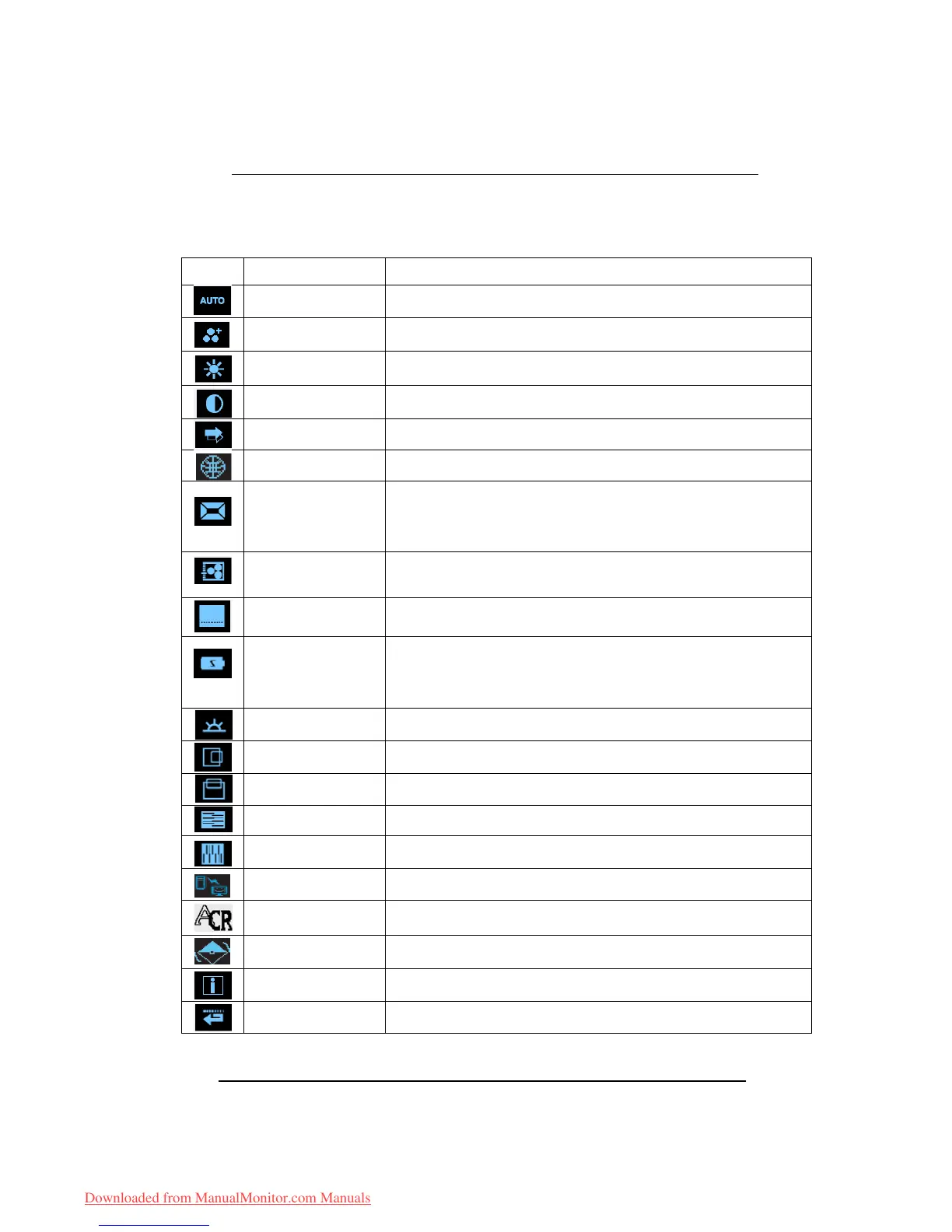
Icon Functions Detail
AUTO ADJUSTMENT * Optimize the picture performance automatically.
THEME MODE
* Activate the built-in color engine to enhance the graphic effects according to the different
situations of the display. contents
BRIGHTNESS * Adjust the luminance level of the screen.
CONTRAST * Adjust the contrast level of the screen.
INPUT SIGNAL SELECT * Select the input signal from Analog, or Digital Inputs (Optional).
OSD MENU LANGUAGE * Select your own preference of language of OSD menu.
DISPLAY RATIO
* Select the display ratio from Native, and Full Screen
* Full Screen: adjust and enlarge the display screen to full screen size (16:10)
* Native: keep the display format as the input signal (4:3, 5:4, etc), and enlarge the display
screen to the maximum w/o losing any content (part of the screen may be blank)
COLOR TEMPERATURE
* Select the setting of screen color-Cool, Warm or User.* Cool: Select the setting of
screen color to be bluish white.* Warm: Select the setting of screen color to be reddish
white.
SYSTEM
* Adjust the mechanical specifications regarding the display.(Power Saving Mode, White
Balance, Clock, Phase, Horizontal Position, Vertical Position, Information)
POWER SAVINGMODE
* Select between Standard and Advanced power saving modes. See addendum for
details.
* Standard: Fulfill EPA Energy Star power management requirement
* Advanced: Activate monitor Life-Extension function
WHITE BALANCE * Adjust the balance of the input signal.
HORIZONTAL POSITION * Shift the screen left or right
VERTICAL POSITION * Shift the screen up or down
PHASE * Adjust the monitor internal signal phase
CLOCK * Adjust the monitor internal sampling clock rate
DDC/CI * Select turn on or turn off DDC/CI function
ACR * Select turn on or turn off ACR function
DEMO
* 2 seconds after activation of this function, some of the menus will stimulate feature-
grading effects 2 times over.
INFORMATION
* Show the frequency, resolution, input interface and other operating details about this
display.
RECALL * Reset monitor parameters back to factory preset values.
Downloaded from ManualMonitor.com Manuals


 To Next Page
 Loading...