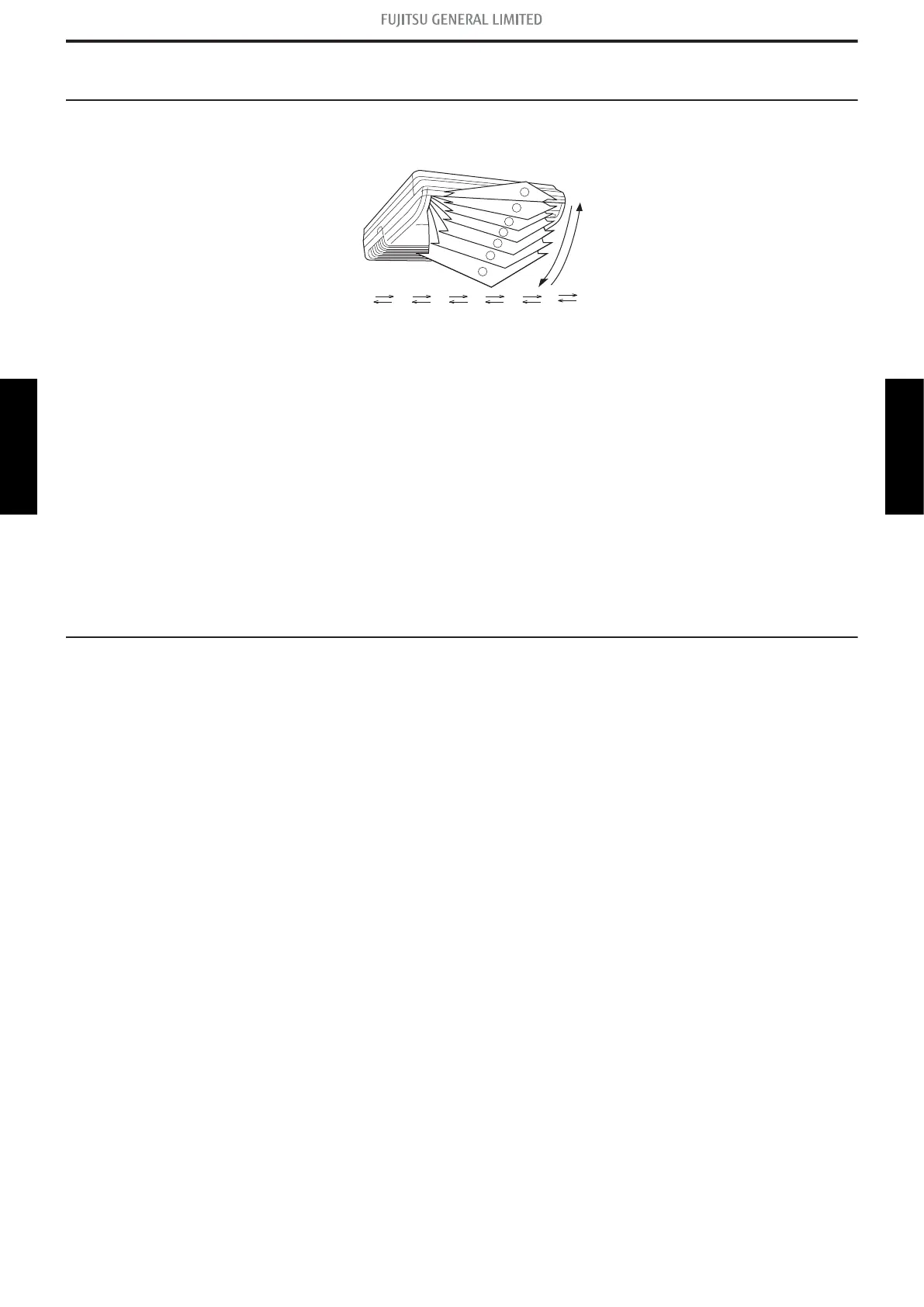
4. Louver control
4-1. Horizontal louver control
Each time the button is pressed, the airflow direction range will change as below:
• Remote controller display is not changed.
• Up/down airflow direction is set automatically as shown, in accordance with the type of operation
selected.
Cooling/dry mode : Horizontal flow 1
Heating mode : Downward flow 7
• During AUTO operation, for the first a few minutes after beginning operation, airflow will be hori-
zontal 1; the air direction cannot be adjusted during this period.
The airflow direction setting will temporarily become 1 when the temperature of the airflow is low at
the start of the Heating mode.
• After beginning of AUTO/HEAT mode operated and automatic defrosting operation, the airflow will
be horizontal 1. However, the airflow direction cannot be adjusted at beginning AUTO operation
mode.
4-2. Swing operation
• To select up/down airflow swing operation
→hen the swing signal is received, the horizontal louver starts to swing.
– Swinging range
• Cooling mode/dry mode/fan mode: 1 7
• Heating mode: 1 7
– →hen the indoor fan is S-LO→ or stop mode, the swing operation is interrupted and it stops at
either upper end or bottom end.
4-1. Horizontal louver control - (04-19) - 4. Louver control
CONTROL AND
FUNCTIONS
CONTROL AND
FUNCTIONS




 To Next Page