Need help?
Do you have a question about the Fujitsu D3076-S and is the answer not in the manual?
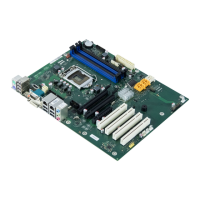
Diagram of motherboard components and connectors.
Schematic of motherboard architecture and interconnections.
Labels external ports and connectors on the D3071-S.
Labels external ports and connectors on the D3076-S.
Labels components on the D3076-S motherboard.
Labels components on the D3071-S motherboard.
Details the structure and function of the motherboard's I/O shield.
Pinout and signal details for the front panel header.
Pinout details for the internal parallel port.
Pinout details for the internal COM2 serial port.
Pinout for internal USB headers (2x2 ports).
Pinout for internal USB flash drive connector.
Pinout for internal USB stick connector.
Details 4-pin and 3-pin fan connectors and power ratings.
Information on power supply fan connector and its limitations.
Pinout for High Definition Audio front panel connector.
Pinout for legacy AC97 audio front panel connector.
Pinout and specs for main ATX power connector.
Pinout for the additional power supply connector.
Details GPIO connector pinout and electrical parameters.
Explains chassis intrusion detection and BIOS configuration.
Identifies temperature sensors and fan connectors on the board.
Software for monitoring temperatures and fan speeds.
In-depth explanation of SystemGuard features.
Tool for customizing fan behavior and system monitoring.
Highlights components for reliable operation at elevated temperatures.
Compares capacitor endurance times under different temperatures.
Presents thermal imaging data of motherboard components.
Lists critical temperature limits for motherboard components.
Details ATX power connectors and requirements.
Details the VGA output port and maximum screen resolution.
Details DVI output port and max screen resolution.
Explains HDMI output, resolution, and audio support.
Details DisplayPort output and its max resolution.
Achieving dual monitor output using DVI.
Simultaneous internal/PCIe graphics for multiple displays.
Compliance and driver info for Windows XP/7.
Compatibility of Linux distributions with motherboard features.
Integrates custom boot logo into BIOS.
DOS tool to change and freeze BIOS settings.
Adds OEM data, serial numbers, manages TPM.
Monitors temps/fans, includes watchdog access.
API for monitoring, watchdog, GPIO, intrusion.
Linux driver for monitoring and watchdog.
Steps for XP AHCI install, including F6 driver needs.
XP driver disk issues with floppy/USB support.
Explains watchdog levels: POST, OS Boot, OS running.
Updating BIOS and recovery procedures.
 General
| Form Factor | ATX |
|---|---|
| Max Memory Supported | 32 GB |
| Memory Slots | 4 x DIMM |
| Memory Type | DDR3 |
| Expansion Slots | 1 x PCIe 2.0 x4 1x PCIe 2.0 x1 1x PCI |
| Storage Interfaces | 6 x SATA 6Gb/s |
| Video | Integrated Graphics via CPU |


 To Next Page