Mainboard D3128 English - 27
Memory Installation Procedure
When installing memory modules, make sure the modules align properly with the memory socket.
There should be keys (small indents) on your memory modules that fit according to the keys in the
memory socket. DDR modules and sockets have only one key, which is slightly near the center of
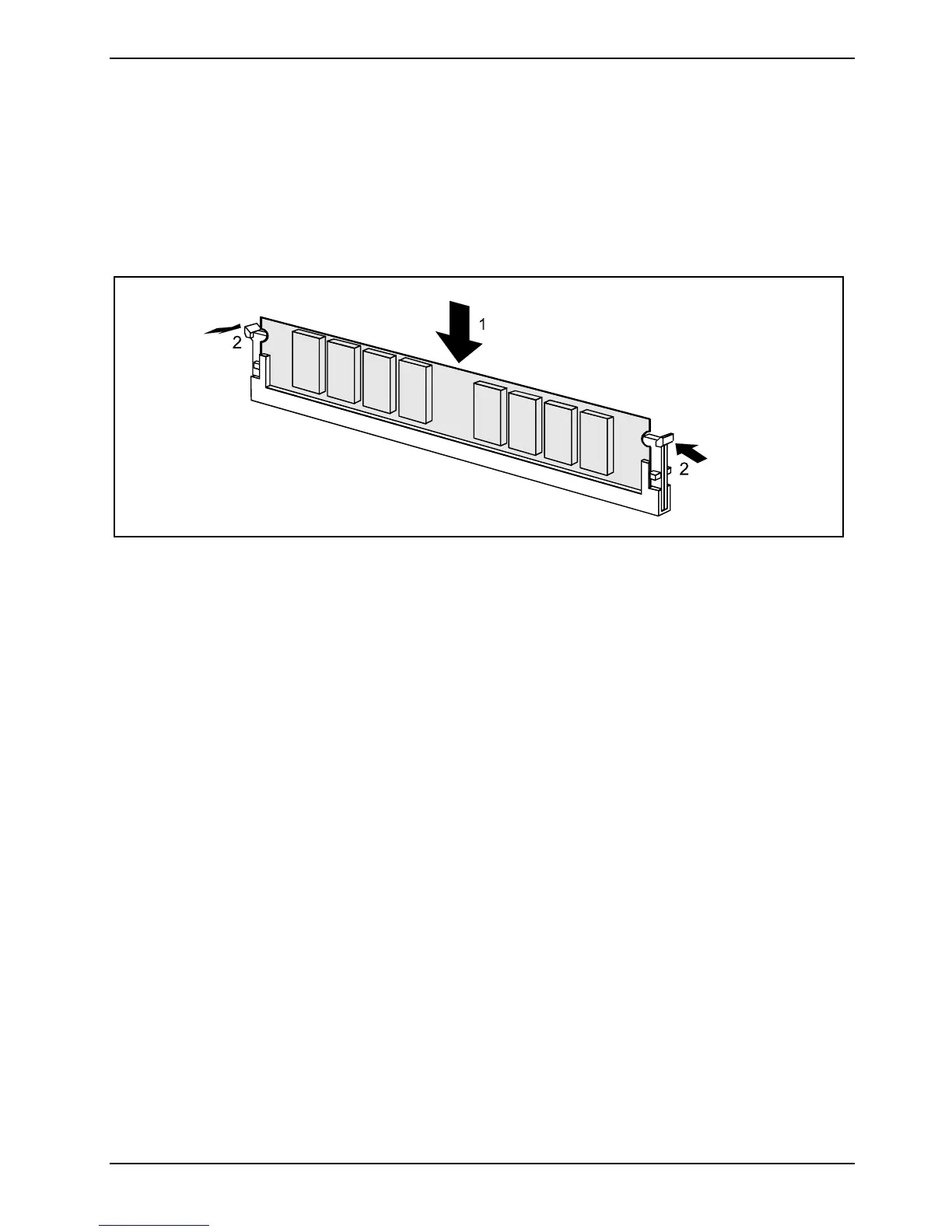
the module/socket. The method of installing memory modules is detailed in the following diagrams.
Installing a memory module
► Push the holders on each side of the memory slot outwards.
► Insert the memory module into the location (1).
► At the same time flip the lateral holders upwards until the memory module snaps in place (2).
Fujitsu Technology Solutions 65


 To Next Page