Caution: Before loading a new roll, make sure that an old core does not
remain in the roll holder. Leaving an old core will cause a
paper-near-end error condition.
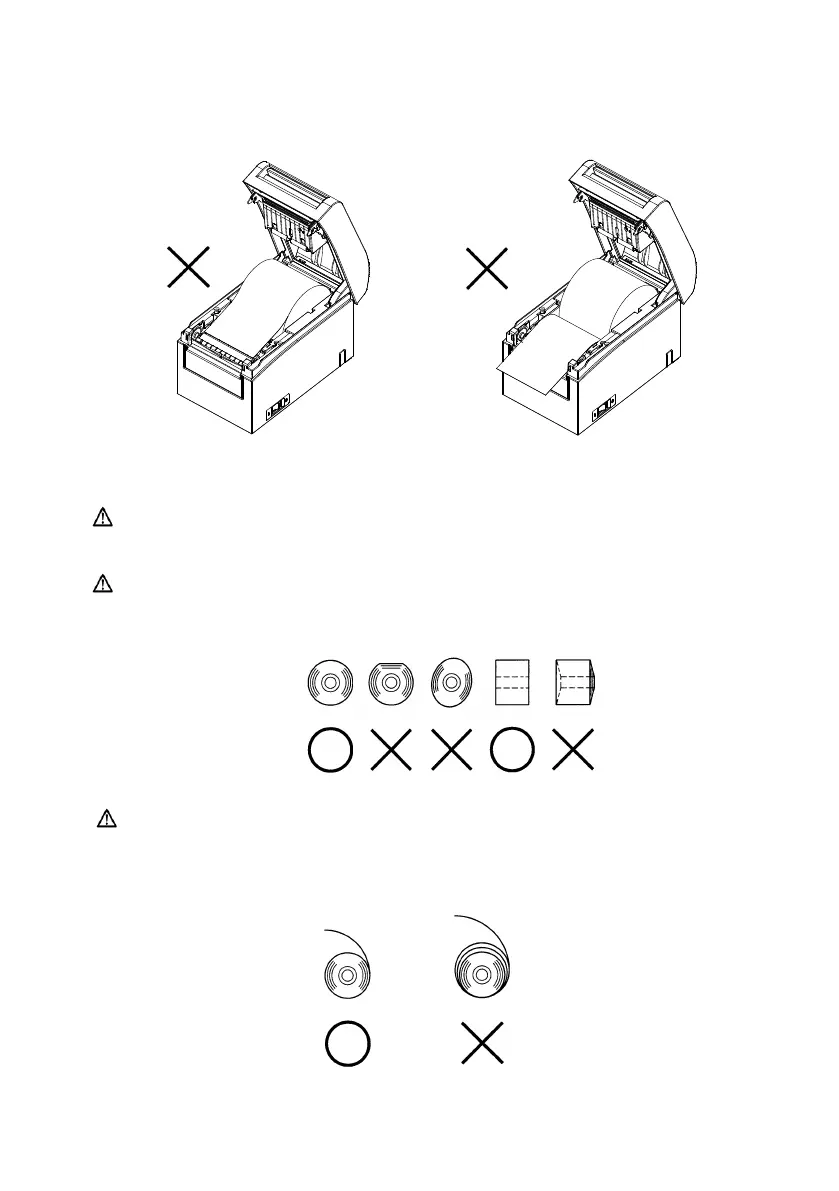
Caution: The roll paper must have no deformities. Using roll paper such as
that shown in the figure below may cause a paper jam, uneven
printing, or other printing problem.
Caution: If the loaded roll paper is loose (slack) as shown below, take up
the slack before printing on the paper. Printing on roll paper
that is loose may cause a paper jam, uneven printing, or other
printing problem, which will prevent the printer from detecting
paper near end conditions.



 To Next Page
 Loading...







