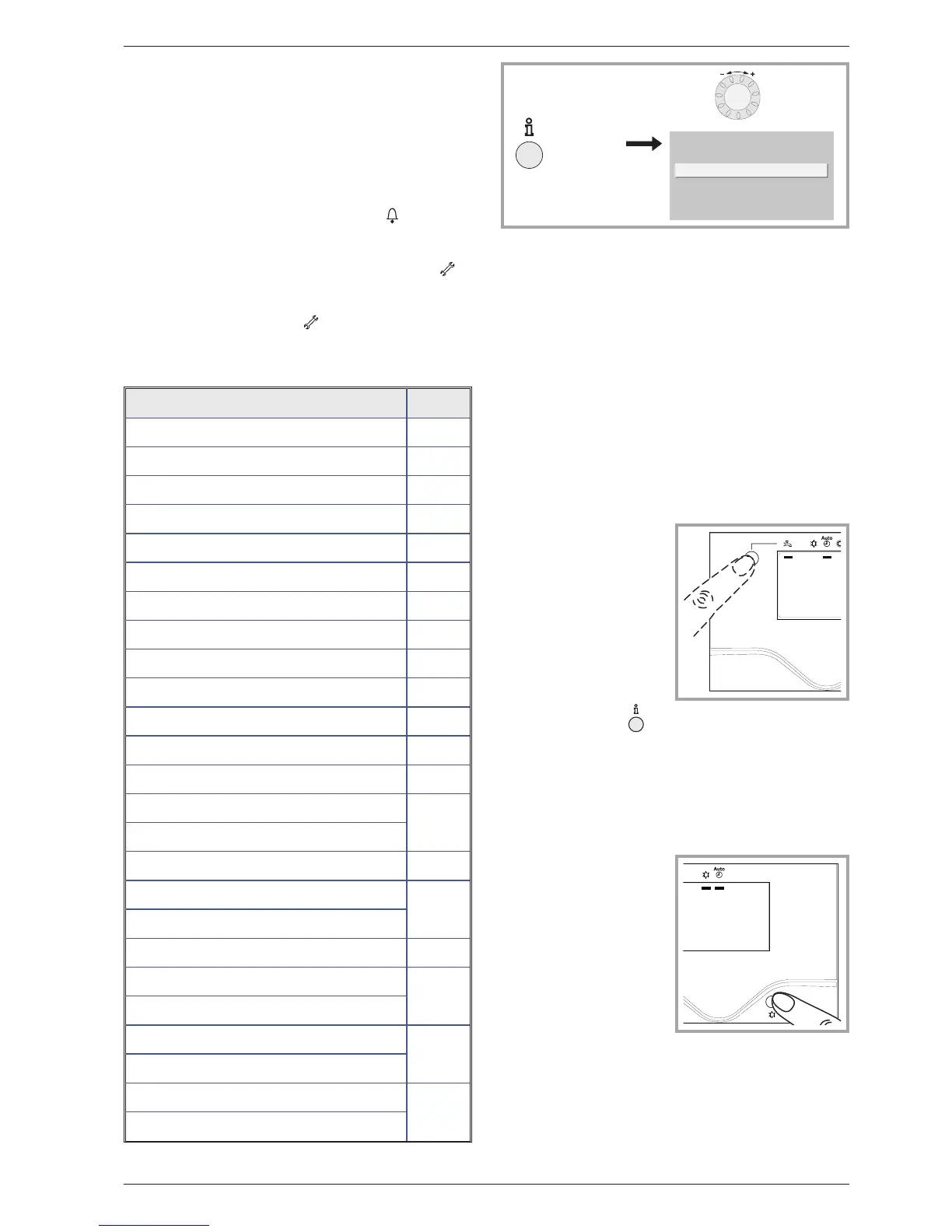
3.7 Information display
Various data can be displayed by pressing the info
button.
Depending on the type of unit, configuration and
operating state, some of the info lines listed below
may not appear.
-
Possible error messages from the error code list.
The display shows the “Bell” symbol .
- Consult your heating technician
-
Possible service messages from the maintenance
code list. The display shows the “Key” symbol .
- Consult your heating technician
-
Possible special mode messages. The display
shows the “Key” symbol .
- Consult your heating technician
Various data (see below).
Designation Line
Floor drying current setpoint -
Current drying day -
Terminated drying days -
Room temperature 8721
State heat pump 8006
State supplementary source 8022
State DHW 8003
State swimming pool 8011
State heating circuit 1 8000
State cooling circuit 1 8001
State heating circuit 2 8004
External temperature 8700
Room setpoint 1 8740
Flow temperature 1
8743
Flow temp setpoint 1
Room setpoint 2 8771
Flow temperature 2
8773
Flow temp setpoint 2
DHW temperature 8830
Heat pump return temperature
8410
Setpoint HP (flow)
Heat pump flow temperature
8412
Setpoint HP (flow)
Swimming pool temperature
8900
Swimming pool temperature setpoint
3.8 Details
If the electrical power supply has been cut off while
t
he heat pump is operating (electrical power failure
or unprogrammed pressing of the on/off switch on
the hydraulic unit) the display will show error 370
when the appliance restarts. Do not be concerned,
the communication between the outdoor and
hydraulic units will re-establish itself in a few
moments.
3.9 O
peration of the DHW system
T h e k e y ( f i gu re 1 0 )
enables you to switch the
D H W (d o m es ti c h o t
water) mode on and off if
the installation is fitted
with a DHW tank with
e l e c tr ic al b a c k- up
heating. The selection is
shown by a bar, which
a p p ea rs u n d er th e
corresponding symbol.
Press the info key to
obtain the details on the
D H W ( t e m pe ra tu re
setting operation).
3.10 S
electing cooling mode
If the installation is fitted
with the cooling kit.
The key (fig u r e 11 )
enables you to switch the
cooling mode on and off.
Instruction manual “1353-EN” 15
Heat pump, split, single service


 To Next Page