Instruction manual “1353-EN” 11
Heat pump, split, single service
3.6 Parametering the setting
3.6.1 General
•
Only the parameters accessible to levels:
End user
are described in this document.
•
The parameters accessible at level:
Initial start-up
Specialist
… are described in the document reserved for these
pr o fes s ion al spe c ial ists. Do n o t mak e a ny
modifications to these parameters w ithout
advice from these professional specialists.
3.6.2 Settingparameters
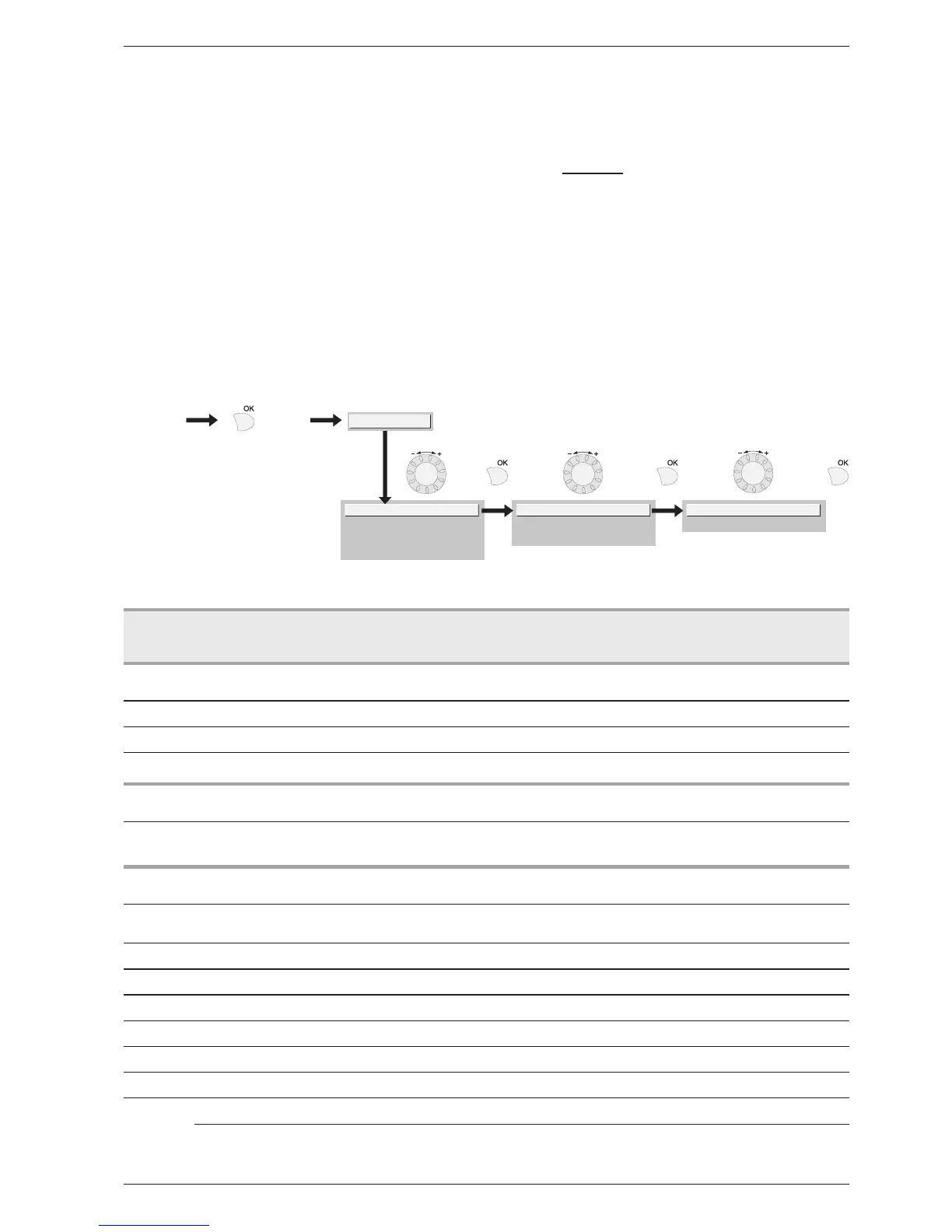
With the screen on basic display
-
Press the key
Once in “End user” level
-
Scroll the menu list.
-
Choose the desired menu.
-
Scroll the function lines.
-
Choose the desired line.
-
Adjust the parameter
-
Check the setting by pressing OK
-
To return the menu, press ESC
If no setting is made for 8 minutes, the screen returns
automatically to the basic display.
Dateandtime
1 Hours/minutes 00:00…23:59 1
2 Day/Month 01.01…31.12 1
3 Year 1900…2099 1
Userinterface
20 Language English,Français,
Italiano,Nederlands...
Heatingtimeprogramme,circuit1
500 Pre-selection(day/week)
Mon-SunMon-FriSat-SunMondayTuesday…
Mon-Sun
501 1stphaseOn(start) 00:00…--:-- 10min 6:00
502 1stphaseOff(end) 00:00…--:-- 10min 22:00
503 2ndphaseOn(start) 00:00…--:-- 10min --:--
504 2ndphaseOff(end) 00:00…--:-- 10min --:--
505 3rdphaseOn(start) 00:00…--:-- 10min --:--
506 3rdphaseOff(end) 00:00…--:-- 10min --:--
516 Standardvalues,Circuit1 no,yes no
Yes + OK: The standard values memorised in the regulator replace and cancel the customised heating
programmes.Yourcustomisedsettingsarethereforelost.
3.6.3 Listof“Consumer”settings
Line
Function Settingrange
ordisplay
Setting
increment
B a s i c
setting


 To Next Page