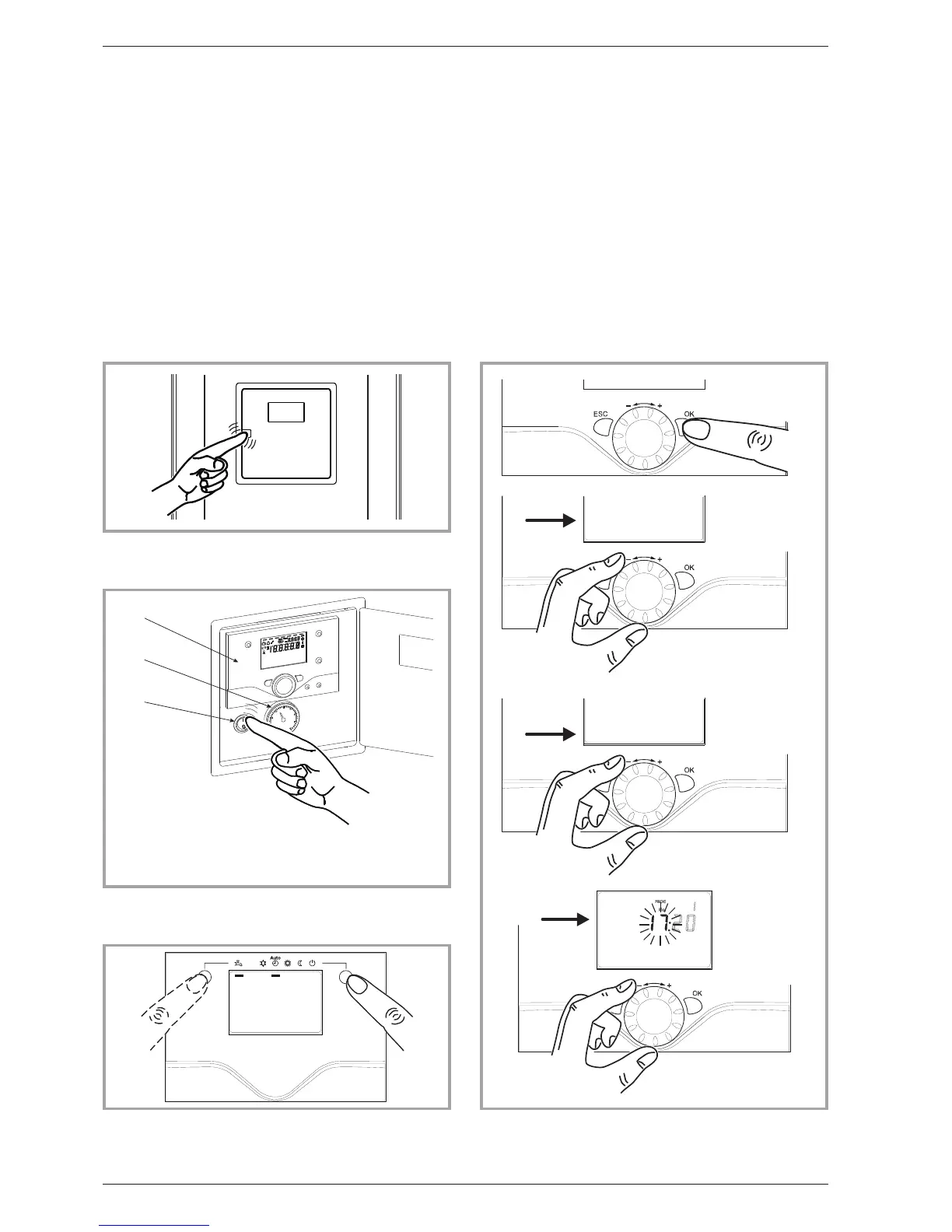
3.2 Appliance start up.
•
The installation and 1st start up of the appliance
must be done by a qualified installer. That person
will also give you instructions on starting and
running the appliance.
•
Ensure that the installation is fully filled with water
and has been correctly bled and that there is a
sufficient pr essure of 1.5 to 2 ba rs on th e
manometer (Ref. 2, fig. 4).
•
Close the installation’s main circuit breaker.
In winter, so that the compressor can be preheated,
close the installation’s main circuit breaker (outside
unit’s power supply) some hours before pressing the
on/offbutton.
3.3 Q
uick start-up
Once your installer has started your installation for
the first time:
•
Engage the heat pump’s ON/OFF button.
During the regulator initialisation phase, the display
shows all the symbols and then “Data, update” and
then“Stateheatpump”.
•
Select the “AUTO” heating mode (Fig. 5).
•
Select the DHW mode (Fig. 5)
if the installation is fitted with a DHW tank with
electrical back-up heating.
•
Set the current date and time (Fig. 6).
8 Instruction manual “1353-EN”
Heat pump, split, single service
Figure 3 - Opening the door
Figure 4 - Start-up
1 - User interface
2 - Manometer (installation
hydraulic pressure)
3 - Start/stop switch
Figure 5 - Selecting the heating mode (AUTO)
and selecting the DHW operating mode
(domestic hot water)
Figure 6 - Setting the time and the date


 To Next Page