1BEFOREUSES
CLEAR FACEPLATE
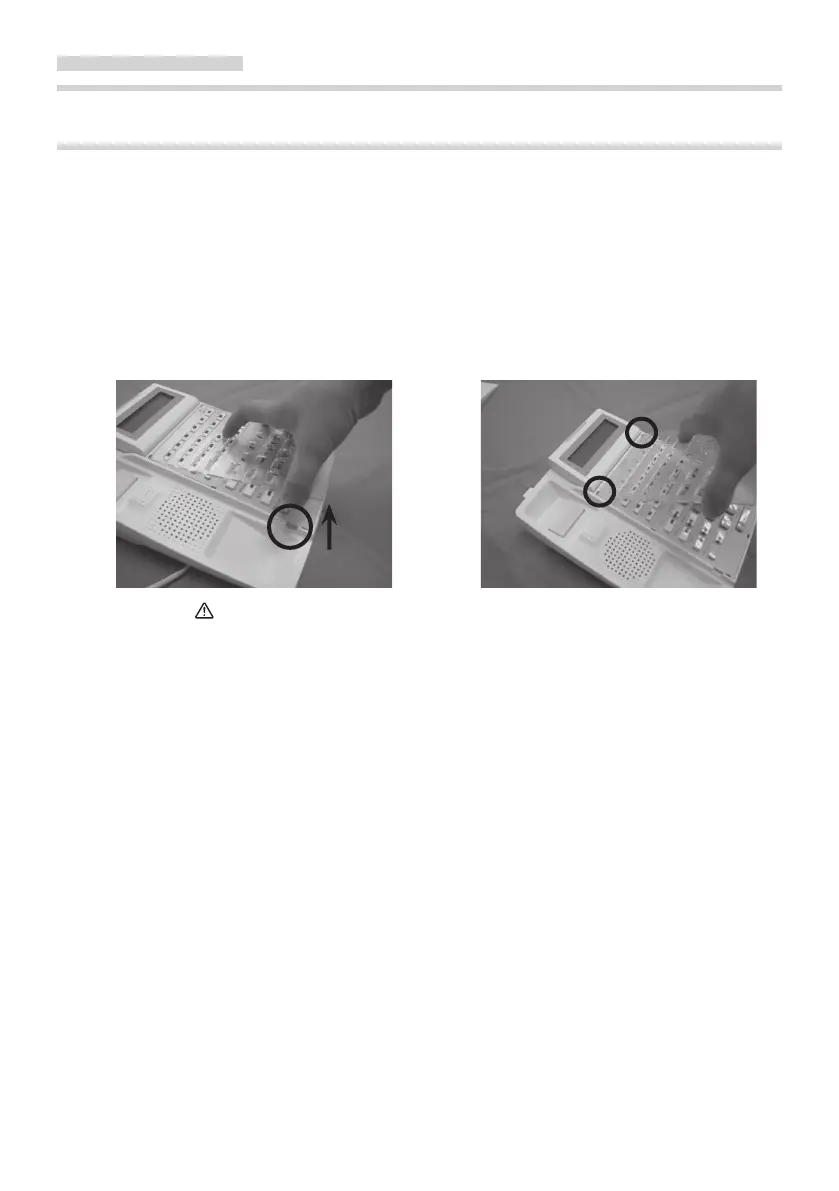
MOUNTING AND REMOVING THE CLEAR FACEPLATE
Your Digital Telephone comes equipped with a faceplate. A insert sheet for IP Pathnder S
f
amily is attached. You can alter a sheet to record information. And you can set up a sheet in
its place.
■ Removing the clear faceplate ■
Mounting the clear faceplate
The front side of the telephone (refer F
irst, two ngernail (refer the circle in
the circle in figure) can be easily figure) is set up the ditch of the
removed by raising the clear faceplate telephone, and the clear faceplate is
in the direction of the arrow. installed in the telephone.
CAUTION Note that you don't injure the nger or the ngernail.
12



 To Next Page