5.3 Considerations and Notes
Step2 If a PalmSecure Sensor V2 is not connected, connect it and repeat
Step 1.
Step3 Repair the Sensor driver for extended function for Windows as follows.
<For Windows XP>
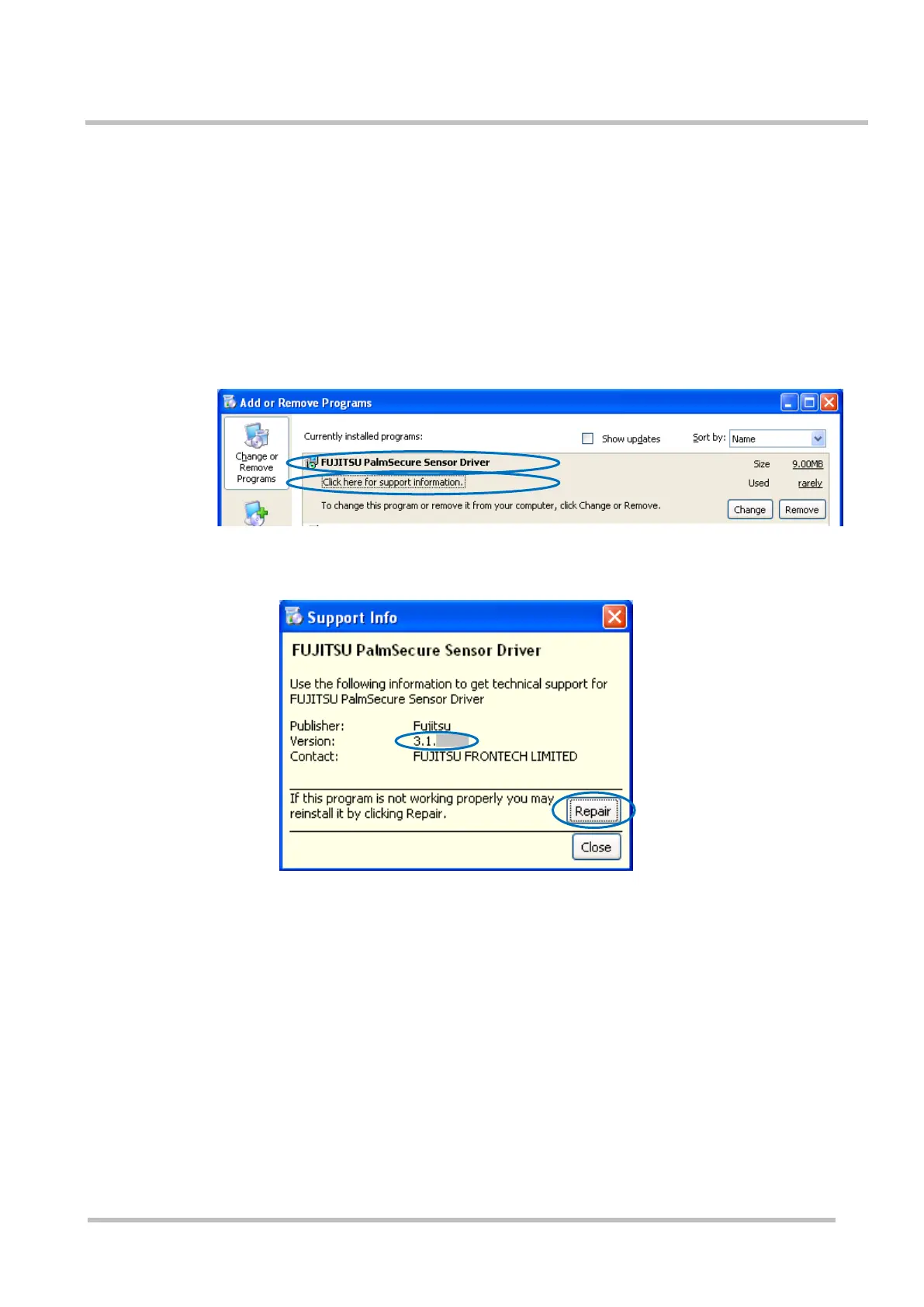
(1) Select [Add or Remove Programs] from Control Panel.
(2) Select [FUJITSU PalmSecure Sensor Driver] from the displayed
screen.
(3) Click [Click here for support information] to display the support
information.
(4) Check [Version] to confirm that is the Sensor driver for extended
function for Windows. (“3.1.xxxx” indicates the Sensor driver
for extended function for Windows.)
(5) Click the [Repair] button at the bottom right of the screen to repair
the Sensor driver for extended function for Windows.



 To Next Page