Chapter5 Installing the Sensor Driver for Extended Function (Windows Version)
5.3 Considerations and Notes
This section explains the issues to be considered when using the Sensor driver
for extended function for Windows.
◆ When Connecting a PalmSecure Sensor
The Sensor driver for extended function for Windows is exclusively for the PalmSecure
Sensor V2. Do not connect a PalmSecure Sensor on target hardware on where you
have installed the Sensor driver for extended function for Windows. An error occurs
in the Sensor start sequence if you attempt to start the Authentication library while
a PalmSecure Sensor is connected. Also, if you once connect a PalmSecure Sensor,
the PalmSecure Sensor V2 may not operate properly when you re-connect it again
since information on the PalmSecure Sensor has been created in the Windows
device information.
Repair the Sensor driver for extended function for Windows as follows if the Sensor
has stopped operating properly due to the above reason.
O
O
p
p
e
e
r
r
a
a
t
t
i
i
o
o
n
n
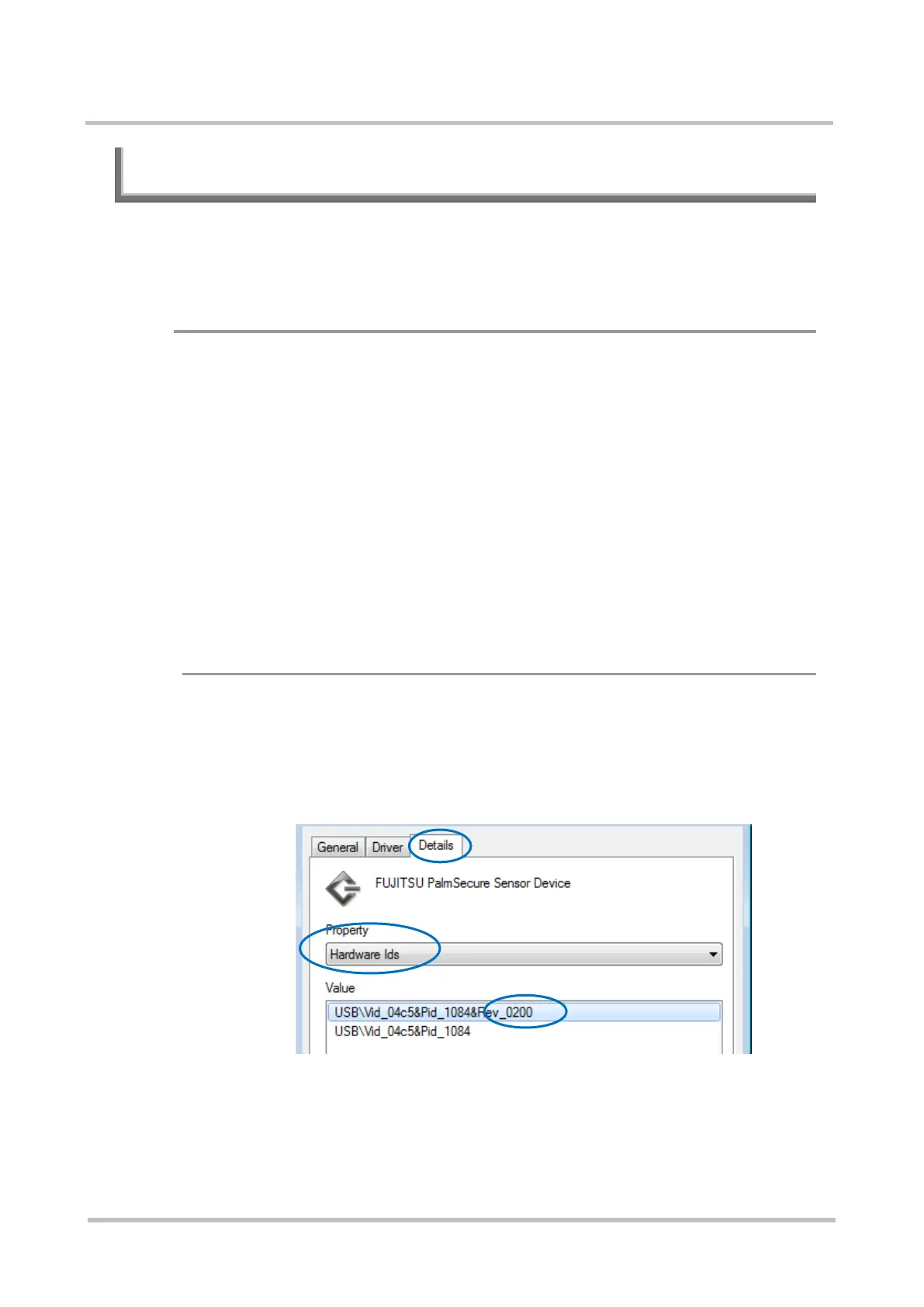
Step1 Check that a PalmSecure Sensor V2 is connected as follows.
(1) Right click device information of the Sensor driver in Device
Manager and select [Properties] from the displayed menu.
(2) Select the [Details] tab in the displayed screen.
(3) Select [Hardware Ids] for [Property] on the [Details] tab.
(4) Check the [Value] to ensure that the PalmSecure Sensor V2 is connected.
(“Rev_0200” indicates that a PalmSecure Sensor V2 is connected.)



 To Next Page