E-23
RGB mode
-150 to +150
-12 to +25 (P42HCA10/11/12)
-25 to +50 (P42VCA10/11/12/20/21/22,
P50XCA10/11/12)
* On-screen information disappears if you do not take any action for about 60 seconds.
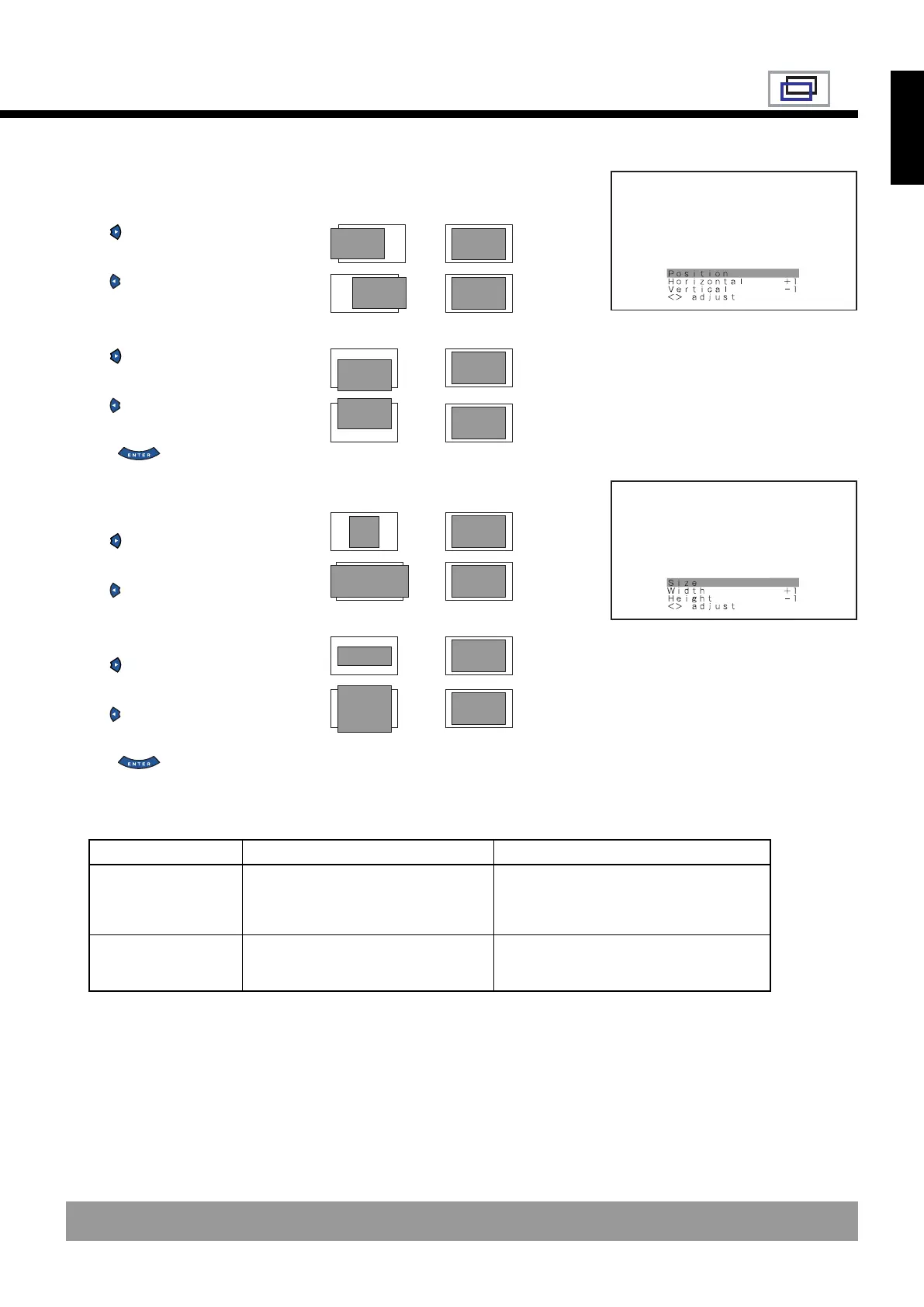
Adjusting Screen Position (Position)
Horizontal position (Horizontal)
: Moves screen to the right.
: Moves screen to the left.
Vertical position (Vertical)
: Moves screen up.
: Moves screen down.
Press to store.
Adjusting Screen Size (Size)
Screen width (Width)
: Increases width.
: Reduces width.
Screen height (Height)
: Increases height.
: Reduces height.
Press to store.
Setting Range
“Position” adjustment screen
“Size” adjustment screen
→
→
→
→
→
→
→
→
Position
Size
Video, S-video mode
Horizontal: -30 to +30
Vertical
Zoom: -15 to +15
Others: -7 to +7
-3 to +12 (P42HCA10/11/12)
-7 to +16 (P42VCA10/11/12/20/21/22)
-7 to +12 (P50XCA10/11/12)
English
* Depending on the input signal, the adjustment range may differ.
E-P42VCA10-OV(20-25) 03.1.20, 13:18Page 23 AdobePageMaker6.5J/PPC











 To Next Page