EasyManua.ls Logo

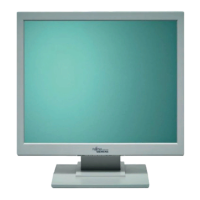
Fujitsu SCENICVIEW P17-3P - User Manual

Fujitsu SCENICVIEW P17-3P
42 pages
Print Icon
To Next Page IconTo Next Page
Loading...
Professional Monitor English
Operating Manual
SCENICVIEW P17-3P/P19-3/P19-3P

Questions and Answers

  • M
    Michael RodriguezAug 8, 2025
    Why does my Fujitsu Monitor say 'Frequency out of range'?
    • T
      Timothy RossAug 8, 2025
      If your Fujitsu Monitor displays the message 'Frequency out of range,' it means the input signal's horizontal frequency and refresh rate don't match the monitor's specifications. To resolve this, adjust the video frequency range using your computer's software, referring to its documentation. Alternatively, set a different screen resolution using the computer software.
  • B
    Barbara JacksonAug 12, 2025
    What to do if my Fujitsu SCENICVIEW P17-3P Monitor says 'No Signal'?
    • P
      phillipskristiAug 12, 2025
      If your Fujitsu Monitor displays 'No Signal', ensure the data cable is correctly attached to the monitor port on your computer. Also, verify that your computer is switched on.
  • J
    James HerringAug 16, 2025
    What to do if there is no screen display but the power indicator is lit on my Fujitsu Monitor?
    • L
      lindsey14Aug 16, 2025
      If there is no screen display and the power indicator is lit on your Fujitsu Monitor, try the following: - Check whether the computer is switched on. - Verify that the data cable is correctly attached to the monitor port on the computer. - Press any key on the computer keyboard in case it is in power saving mode. - Alter the brightness and/or contrast until you get a picture.
  • R
    Ricky StoneAug 20, 2025
    How to correct the picture position on my Fujitsu SCENICVIEW P17-3P Monitor?
    • Z
      Zachary DuranAug 20, 2025
      If the picture position on your Fujitsu Monitor is not correct, it might be recognizing an undefined mode. Press the EXIT / AUTO button to perform auto-adjustment of the screen.
  • L
    Linda HumphreyAug 25, 2025
    How to fix a wrongly adjusted picture on my Fujitsu SCENICVIEW P17-3P Monitor?
    • K
      Kimberly BarrettAug 26, 2025
      To resolve wrongly adjusted picture on your Fujitsu Monitor, press the SELECT / MENU button to activate the Factory Recall function. The Auto Processing message will appear.
  • R
    Richard DoyleAug 29, 2025
    How to troubleshoot no screen display and no power light on my Fujitsu SCENICVIEW P17-3P?
    • S
      Stephanie SchultzAug 29, 2025
      If there is no screen display and the power indicator does not light up on your Fujitsu Monitor, check the following: 1. Ensure the main switch at the rear of the monitor is switched on. 2. Verify the power cable is correctly connected to the monitor. 3. Confirm that the computer is switched on.
  • M
    Mr. Robert LucasSep 3, 2025
    Why is the screen on my Fujitsu SCENICVIEW P17-3P becoming darker?
    • R
      ronaldwaltersSep 3, 2025
      If the screen of your Fujitsu Monitor becomes darker, it could be due to the background lighting reaching the end of its lifespan. If the display is too dark, the background lighting will need replacement. You may contact our help desk.

Fujitsu SCENICVIEW P17-3P Specifications

General IconGeneral
Screen Size17 inches
Resolution1280 x 1024
Panel TypeTN
Brightness250 cd/m²
Contrast Ratio500:1
Aspect Ratio5:4
Power Consumption35W
Viewing Angle160° (H) / 160° (V)
Input ConnectorsVGA

Related product manuals