Operation
Changing the monitor settings
When putting the monitor into operation for the first time, the screen d isplay should
be optimally adapted to the display adapter used.
Changing the monitor settings
with the buttons
of the c ontrol panel
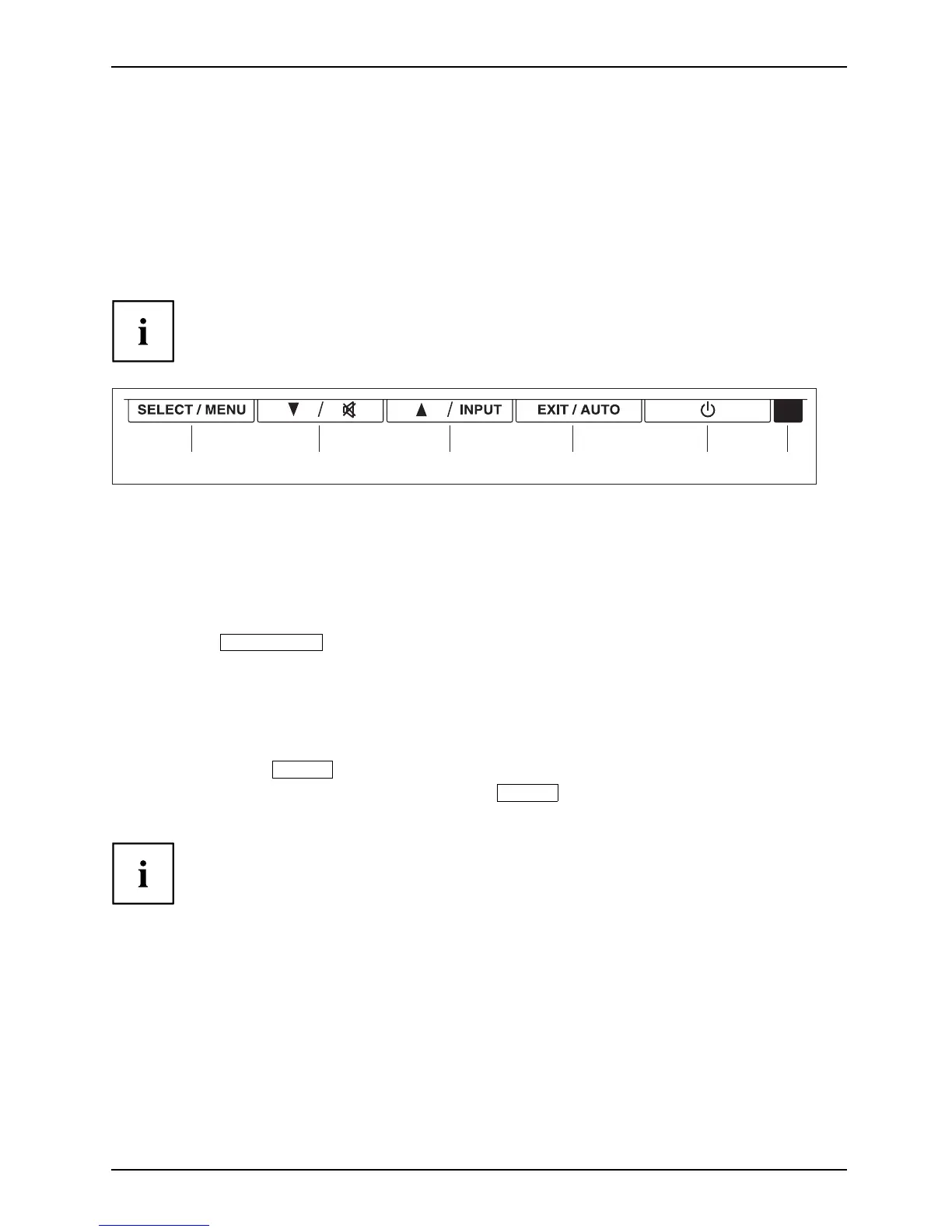
The b uttons of the control panel have two functions. With the OSD menu not
activated, you can make the following settings directly:
643215
1 = SELEC T / MENU button
2 = Forward / Mute butto n
3 = Ba ck / INPUT button
4 = EXIT / AUTO button
5 = ON/OFF switch
6 = Power indicator
Performing auto-adjustment of the monitor
► Press the
EXIT / AUTO
button for a bout 1 second.
The Auto Processing message appears
Picture quality and position are set to optimum values for your system.
Selecting the input signal (D-SUB/DVI_D)
► Press the Back /
INPUT
button to open the Input select setting window.
► Press the Forward / Mute button or the Back /
INPUT
button to select the desired
monitor connection (analog D-SUB or digital DVI-D).
This setting window can also be called when the OSD menu is locked.
Activating/deactivating muting
► Press the Mute button to switch the sound off and on again.
The Action was exe cuted message appears.
A26361-K1240-Z120-7619, edition 1 21



 To Next Page
 Loading...