Operation English - 17
Operation
Switching the device on and off
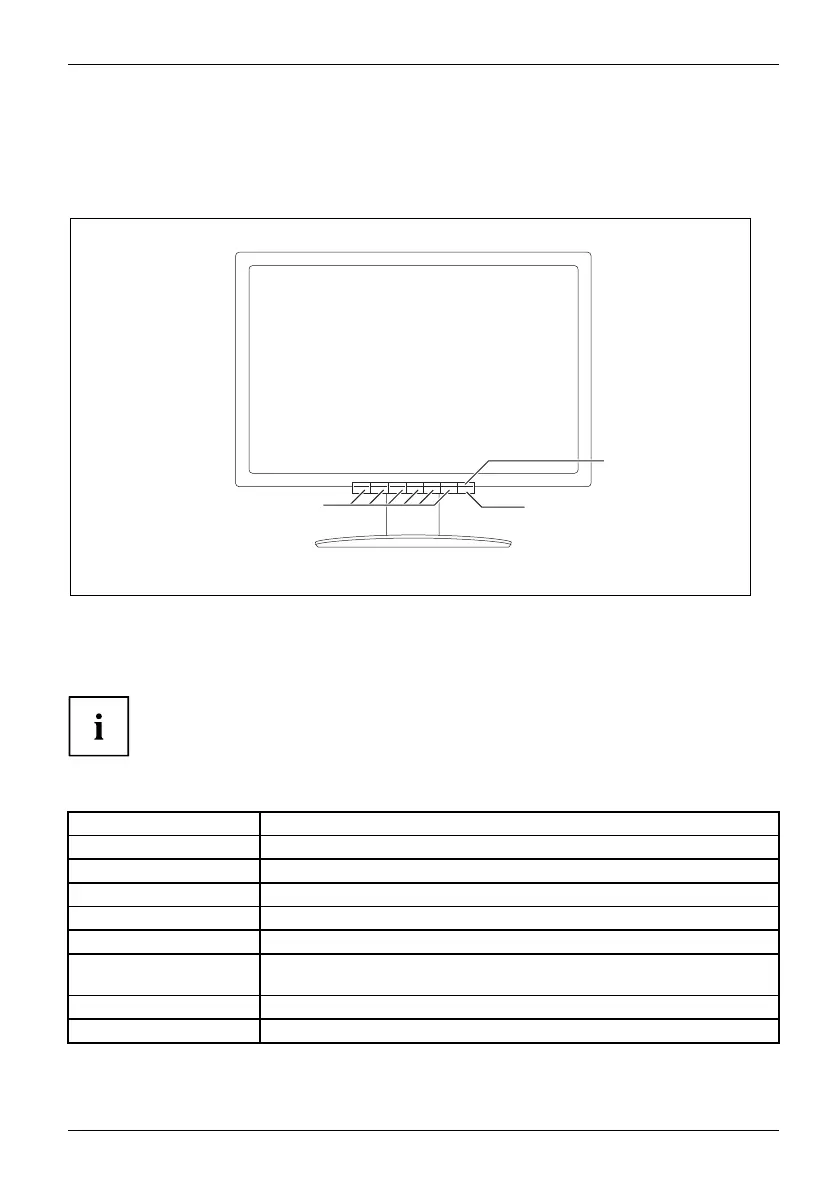
1
2
3
1 = Buttons for the OSD menu (On
Screen Display)
2 = Power suppl
y indicator
3 = On/off switch or log-o ut from
Virtual Desktop
A long pres
s on the on/off switch turns the device on or off.
Press the
on/off switch briefly to log out from the Virtual Desktop.
The co lour of the LED indicator changes as follows:
LED indi
cator
Status
blue
The Zero Client is switched on (Normal mode).
green
The Zero Client is switched on (ECO mode).
orange
Zero C
lient is in energy-saving mode.
not l
it
Zero Client is turned off.
quickly flashing orange Zero C lient is getting IP address from DHCP server.
slo
wly flashing orange
Zer
o Client has obtained IP address from the DHCP server an d is
est
ablishing a connection with the Zero Client Controller.
re
d
Zero Client has an error.
flashing red Zero Client has not found a network.
Fujitsu Technology Solutions 19


 To Next Page
 Loading...