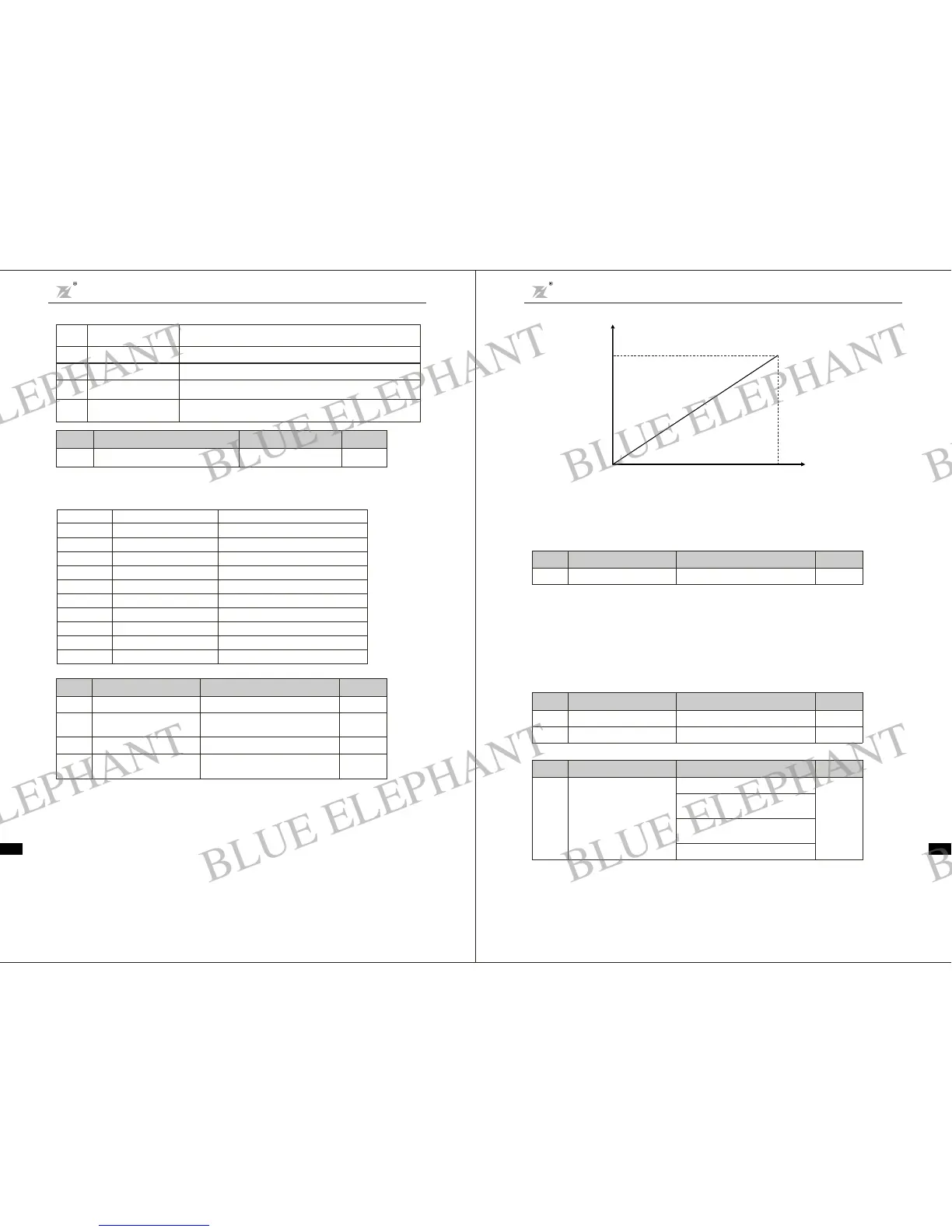
Figure6-13 The coincidence r elationship between assigned val ue and a nalog output
User password is applied to p reventnon-authorized pe rson tolook and modify parame ter.Input a
nonzerofive digit number as password, thenpre ss DATA/ENT to confirm,if t her e i s no buttonopera tion
in one mi nute, passwordfunction bec omeseffe ctive.
After pass word bec om es e ffect ive, cus tomer can not a cce ss parame ter list if pas sword in put is
incorr ect. Please remembert hepassword. If it is not necessary to set pas sword,j ust set 0000 toclear
passw o rd.
This functioncode is todefine the S TOPstop function validity options.
0
100%
10V(20 mA)
outpu t
F3 Hu man Machi ne Inter fac eP ar ameters
F3. 00
User pass wor d
0 999 9
~
0
Function
Cod e
Name
Setting R ange
Default
Value
F3.0 1
Reserved
F3.0 2
Reserved
Function
Cod e
Name
Setting R ange
Default
Value
F3.0 3
STOP functi on option
1 Keyp ad and t ermina l co ntrol
valid
:
0 Keyp ad contr ol v alid
:
2 Keyp ad and co mmunic at ion
contr ol val id
:
3 All cont rol m ode s va lid
:
0
Function
Cod e
Name
Setting R ange
Default
Value
Chapter 6 Parameter D escripti on
DZB Series
-52-
Above function codes defi ne the relationship b etweenout put val ueand a na log output
corre spondi ng output value.When the output value exceeds the m aximum output or the
mini mum output ra nge, the beyon d portion should be c alc ulate dwith maximum output or
mini mum output.
Whenanalog output i s curr ent ou tput, 1mAis equivalentt o 0.5V
Fordiffere nt applications , the a nalog output corresponding to 100%outputvalue is
dif fere nt. For details, please refer to the i nstruction of e ach application.
Follow ing figures explain s everal setti ng circumstances:
F2. 2 3
A O Lower limit 0.0% 100.0%
~
0.0%
F2.24
Lower limi t corre s p ond i n g
AO output
0.0V 10 . 0V
~
0.0V
F2. 2 5
AO Upper limit
0.0% 100.0%
~
100.0%
Upper lim itcorrespond ing
AO output
0.0V 10 . 0V
~
10 .0V
F2. 2 6
Funct ion
Code
Nam e
SettingRange
Default
Valu e
Chapter 6 Parameter Descr iption
DZB S eri es
The s tandard anal ogoutput is 0-20mA (or 0-10V). Current or voltageoutput c an be selecte d
by Jumper .Its corresponding va luer ange is shownas followingtable:S2
Setting Valu e
0
1
2
3
4
5
6
7
8
910
~
Funct ion
Setting frequency
Opera tin g frequency
Output current
Output voltag e
Motor speed
Output power
Output torque
Analog V I input
Analog CI input
Reserved
Rang e
0-maximum output frequency
0-maximum output frequency
0-double rated inverter current
0-d ou ble ratedinverter voltage
0-double rated motor speed
0-d ou ble ratedpower
0-double rated motor cur rent
010V
~
010V/020mA
~~
Rese rved
0~10
Functio n
Code
Name
Setting Range
Default
Value
F2. 22
FM output se lect ionAnalog
0
14
15
Pressure reaches at the F7.13 l ow pressure setting,NO output indication
signal.
During sleeping status,output ON signal and display "EOPP"
16
17
18
No water alarms,output ON signal and display "EOP2"
When output frequency is bigger than the lowest output frequency,output
ON signal .
low pressure reaches
detection(NO)
sleeping satus indicates
no wa ter indicates
no zero-speed running
running
When the inverter has ou tput sign alor ru nning order i nput,
output ON signal .
-51-
BLUE ELEPHANT
BLUE ELEPHANT
BLUE ELEPHANT
BLUE ELEPHANT
BLUE ELEPHANT
BLUE ELEPHANT
BLUE ELEPHANT
BLUE ELEPHANT
BLUE ELEPHANT
BLUE ELEPHANT
BLUE ELEPHANT
BLUE ELEPHANT
BLUE ELEPHANT
BLUE ELEPHANT
BLUE ELEPHANT
BLUE ELEPHANT
BLUE ELEPHANT
BLUE ELEPHANT
BLUE ELEPHANT
BLUE ELEPHANT
BLUE ELEPHANT
BLUE ELEPHANT
BLUE ELEPHANT
BLUE ELEPHANT



 To Next Page