15
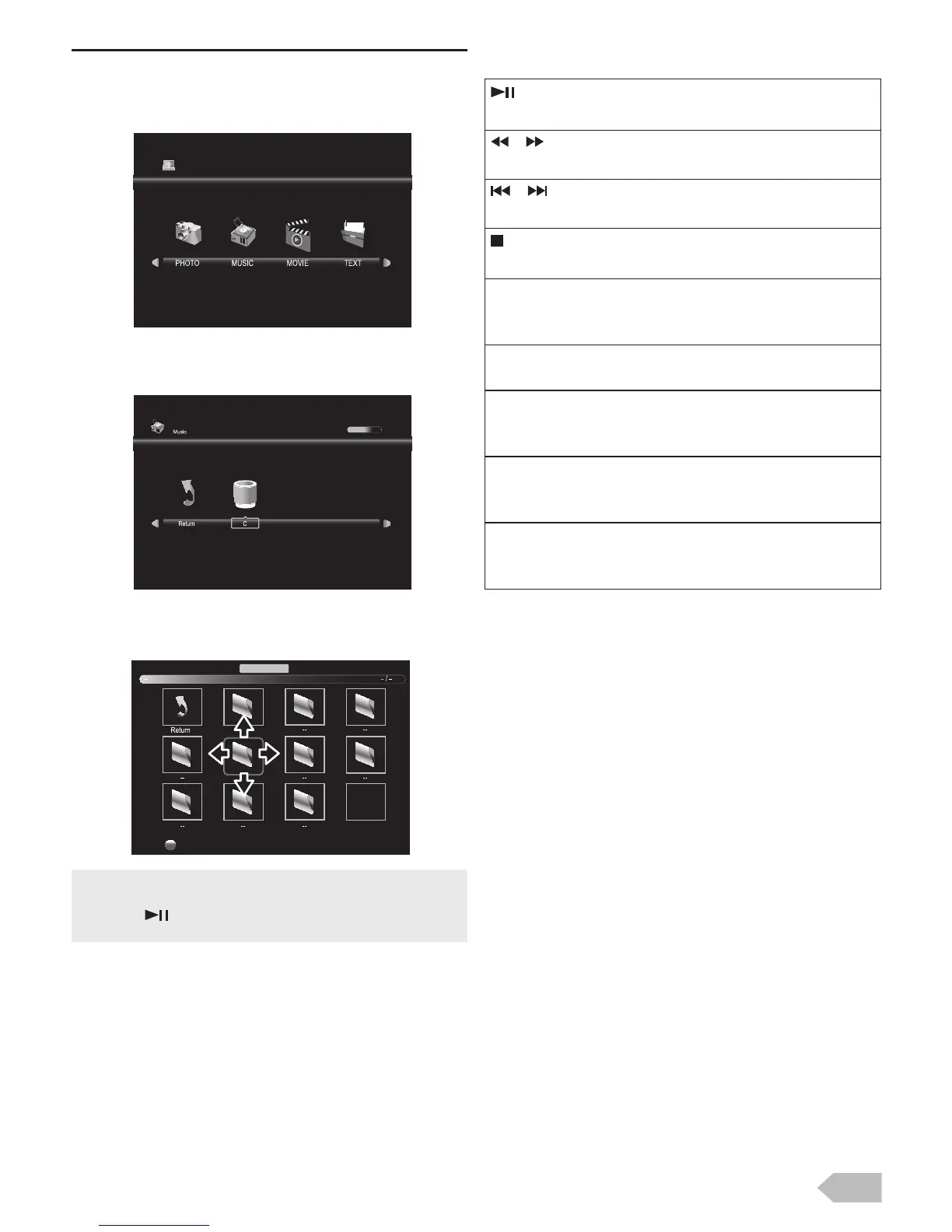
[MUSIC]
2 Use Ż / Ź to select [MUSIC] and press OK to
enter.
3 Use Ż / Ź to select [C] and press OK to enter
your file.
4 Use Ÿ / ź / Ż / Ź to select the desired file, then
press OK.
Operation in Playback
Press OK or DISPLAY to display the menu.
• The check box is displayed at the right bottom by pressing
the OK. The files having the check box are played by
pressing . If they are not selected, then all playable files
in the folder are played.
USB2.0
1 / 1
Delete
Music
:
Press to play or pause the music playback.
/ :
Press to rewind or fast-forward the music playback.
/ :
Press to skip backward or forward a music file.
:
Press to stop the music playback.
[Repeat] :
Use Ż / Ź and press OK to select the repeat mode;
[Repeat None], [Repeat 1] or [Repeat All] in order.
[MUTE] :
Use Ż / Ź and press OK to select [MUTE] to mute.
[Playlist] :
Use Ż / Ź and press OK to select [Playlist] to show
the playlist.
[Info.] :
Use Ż / Ź and press OK to select [Info.] to show the
details.
[Goto Ti..] :
Use Ż / Ź and press OK to select [Goto Ti..] to move
the time you want in the playback.


 To Next Page