21
[Auto Standby]
You can set the time to turn off the display power
automatically.
In spite of this setting, the unit goes into standby mode
automatically if there is no signal input from the
antenna terminal and no user operation for 15 minutes.
2 Use Ÿ / ź to select [Auto Standby], then press
OK.
3 Use Ÿ / ź to select the time you want, then
press OK.
[OSD Timer]
You can set the time to turn off the OSD display.
2 Use Ÿ / ź to select [OSD Timer], then press
OK.
3 Use Ÿ / ź to select the time you want, then
press OK.
Setup Adjustment
You can change other settings.
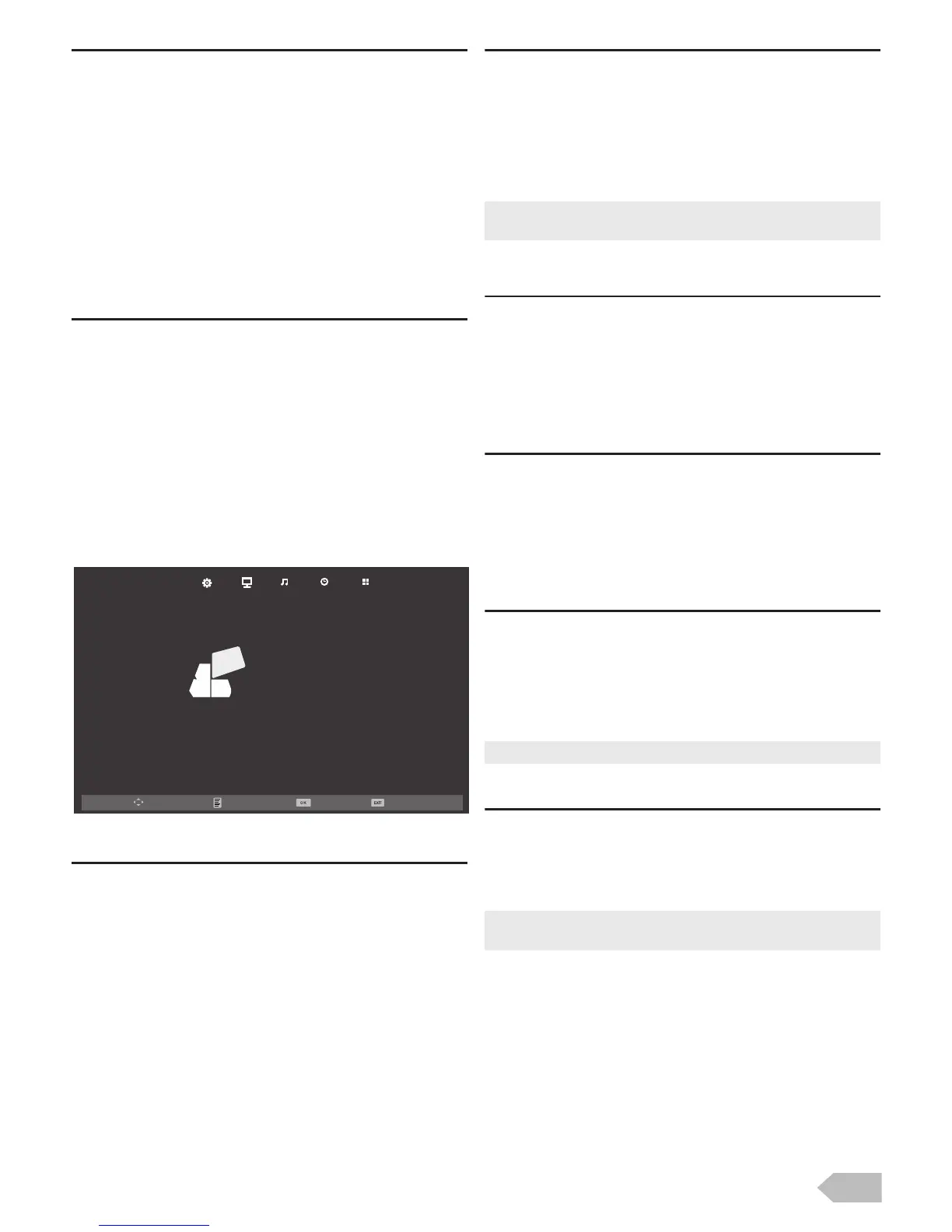
1 Use Ż / Ź to select [OPTION].
[OSD Language]
You can select the preferred onscreen language.
2 Use Ÿ / ź to select [OSD Language], then
press OK.
[Aspect Ratio]
You can change TV Screen Display mode.
2 Use Ÿ / ź to select [Aspect Ratio], then press
OK.
3 Use Ÿ / ź to select the display mode you want,
then press OK.
[Blue Screen]
If you set to [On], the background screen displays
blue, during no input signal.
2 Use Ÿ / ź to select [Blue Screen], then select
[On] or [Off] using Ż / Ź.
[Key Lock]
If you set to [On], you cannot use the buttons on the
unit.
2 Use Ÿ / ź to select [Key Lock], then select [On]
or [Off] using Ż / Ź.
[Reset]
You can restore the all settings.
2 Use Ÿ / ź to select [Reset], then press OK.
3 Press Ż to select Yes to reset the current
settings.
[Software Update(USB)]
It is available to update software using USB.
2 Use Ÿ / ź to select [Software Update(USB)],
then press OK.
Move SelectMenu Exit
OSD Language
Aspect Ratio
Blue Screen
Key Lock
Reset
Software Update(USB)
English
16:9
Off
Off
OPTION
• Available options are: [4:3], [16:9], [Zoom1] , [Zoom2] and
[Just Scan].
• Channel setting has no change before and after reset.
• If you use this function, connect USB flash memory with
data for update before.


 To Next Page