25
EN
Introduction Connections
Basic Setup /
TV View Operation
Playback Editing OthersFunction SetupRecording VCR Functions
5 Press [RETURN\BACK] to exit.
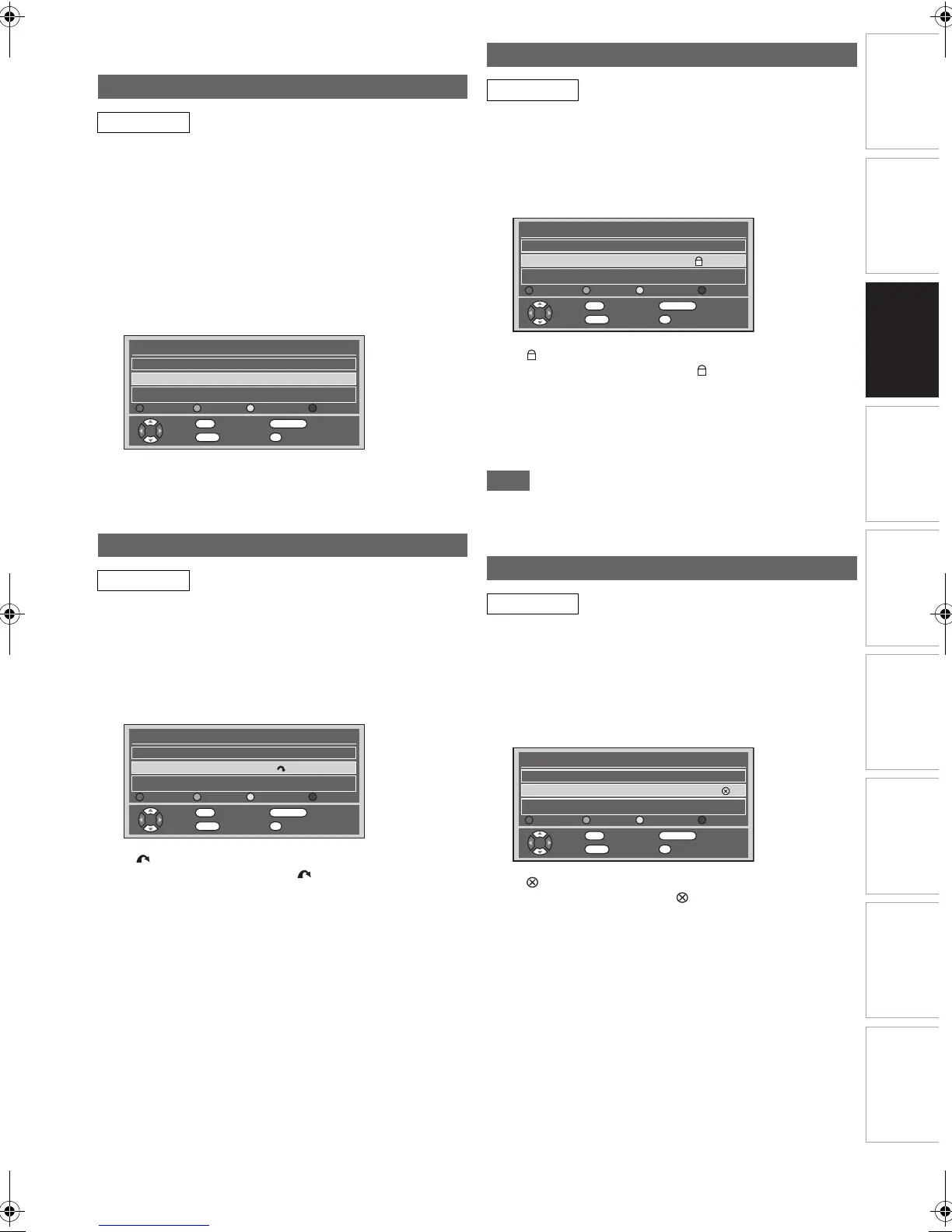
You can sort each DVB channel into 8 different favourite group
lists (“Group 1” - “Group 8”). With “Quick Select” menu, you
can select your favourite DVB channel quickly. Refer to “Quick
Select” on page 24.
1 Follow steps 1 to 4 in “Edit Channels” on
page 24.
2 Select the DVB channel you want to add to the
favourite group list using [K \ L], then select
the number of the favourite group list you want
to add using [the Number buttons] ([1] - [8]).
• The number you selected will appear.
•Press [0] to cancel from the favourite group list.
3 Press [RETURN\BACK] to exit.
You can set the unit to skip the unwanted DVB channels when
you use [PROG. G\H].
1 Follow steps 1 to 4 in “Edit Channels” on
page 24.
2 Select the DVB channel you want to skip using
[K \ L], then press [GREEN].
• “ ” will appear.
•Press [GREEN] to cancel. “ ” will disappear.
3 Press [RETURN\BACK] to exit.
You can set the unit to limit the access to the DVB channels.
1 Follow steps 1 to 4 in “Edit Channels” on
page 24.
2 Select the DVB channel you want to limit the
access using [K \ L], then press [YELLOW].
• “ ” will appear.
•Press [YELLOW] to cancel. “ ” will disappear.
3 Press [RETURN\BACK] to exit.
• Once you turn off the unit, Pincode will be required to
view the locked channels.
• To set the Pincode, refer to “A Adult Lock (Default:
OFF)” on page 73.
Note
• You need to set the Pincode first to activate the “Adult Lock”
in “DVB Setting”. After you set a Pincode, you have to turn
off the power and then turn it on again to activate the setting.
You can delete the DVB channels from the memorised DVB
channels.
1 Follow steps 1 to 4 in “Edit Channels” on
page 24.
2 Select the DVB channel you want to delete
using [K \ L], then press [BLUE].
• “ ” will appear.
•Press [BLUE] to cancel. “ ” will disappear.
3 Press [RETURN\BACK] to exit.
• The channel has been deleted from the “Edit Channels”
menu.
Edit Group Lists
DVB
Skip Channels
DVB
Edit Channels
S.No. Channel Name
5
Five
Fav. Skip Lock Del.
2
France Réseau Numéril 562000kHz/8M
Re Name Skip Lock Delete
OK
Move
RETURN
Exit
1...8
Add To Fav.
0
Del. Fav.
Edit Channels
S.No. Channel Name
5
Five
Fav. Skip Lock Del.
France Réseau Numéril 562000kHz/8M
Re Name Skip Lock Delete
OK
Move
RETURN
Exit
1...8
Add To Fav.
0
Del. Fav.
Adult Lock
DVB
Delete Channels
DVB
Edit Channels
S.No. Channel Name
5
Five
Fav. Skip Lock Del.
France Réseau Numéril 562000kHz/8M
Re Name Skip Lock Delete
OK
Move
RETURN
Exit
1...8
Add To Fav.
0
Del. Fav.
Edit Channels
S.No. Channel Name
5
Five
Fav. Skip Lock Del.
France Réseau Numéril 562000kHz/8M
Re Name Skip Lock Delete
OK
Move
RETURN
Exit
1...8
Add To Fav.
0
Del. Fav.
E3TF0ED_EN.book Page 25 Wednesday, March 17, 2010 11:20 AM









 To Next Page