66
EN
General Setting
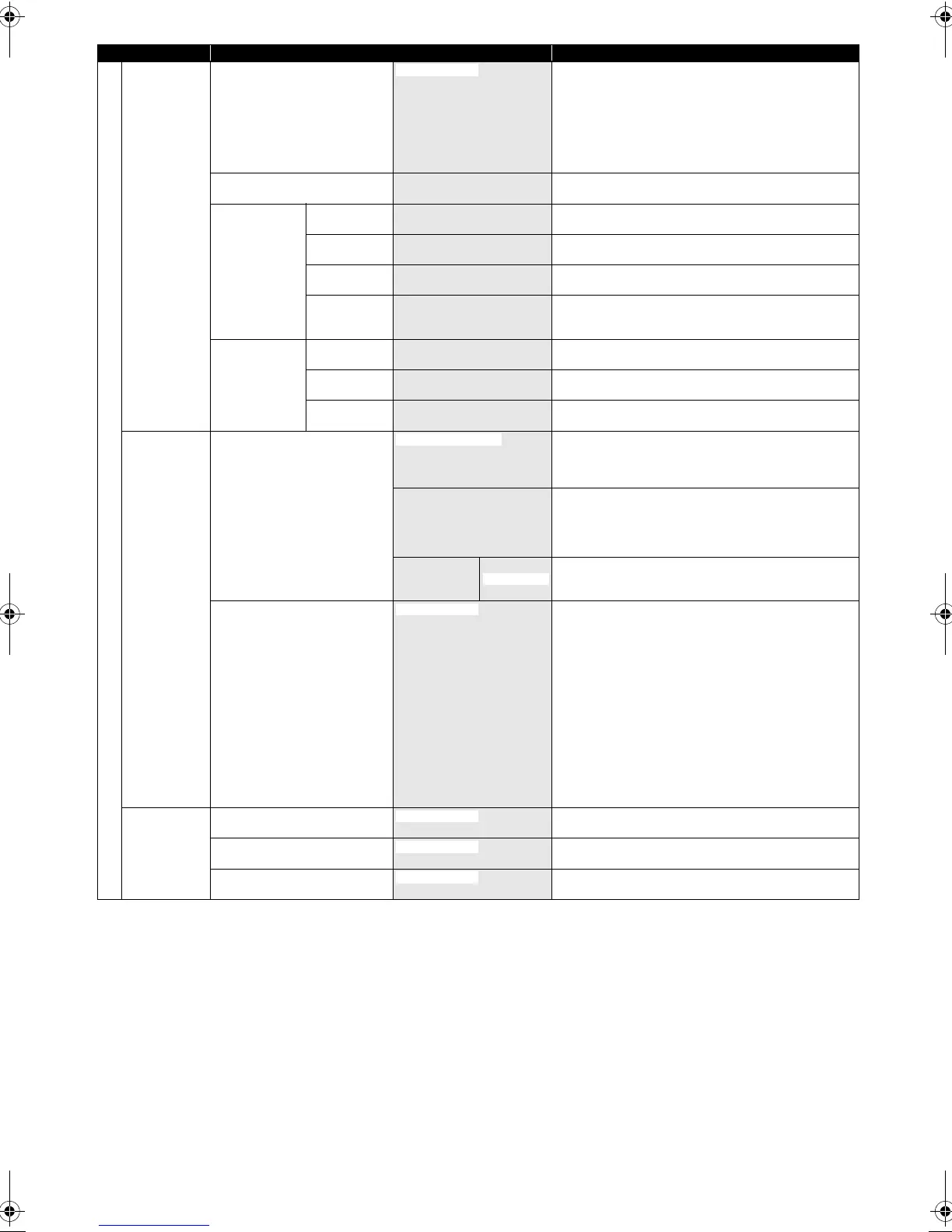
Channel Country
E Page 23
Spain - Peninsula
Spain - Canary Islands
Germany
Italy
Switzerland
Czech Republic
Other
Set the DVB channels to Channel Plan of each country.
Auto Tuning (DVB & ANALOG)
E Page 21
Tune the DVB and analogue channels automatically.
DVB Channel
Setup
Edit Channels
E Page 24
Lock the DVB channels, edit the favourite lists.
Auto Tuning
E Page 23
Tune the DVB channels automatically.
Manual Tuning
E Page 23
Tune the DVB channels manually.
Signal
Information
E Page 26
Display the detailed information of the current DVB
channel.
ANALOG
Channel Setup
Auto Tuning
E Page 21
Tune the analogue channels automatically.
Manual Tuning
E Page 21
Tune the analogue channels manually.
Move
E Page 22
Move the analogue channels to different position.
DivX DivX® VOD
E Pages 49, 72
This menu item provides you with the DivX
®
VOD
registration code. The DivX
®
registration code is required
when downloading the DivX
®
VOD files from the Internet.
To learn more about DivX
®
VOD, visit www.divx.com/vod.
Deactivation Code This menu item provides you with the DivX
®
VOD
deactivation code. The DivX
®
deactivation code is
required when re-downloading the DivX
®
VOD files from
the Internet after deactivating. To learn more about DivX
®
VOD, visit www.divx.com/vod.
Deactivation Yes This menu deactivates this unit and provides you with
new registration code and deactivation code in order to
download the DivX
®
VOD files from the Internet.
DivX Subtitle
E Pages 49, 72
English
Czech
Dutch
French
German
Hungarian
Italian
Polish
Romanian
Russian1
Russian2
Slovak
Spanish
Swedish
Set the language for DivX
®
Subtitle.
HDMI Format
E Page 72
YCbCr
Set the colour space for the HDMI output.
HDMI Audio
E Page 72
OFF
Set whether to output the HDMI audio signal or not.
RGB Range
E Page 72
Enhanced
Set the black-white contrast level for HDMI RGB output.
Setup Items (highlight is the default) Contents
France
Registration Code
No
OFF
RGB
ON
Normal
E3TF0ED_EN.book Page 66 Wednesday, March 17, 2010 11:20 AM









 To Next Page