14
EN
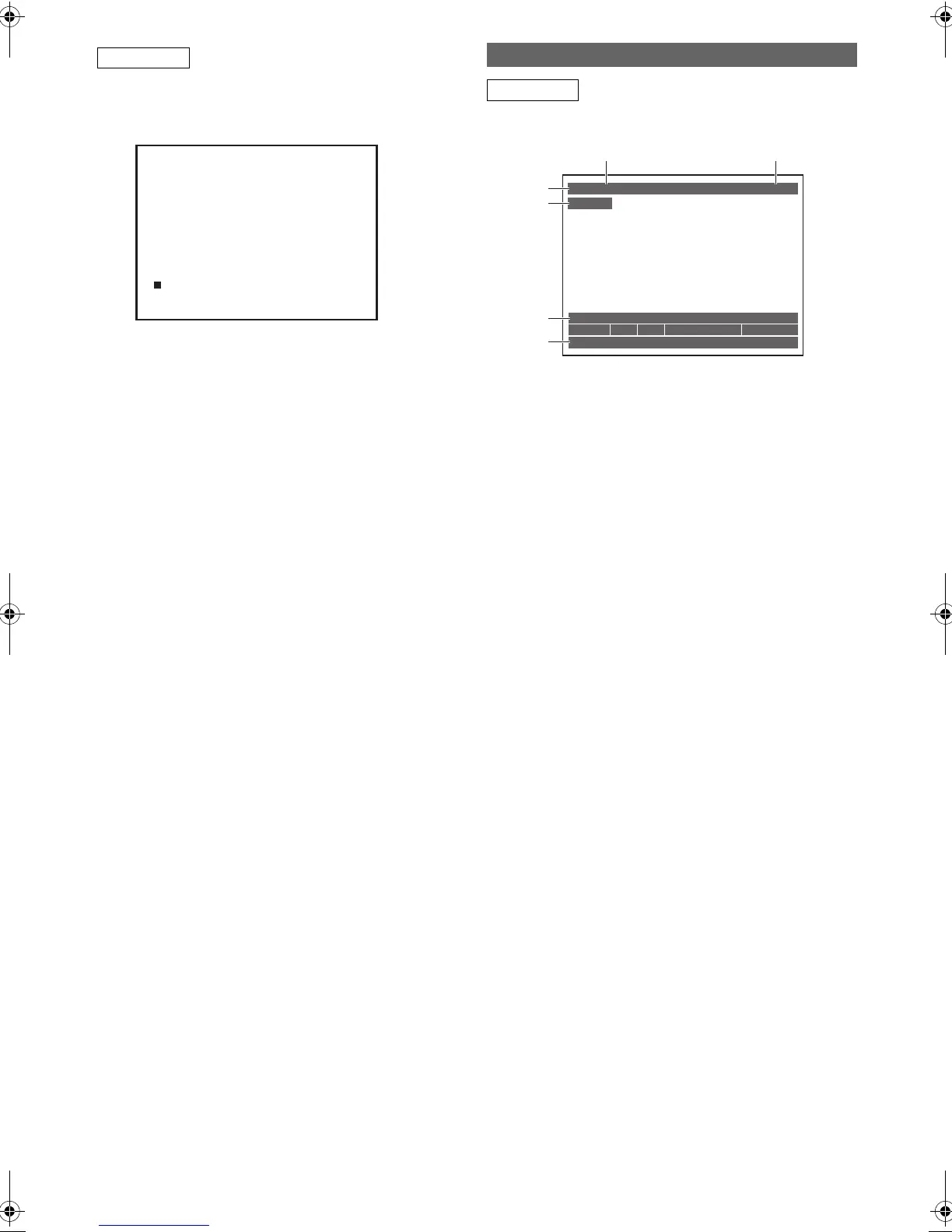
While in the VCR mode, the on screen display of the VCR
mode is displayed.
Press [VCR] first.
Press [DISPLAY] to display the on screen display.
.
1 Current time
2Position number
3 Audio status of the receiving broadcast or
external equipment
4 Audio status of the currently playing back
videotape
5 Tape counter
6 Recording or playing back speed
7 Status of the current tape
Press [C] while viewing a DVB programme to display the
programme information.
1 Audio language
2 Channel number
3 Channel name
4 Current time and day
5 Next programme information
6 Current programme information
The window will automatically exit after 4 seconds, or press
[RETURN\BACK] to exit.
While the window appears, press [C] again to display more
information. Press [RETURN\BACK] to exit.
VCR
0:00:00 STEREO
AV2
STEREO
12:00
SP
7
11
22
33
44
55
7
66
This is an example screen for explanation.
Displayed items are depending on the actual mode.
INFO Menu
DVB
11:23 – 12:20
11:53 Mon
Stereo AD Sub Entertainment 27 min left
12:20 – 12:25
NOW:
13 Channel 4+1
English
NEXT:
Castle
Burning Questions
2
1
6
5
3
4
E9TF0ED_EN.book Page 14 Wednesday, March 17, 2010 1:32 PM



 To Next Page