37
EN
Introduction Connections Playback Editing OthersFunction SetupRecording VCR Functions
Basic Setup /
TV View Operation
Note
• If you have not set the clock, the clock setting window will
appear and follow to “A Clock Setting” on page 67.
• You cannot set the End time for the satellite link timer
recording on this unit.
• Recording picture will be distorted if the copy protection
signal is being detected during satellite link timer recording.
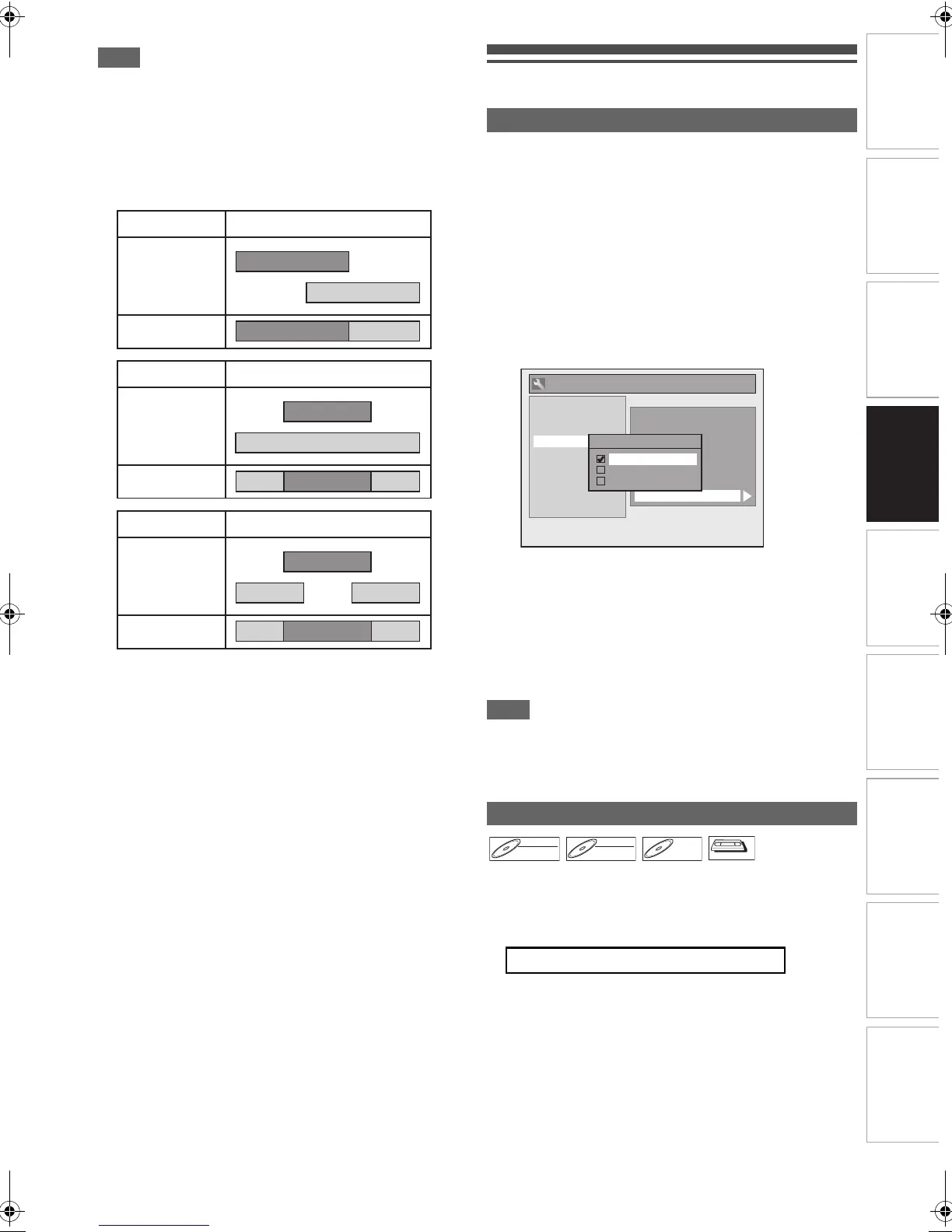
• When a regular timer recording and the satellite link timer
recording are overlapped, the examples are given below.
Settings for External Equipment
When you record from external equipment or copy a
videotape to a DVD disc, you can set the format Auto, PAL or
SECAM.
1 In stop mode, press [SETUP]. Select “General
Setting” using [K \ L], then press [ENTER\OK].
2 Select “Recording” using [K \ L], then press
[ENTER\OK].
3 Select “Video Colour System” using [K \ L],
then press [ENTER\OK].
4 Select “Auto”, “PAL” or “SECAM” using [K \ L],
then press [ENTER\OK].
5 Press [SETUP] to exit.
Note
• During recording, when a signal other than PAL or SECAM
is detected, an error message appears on the screen and
recording will be paused. Recording will be resumed when a
PAL or SECAM signal is detected.
Before recording from external equipment, see page 19 for
connection instructions.
1 Turn on the TV and be sure to select the input to
which the unit is connected.
Press [DVD].
Press [OPEN\CLOSE EJECT A] to open the
disc tray, then place the disc to record on.
Press [OPEN\CLOSE EJECT A] again to close
the disc tray.
Example 1
Example 2
Example 3
Timer
Recording
Satellite Link
Actual
Recording
Timer
Recording
Satellite Link
Actual
Recording
Timer
Recording
Satellite Link
Actual
Recording
Video Colour System
Auto: The video colour system will be set
automatically according to the recording
material.
PAL: The video colour system will be set to PAL.
SECAM: The video colour system will be set to
SECAM.
Recording from External Equipment
2 When you want to record to the disc:
Auto Finalise
Aspect Ratio (Video mode)
Bilingual Recording Audio
Dubbing Mode
External Input Audio
Video Colour System
Auto Chapter
Recording Audio Select (1H)
HDMI
DVB Setting
Reset All
General Setting
Video Colour System
Auto
PAL
SECAM
Playback
Display
Video
Clock
Channel
DivX
Recording
DVD-RW
DVD-RW
Video
DVD-RW
DVD-RW
VR
DVD-R
DVD-R
VCR
E9TF0ED_EN.book Page 37 Wednesday, March 17, 2010 1:32 PM



 To Next Page