63
EN
Introduction Connections Playback Editing OthersFunction SetupRecording VCR Functions
Basic Setup /
TV View Operation
General Setting
Common Procedures
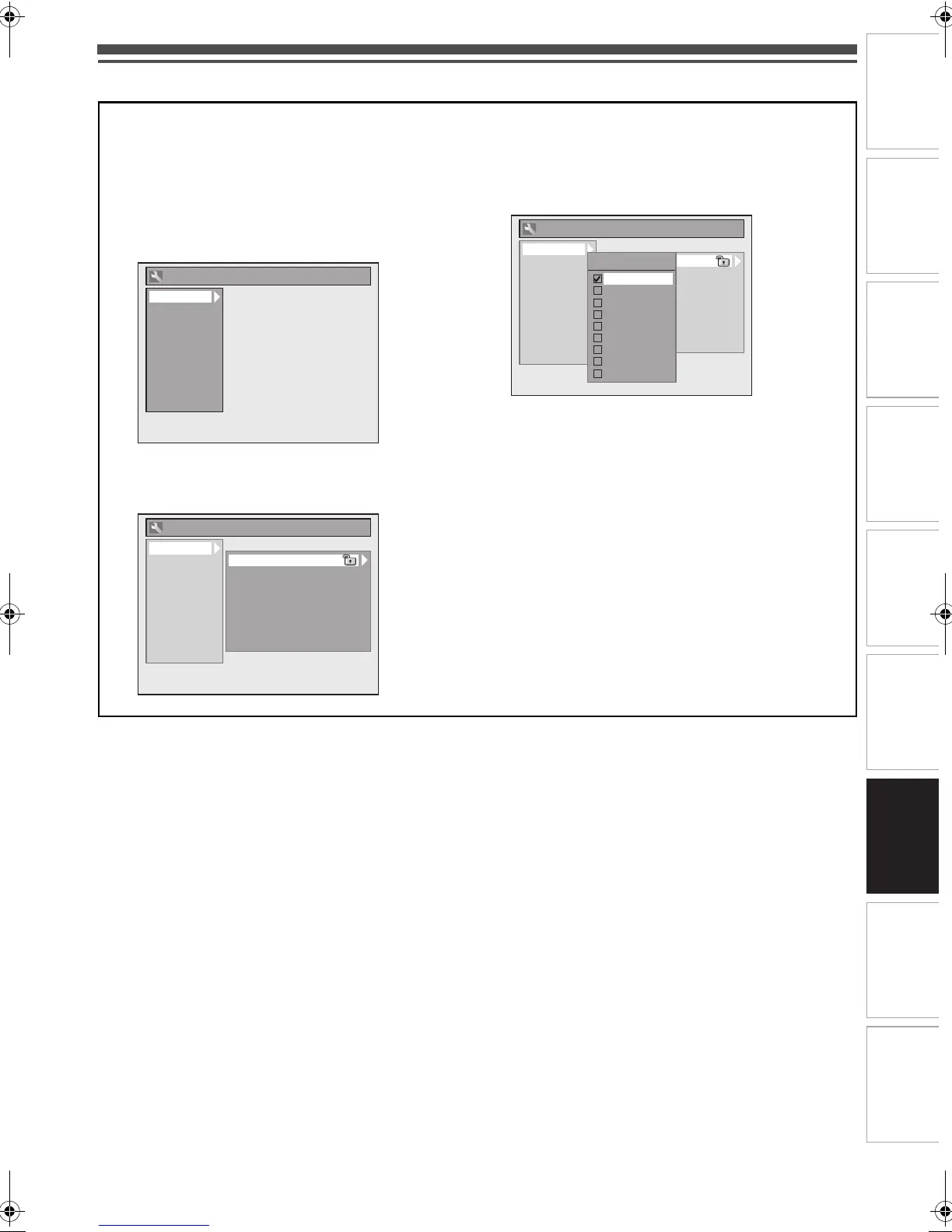
1 In stop mode, press [SETUP].
2 Select “General Setting” using [K \ L], then
press [ENTER\OK].
3 Select a desired setup using [K \ L], then
press [ENTER\OK].
4 Select a desired item using [K \ L], then
press [ENTER\OK].
e.g.) Playback setup
5 Select a desired setting using [K \ L], then
press [ENTER\OK].
e.g.) Parental Lock item
Your setting is activated.
6 When you finish the setting, press [SETUP] to
exit.
To return to the previous screen
Press [RETURN\BACK].
Playback
Display
Video
Recording
Clock
Channel
DivX
HDMI
DVB Setting
Reset All
General Setting
Playback
Display
Video
Recording
Clock
Channel
DivX
HDMI
DVB Setting
Reset All
General Setting
Parental Lock
Audio Out
Disc Menu Language
Audio Language
Subtitle Language
Angle Icon
Still Mode
TV System
Playback
Display
Video
Recording
Clock
Channel
DivX
HDMI
DVB Setting
Reset All
General Setting
Parental Lock
Audio Out
Disc Menu Language
Audio Language
Subtitle Language
Angle Icon
Still Mode
TV System
Parental Lock
OFF
8
7
6
5
4
3
2
1
E9TF0ED_EN.book Page 63 Wednesday, March 17, 2010 1:32 PM



 To Next Page