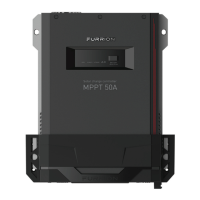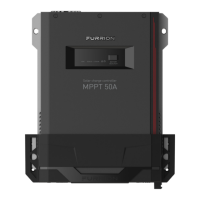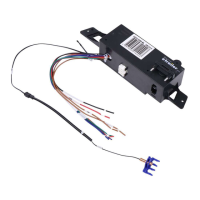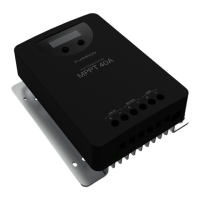
What happens when Furrion FSCC40PW2 Controller has battery over voltage?
- AAmanda CarterAug 7, 2025
If the Furrion Controller detects a battery over voltage situation, it will stop charging to protect the battery from potential overcharging damage.

What happens when Furrion FSCC40PW2 Controller has battery over voltage?
If the Furrion Controller detects a battery over voltage situation, it will stop charging to protect the battery from potential overcharging damage.
What happens if Furrion Controller has load over current protection?
If the Furrion Controller detects a load over current situation, it will disconnect the load.
How to fix PV reverse polarity on Furrion Controller?
To resolve PV reverse polarity on the Furrion Controller, correct the connection to resume normal operation.
What happens when Furrion FSCC40PW2 Controller has over temperature protection?
When the Furrion Controller's temperature rises, the charging current will decrease. If the temperature approaches the over temperature protection threshold, the controller will stop operating. It will resume operation once the temperature lowers to an acceptable level.
How to fix PV short circuit on Furrion FSCC40PW2 Controller?
To fix a PV short circuit on the Furrion Controller: * Correct the connection to resume normal operation. * Correct it to resume normal operation. Warning: Do not short circuit the PV array terminals when the controller is in active charging mode, as this could permanently damage the controller.
| Model | FSCC40PW2 |
|---|---|
| Product Type | Solar Charge Controller |
| Color | White |
| Max Current | 40A |
| Type | Controller |
| Input Voltage | 12V/24V Auto-Sensing |
| Output Voltage | 12/24V DC Auto Detect |
| Compatibility | Gel, AGM, Lithium batteries |
| Features | MPPT Technology, LCD Display |
| Protection Features | Overcharge Protection, Over-discharge Protection, Overload Protection, Short Circuit Protection, Reverse Polarity Protection |
Details compliance with FCC rules for digital devices and radio frequency emissions.
Outlines compliance with Innovation, Science and Economic Development Canada's license-exempt RSS.
Covers essential safety measures for installation and operation of the controller.
Specific safety guidelines for the proper handling and connection of the charge controller.
Critical safety information related to battery handling, charging, and disposal.
Provides a general overview of the MPPT solar charge controller's capabilities.
Lists the main distinguishing features and technological advancements of the product.
Presents the physical dimensions of the 40A and 60A MPPT solar charge controllers.
Identifies and describes the key components and connection ports on the controller.
Explains the function and connection of the optional external temperature sensor.
Guides users on connecting and utilizing the Bluetooth app for monitoring and control.
Illustrates and explains the controller's advanced four-stage battery charging process.
Describes the initial charging phase where maximum power is utilized.
Details the constant voltage charging stage to prevent excessive heating.
Explains the stage for maintaining full battery capacity and offsetting self-consumption.
Covers the periodic equalizing charge for battery health and electrolyte balancing.
Crucial initial precautions and readiness checks before proceeding with installation.
Guidelines for selecting a suitable and safe location for mounting the controller.
Advice on configuring and connecting solar panel arrays for optimal performance.
Specifies appropriate wire gauges and fuse ratings for secure electrical connections.
Provides detailed schematics and step-by-step instructions for wiring the controller.
Explains the procedure and importance of properly grounding the charge controller.
Interprets the status indicated by the various LEDs on the charge controller.
Describes the operations performed by the controller's physical buttons.
Details the information displayed on the controller's LCD screen and its icons.
Shows the default sequence in which parameters are displayed on the LCD.
Explains how to navigate through the various parameters using the buttons.
Guides on accessing and modifying advanced settings and operational modes.
Instructions for selecting the correct battery type for optimal charging.
Specifies charging voltage ranges for Liquid, GEL, and AGM batteries.
Specifies charging voltage parameters for Lithium batteries.
Details how to connect and manage devices connected to the auxiliary load terminal.
Configuration options for low voltage protection and recovery voltage settings.
Procedure to reset or clear the Bluetooth device password.
Lists and describes the various internal protection mechanisms of the controller.
Explains fault codes, their reasons, and recommended troubleshooting steps.
Outlines regular inspection and maintenance tasks for optimal performance and longevity.