CCD-0007727 Rev: 06-01-23
- 15 -
Operation
English
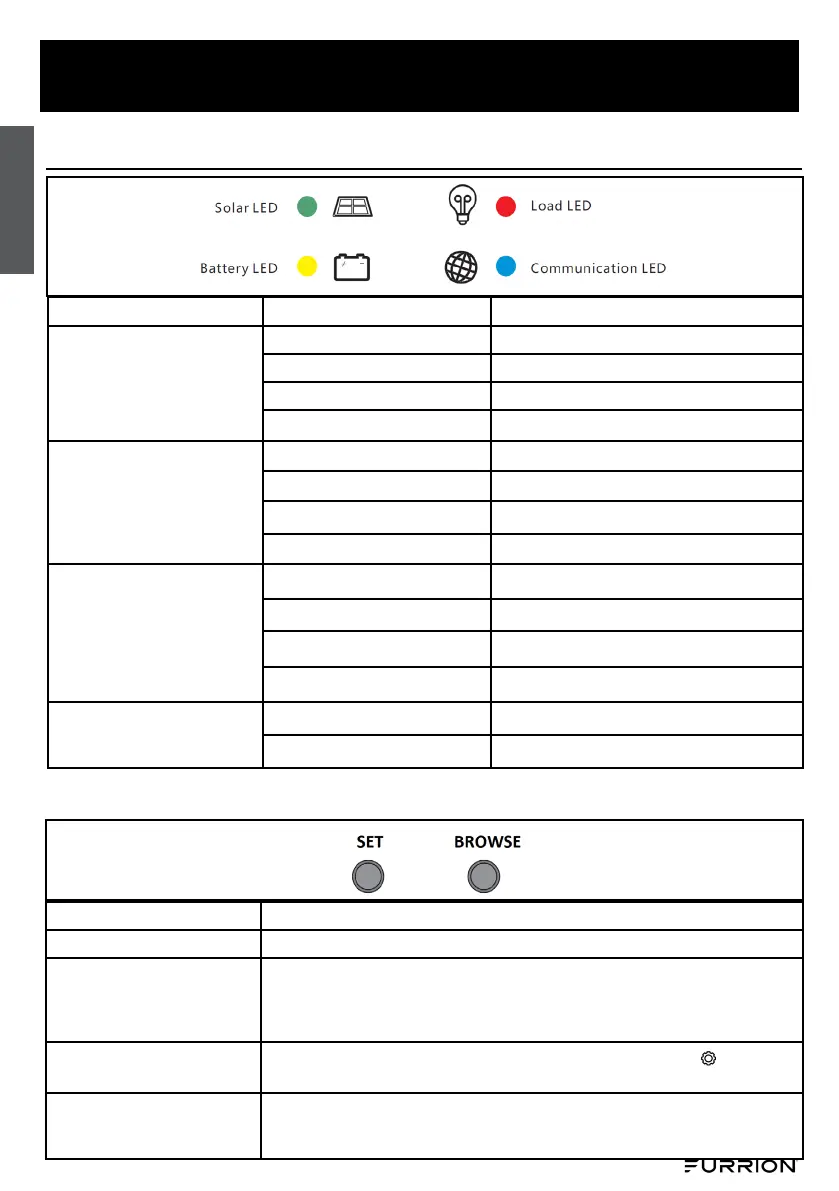
LED Indications
LED
Status Function
Green
(PV Panel)
On Solar panel is connected, not charging.
Fast ash (0.1/0.1s) MPPT charging
Flash (0.5/0.5s) Equal or Boost Charging
Slow ash (0.5/2s) Float Charging
Yellow
(Battery)
On Battery is normal
O Over voltage protection active
Fast ash (0.1/0.1s) Low voltage protection active
Slow ash (0.5/2s) Battery voltage is low
Red
(Load)
On Load is on.
O Load is o.
Fast ash (0.1/0.1s)
Short circuit or over current protection active
Slow ash (0.5/2s) Over temperature protection active
Blue
(Communication)
O No communication
Fast ash (0.1/0.1s) Normal communication
Button Functions
Function
Operation
Browse Interface
Short press Browse.
Static display
Press the SET and BROWSE keys at the same time for 1s, the LCD screen
will lock the interface.
Press the SET and BROWSE keys again for 1s, the LCD interface will unlock
and start scrolling.
Setting parameter
Press the SET key for 1s to enter the setting mode when the icon appears
on the display interface, and exit automatically after 30s or press the SET.
Load On/O
When the controller is working in street lamp mode, press the SET key for 3s
to turn on the load, press the SET key again or 1min later the load will be
turned o.


 To Next Page
 Loading...