EasyManua.ls Logo

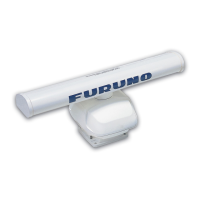
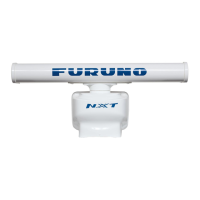
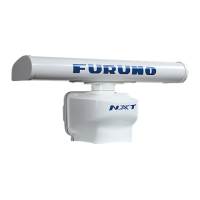
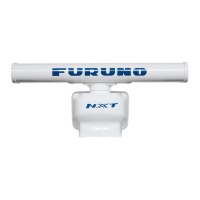
Furuno DRS4D-NXT - User Manual

Furuno DRS4D-NXT
32 pages
Print Icon
To Next Page IconTo Next Page
Loading...
www.furuno.com
A
ll brand and product names are trademarks, registered trademarks or service marks of their respective holders.
Installation Manual
RADAR SENSOR
MODEL
(Product Name: SOLID STATE DOPPLER RADAR)
SAFETY INSTRUCTIONS ................................................................................................ i
SYSTEM CONFIGURATION .......................................................................................... iii
EQUIPMENT LISTS........................................................................................................ iv
FOREWORD.................................................................................................................... v
1. INSTALLATION.......................................................................................................... 1
1.1 Installation Considerations....................................................................................................1
1.2 Installation of the Radar Sensor............................................................................................4
1.3 Wiring....................................................................................................................................7
2. INITIAL SETUP........................................................................................................... 8
2.1 Check Points After Installation..............................................................................................8
2.2 Initial Setup ...........................................................................................................................8
3. MAINTENANCE, TROUBLE- SHOOTING............................................................... 13
3.1 Maintenance .......................................................................................................................13
3.2 Replacement of Fuse..........................................................................................................13
3.3 Troubleshooting ..................................................................................................................14
SPECIFICATIONS ..................................................................................................... SP-1
PACKING LISTS ......................................................................................................... A-1
OUTLINE DRAWING................................................................................................... D-1
INTERCONNECTION DIAGRAM ................................................................................ S-1
Declaration of Conformity

Questions and Answers

  • O
    owensjosephJul 31, 2025
    Why do echoes not appear on my Furuno Radar, or why are they weak?
    • V
      vrasmussenJul 31, 2025
      If transmission starts but echoes do not appear or weak echoes occur, check the settings of GAIN/SEA/RAIN.

  • S
    Susan SmithAug 4, 2025
    What to do if marks and characters appear on the Furuno DRS4D-NXT Radar display, but echoes do not appear?
    • A
      austinsmithAug 4, 2025
      If marks and characters appear on the display, but echoes do not appear, check that the Cable Assembly is fastened.
  • C
    Christopher WongAug 8, 2025
    What to do if the Furuno DRS4D-NXT Radar appears and disappears, or keeps rebooting when the transmission is started?
    • M
      Mark WolfeAug 8, 2025
      If the radar appears on the multi function display device, but disappears when the transmission started or continue rebooting, check the power voltage is sufficient.
  • G
    garrettwilsonAug 12, 2025
    What to do if the Furuno DRS4D-NXT Radar type does not appear on the multi function display device?
    • H
      Heather MorrisAug 12, 2025
      If the radar type does not appear on the multi function display device: * Check if the Cable Assembly is connected to the power source and the power source is on. * Check the power cable for damage. * Check if the fuse has blown. * Check the voltage of ship’s main. * Check the software version of the multi function display device.
  • S
    singletonjasmineAug 17, 2025
    What to do if the Furuno DRS4D-NXT type appears on the multi function display device, but the radar display does not appear or transmission does not start?
    • C
      Caitlin LawrenceAug 17, 2025
      If the radar type appears on the multi function display device, but the radar display does not appear or transmission does not start, check the software version of multi function display device.
  • M
    montoyaryanAug 21, 2025
    What to do if there is too much interference on my Furuno DRS4D-NXT?
    • M
      Matthew PetersenAug 22, 2025
      If you are experiencing too much interference, try the following: * Turn the interference rejector on. * Turn the transmission on/off. * Change the transmission channel.
  • J
    Johnny WhitakerAug 26, 2025
    What to do if the Furuno DRS4D-NXT picture does not change when I change the range?
    • C
      Carlos ReevesAug 26, 2025
      If you change the range, but the radar picture does not change, try to zoom the radar display in or out. Alternatively, turn the power off and on.

Summary

SAFETY INSTRUCTIONS

WARNING

Electrical shock hazards, installation safety, and mandatory actions for safe operation.

CAUTION

Precautions against RF interference and grounding requirements for preventing mutual interference.

SYSTEM CONFIGURATION

EQUIPMENT LISTS

Standard supply

Lists standard components included in the radar sensor package.

Optional supply

Lists optional accessories and parts available for the radar sensor.

FOREWORD

General Information about DRS4 D-NXT

Overview of key features and functionalities of the DRS4D-NXT radar sensor.

1. INSTALLATION

1.1 Installation Considerations

Guidelines and factors to consider when selecting a location for radar sensor installation.

1.2 Installation of the Radar Sensor

Step-by-step instructions for physically mounting the radar sensor unit.

1.3 Wiring

Details on power requirements and network cable connections for the radar sensor.

2. INITIAL SETUP

2.1 Check Points After Installation

Pre-operation checks to ensure correct installation and readiness for setup.

2.2 Initial Setup

Procedures for configuring the radar sensor settings via the display unit.

3. MAINTENANCE, TROUBLE- SHOOTING

3.1 Maintenance

Routine checks and actions to maintain the radar sensor's performance and longevity.

3.2 Replacement of Fuse

Procedure for checking and replacing the protective fuse in the cable assembly.

3.3 Troubleshooting

Common issues and their remedies for restoring normal radar sensor operation.

SPECIFICATIONS

Technical Specifications

Detailed technical data including radiator, radar function, interface, power, and environmental specs.

PACKING LISTS

OUTLINE DRAWING

INTERCONNECTION DIAGRAM

Declaration of Conformity

Furuno DRS4D-NXT Specifications

General IconGeneral
BrandFuruno
ModelDRS4D-NXT
CategoryRadar
LanguageEnglish

Related product manuals