EasyManua.ls Logo

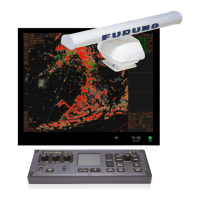
Furuno FAR-1523-BB - User Manual

Furuno FAR-1523-BB
203 pages
Print Icon
To Next Page IconTo Next Page
Loading...
OPERATOR'S MANUAL
www.furuno.com
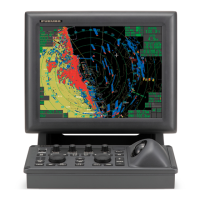
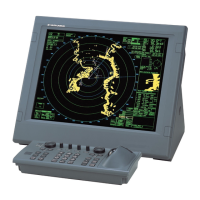
MARINE RADAR
FAR-1513
FAR-1523
FAR-1513-BB
FAR-1523-BB
FAR-1518
FAR-1528
FAR-1518-BB
FAR-1528-BB
Model

Table of Contents

Other manuals for Furuno FAR-1523-BB

Questions and Answers

  • E
    Emily ShawSep 23, 2025
    How to fix Furuno FAR-1523-BB showing only two PI lines?
    • L
      Lauren TurnerSep 23, 2025
      If your Furuno Marine Radar is only showing two PI lines when six are desired, it is likely due to an incorrect setting of the PI line interval or an inappropriate setting for the number of PI lines to display. Adjust the PI line interval. Also, check the menu setting for the number of PI lines.
  • E
    Erik ButlerAug 25, 2025
    Why Furuno FAR-1523-BB cannot turn on?
    • E
      Erika RuizAug 25, 2025
      If your Furuno Marine Radar cannot be turned on, the cause may be a blown fuse, incorrect mains voltage/polarity, or a faulty power supply board. To resolve this, replace the blown fuse, correct the wiring and input voltage, or replace the power supply board.
  • R
    Renee HartAug 25, 2025
    What to do if Furuno FAR-1523-BB Marine Radar picture not updated?
    • J
      Joel SteeleAug 26, 2025
      If the picture on your Furuno Marine Radar is not updating or is frozen, this is likely due to a video freeze. Turn the power off and on again to restore normal operation.
  • D
    daughertyyvonneAug 27, 2025
    Why Furuno FAR-1523-BB shows marks and noise but no echo?
    • D
      Daniel ClaytonAug 27, 2025
      If you see marks, indications, and noise but no echo on your Furuno Marine Radar, the Tx high voltage protection circuit may have been activated. Reset the power to restore normal operation.
  • A
    Anthony GutierrezAug 27, 2025
    How to fix Furuno Marine Radar when range changed but picture not changing?
    • G
      Gina McguireAug 27, 2025
      If the range is changed on the Furuno Marine Radar but the picture is not changing, it could be due to a defective range key, a faulty SPU board, or a video freeze-up. Try adjusting the range with the control unit or the [RANGE] box several times; if that doesn't work, the keypad may need replacement. If still not working, replace the SPU board. Alternatively, try turning the radar off and on.
  • J
    Joshua WeissSep 16, 2025
    Why Furuno FAR-1523-BB Marine Radar interference rejector is inoperative?
    • M
      monica07Sep 16, 2025
      If the interference rejector on your Furuno Marine Radar is inoperative and the interference rejection level is not displayed, the issue is likely with the SPU board. Replace the SPU board.
  • L
    logan60Sep 13, 2025
    How to fix Furuno FAR-1523-BB target not tracked correctly?
    • P
      Paul BaldwinSep 13, 2025
      If a target is not being tracked correctly on your Furuno Marine Radar, it may be due to poor definition of targets in sea clutter. Adjust A/C SEA and A/C RAIN.
  • J
    Jack SmithSep 15, 2025
    Why cannot operate Furuno FAR-1523-BB Marine Radar from on-screen boxes?
    • J
      Justin HallSep 15, 2025
      If you cannot operate the radar from the on-screen boxes on your Furuno Marine Radar, the issue is likely with the SPU board. Replace the SPU board.
  • C
    Carla MurraySep 5, 2025
    Why Furuno FAR-1523-BB Marine Radar shows marks but no noise when GAIN adjusted?
    • D
      David ValenzuelaSep 5, 2025
      If, with the GAIN adjusted and A/C SEA set to minimum, marks and indications appear on your Furuno Marine Radar but there is no noise or echo, it could be due to the IF amplifier, the signal cable between the antenna and processor unit, or the video amplifier board. Replace the IF amplifier. Check the continuity and isolation of the coaxial cable (disconnect the plug and lugs at both ends before checking with an ohmmeter). Check the video coax line for a secure connection; if the connection is good, replace the SPU board.
  • J
    Julie HarveySep 3, 2025
    Why Furuno FAR-1523-BB picture is not updated with each sweep?
    • T
      Thomas CarpenterSep 3, 2025
      If the picture on your Furuno Marine Radar is not updating with each sweep, it could be due to slots in the rotating disc in the antenna unit or the motor brushes. Remove any foreign material (carbon, grease, etc.) from the slots. If the motor brushes are shorter than 6 - 7 mm, replace them.

Summary

SAFETY INSTRUCTIONS

Radio Frequency Radiation Hazard

Information on potential hazards from radar emissions and safe distances.

DANGER, WARNING, CAUTION Definitions

Explanation of safety alert symbols and their meanings.

SYSTEM CONFIGURATION

1. OPERATIONAL OVERVIEW

1.1 Controls

Detailed description of the RCU-028 control unit buttons and functions.

1.2 How to Turn the Radar On;Off

Procedure for powering the radar system on and off.

1.5 Menu Operations

Guide on how to navigate and operate the radar's main menu system.

1.15 How to Start;Stop Transmission

Procedures for initiating and halting radar transmission.

1.19 How to Reduce Sea Clutter

Techniques for minimizing unwanted echoes from sea clutter.

1.20 How to Reduce Rain Clutter

Methods for reducing interference from rain, snow, or hail.

2. RADAR OBSERVATION

3. TARGET TRACKING (TT)

3.1 Precautions for Target Tracking Usage

Important considerations and warnings before using the target tracking function.

3.5 How to Acquire and Track Targets

Procedures for acquiring and tracking radar targets manually or automatically.

3.14 Collision Alarm (CPA, TCPA)

Setting up alarms to detect potential collision situations.

4. AIS OPERATION

4.12 AIS Collision Alarm (CPA, TCPA)

Setting up CPA/TCPA alarms for AIS targets to prevent collisions.

5. VIDEO PLOTTER OPERATION

6. MAINTENANCE, TROUBLESHOOTING

6.1 Periodic Maintenance Schedule

Recommended schedule for routine maintenance checks to ensure optimal performance.

6.5 Easy Troubleshooting

Common problems and solutions for restoring normal radar operation.

6.6 Advanced-level Troubleshooting

Procedures for hardware and software troubleshooting for qualified service personnel.

APPENDIX 6 SYMBOLS

SPECIFICATIONS OF MARINE RADAR FAR-1513;1523 (-BB)

SPECIFICATIONS OF MARINE RADAR FAR-1518;1528 (-BB)

Furuno FAR-1523-BB Specifications

General IconGeneral
BrandFuruno
ModelFAR-1523-BB
CategoryMarine Radar
LanguageEnglish

Related product manuals