1. OPERATION
17
1.18 FUNC Key
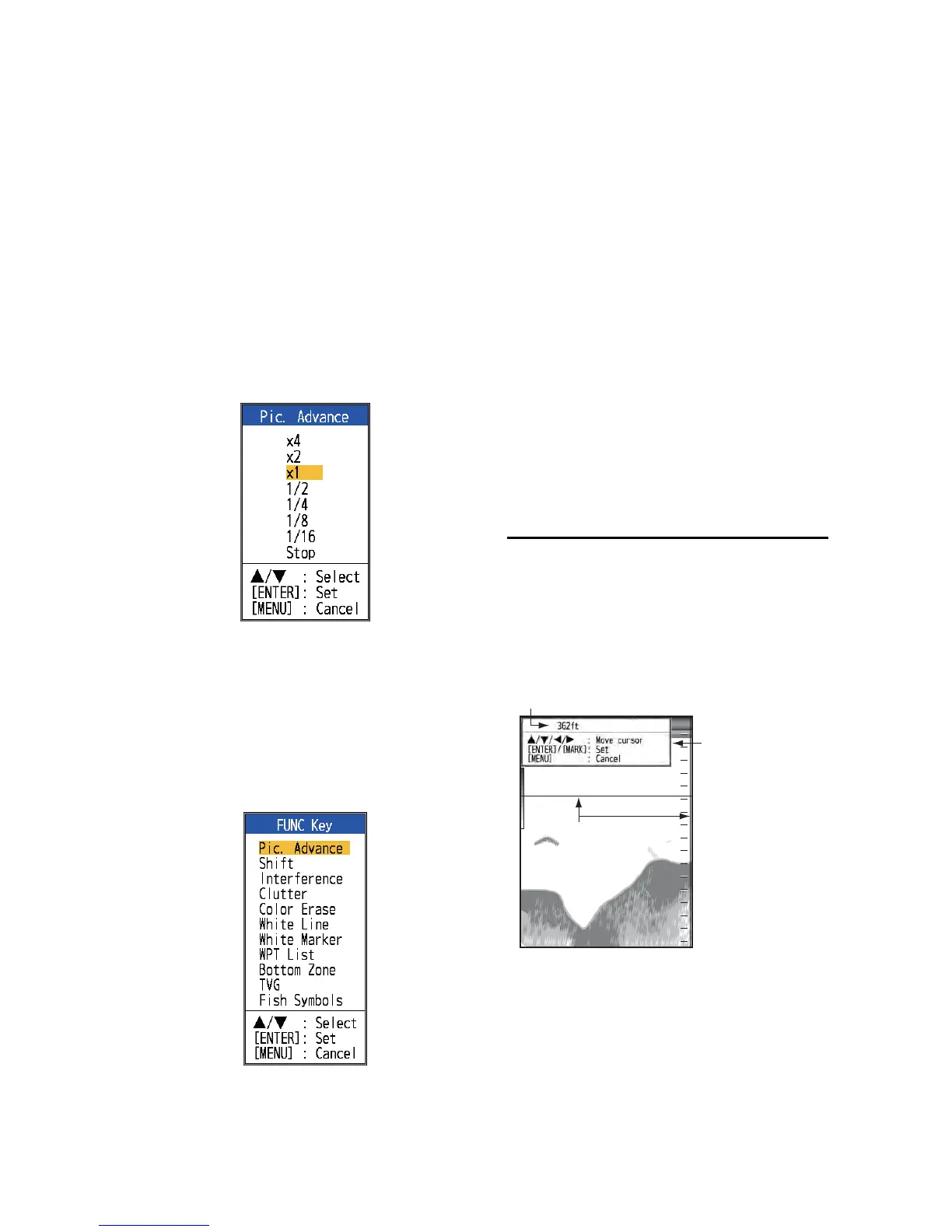
The FUNC key provides for one-touch call up
of desired function setting window. 11 items
are available: picture advance, shift, interfer-
ence, clutter, color erase, white line, white
marker, WPT list, bottom zone, TVG, and fish
symbols.
1.18.1 How to use the FUNC
key
1. Short-press the FUNC key to open the
setting window programmed; for exam-
ple, the [Pic. Advance] setting window.
2. Use the FUNC key, S or T to select a
setting and press the ENTER key.
1.18.2 How to change the func-
tion
1. Press and hold down the FUNC key to
show the [FUNC Key] menu.
2. Select a function and press the ENTER
key.
1.19 Waypoints
A waypoint can be used to mark a school of
fish, reef, etc., and 20 waypoints may be en-
tered. You can set a waypoint as a destination
to get the range, bearing and time to go that
point. The latitude and longitude position of
the waypoint can be output to a navigation de-
vice, using the TLL sentence.
Note 1: The waypoint feature requires latitude
and longitude position from a navigator.
Note 2: The waypoint feature is not available
when the Tankenmaru feature is active.
1.19.1 How to register a way-
point
There are two ways to register a waypoint: di-
rectly on the screen or manual input of latitude
and longitude.
How to register a waypoint on the screen
1. Press the MARK key. The cross cursor
appears on the screen together with guid-
ance on how to enter a waypoint. To reg-
ister a waypoint to your current position,
go to step 3.
Note: If there is no position data the mes-
sage "No position data!" appears. Check
the navigator.
2. Operate the TrackPad to set the cross
cursor where desired. Up, down for verti-
cal movement; left, right for horizontal
movement. Picture advancement is
stopped until step 3 is completed.
Cross cursor



 To Next Page