2. SYSTEM MENU
27
[Language]: The system language is avail-
able in English, and European and Asian lan-
guages. To change the language, select the
appropriate language and press the ENTER
key.
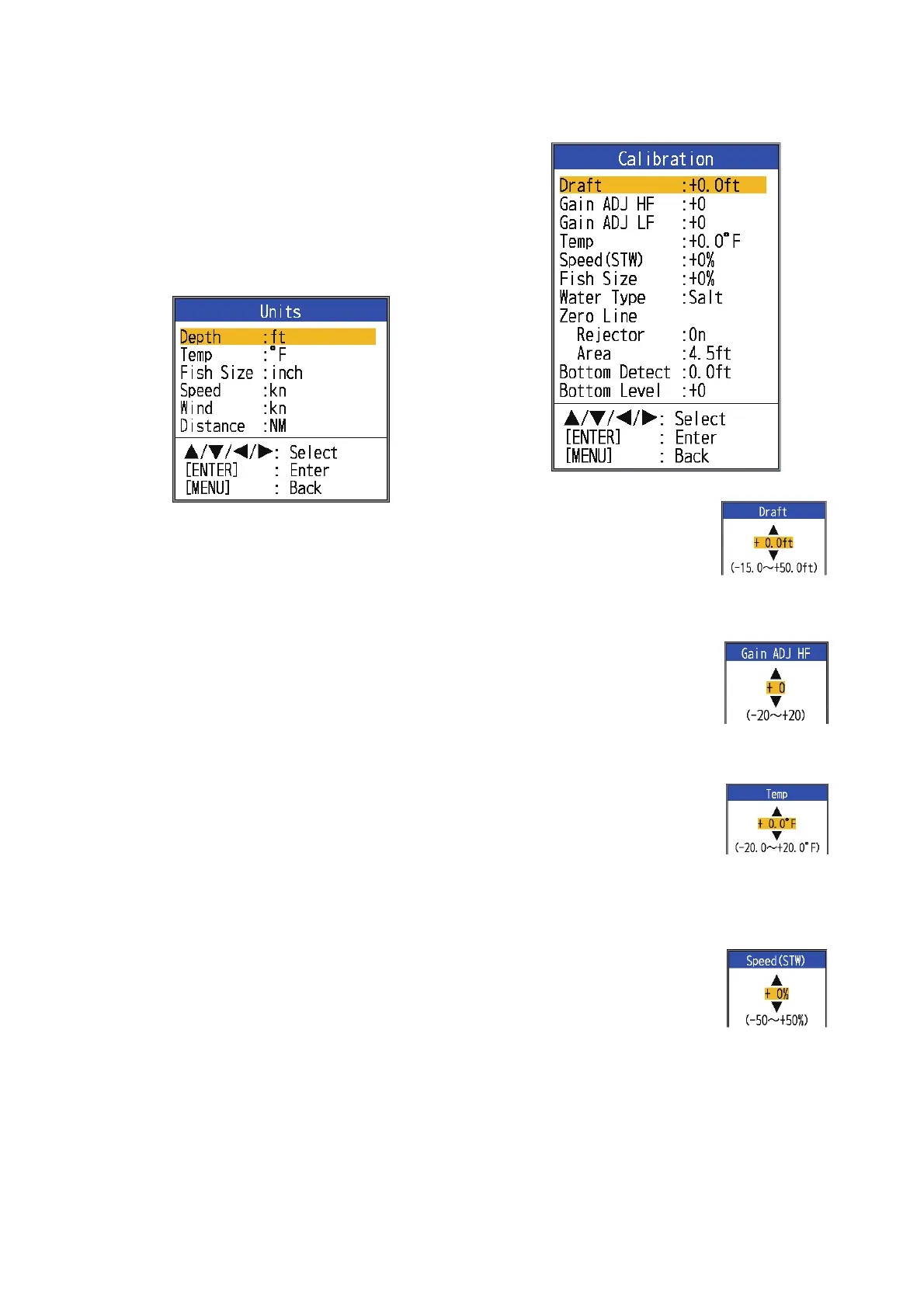
2.5 Units Menu
[Depth]: Select unit of depth measurement,
among [m], [ft], [fm], [HR] (Hiro, Japanese)
and [pb].
[Temp]: Select unit of water temperature
measurement, between °C and °F. Water
temperature data is required.
[Fish Size]: Select unit of fish size measure-
ment, between [inch] and [cm].
[Speed]: Select unit of speed measurement
among [kn], [km/h] and [mph]. Speed data is
required.
[Wind]: Select unit of wind speed measure-
ment, among [kn], [km/h], [mph] and [m/s].
Wind speed data is required.
[Distance]: Select unit of distance measure-
ment, among [NM], [km] and [SM].
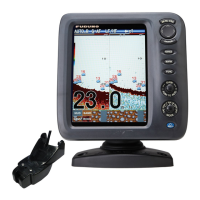
2.6 Calib Menu
[Draft]: The default depth
display shows the distance
from the transducer. If you
would rather show the dis-
tance from the sea surface,
set your ship's draft.
[Gain ADJ HF],
[Gain ADJ LF]: If the gain is
too high or too low, or the
gain for the low and high fre-
quencies appears unbal-
anced, you can compensate it here.
[Temp]: If the water tem-
perature indication is wrong,
you can correct it here. For
example, if the water tem-
perature indication is 2°
higher than actual water temperature,
enter -2.
[Speed(STW)]: If the speed
indication is wrong, you can
correct it here. For example,
if the speed indication is
10% lower than actual
speed, enter +10.


 To Next Page