4. INSTALLATION
39
8. Turn the power on and change the menu
setting as follows:
1) Push the MENU/ESC key to show the
main menu.
2) Select [Sounder] menu.
3) Set the [TX Power] to [Auto].
4) Push the MENU/ESC key to show the
main menu.
5) Select [Calib] and set the [Gain ADJ
HF] to [+8].
6) Set the [Gain ADJ LF] to [+8].
7) Set the [Bottom Level] to [-60].
8) Press the MENU/ESC key two times.
4.6 Triducer
DO NOT overtighten screws. They may be
damaged.
525T-BSD, 526TID-HDD
For details of the installation, see the manual
of the triducer.
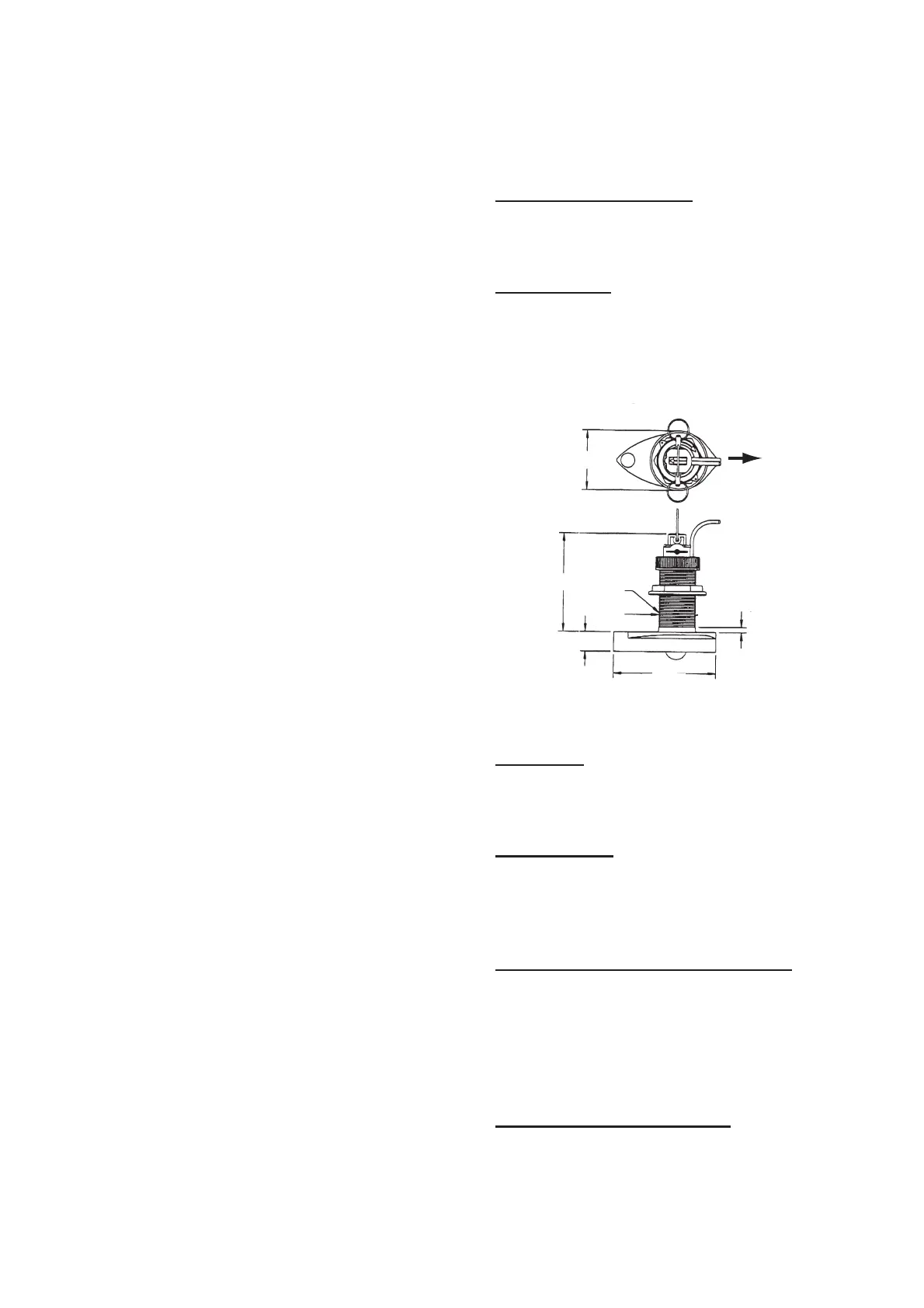
525STID-MSD
The optional triducer 525STID-MSD is de-
signed for thru-hull mounting. For how to in-
stall this triducer see section 4.3.
Triducer 525STID-MSD
525T-PWD
For details of the installation, see the manual
of the triducer.
525STID-PWD
The optional transom mount triducer
525STID-PWD can be installed by the thru-
hull method or the inside-hull method.
Pre-test for speed and temperature
Connect the sensor to the instrument and spin
the paddlewheel. Check for a speed reading
and the approximate air temperature. If there
is no reading, return the sensor to your place
of purchase.
Tools and materials needed
• Scissors • Masking tape
• Safety goggles • Dust mask
• Electric drill • Screwdrivers
φ
79
133
2.00"-12
UN
threads
φ
51
7
27
140
Unit: mm
BOW


 To Next Page