1. HOW TO INSTALL THE EQUIPMENT
7
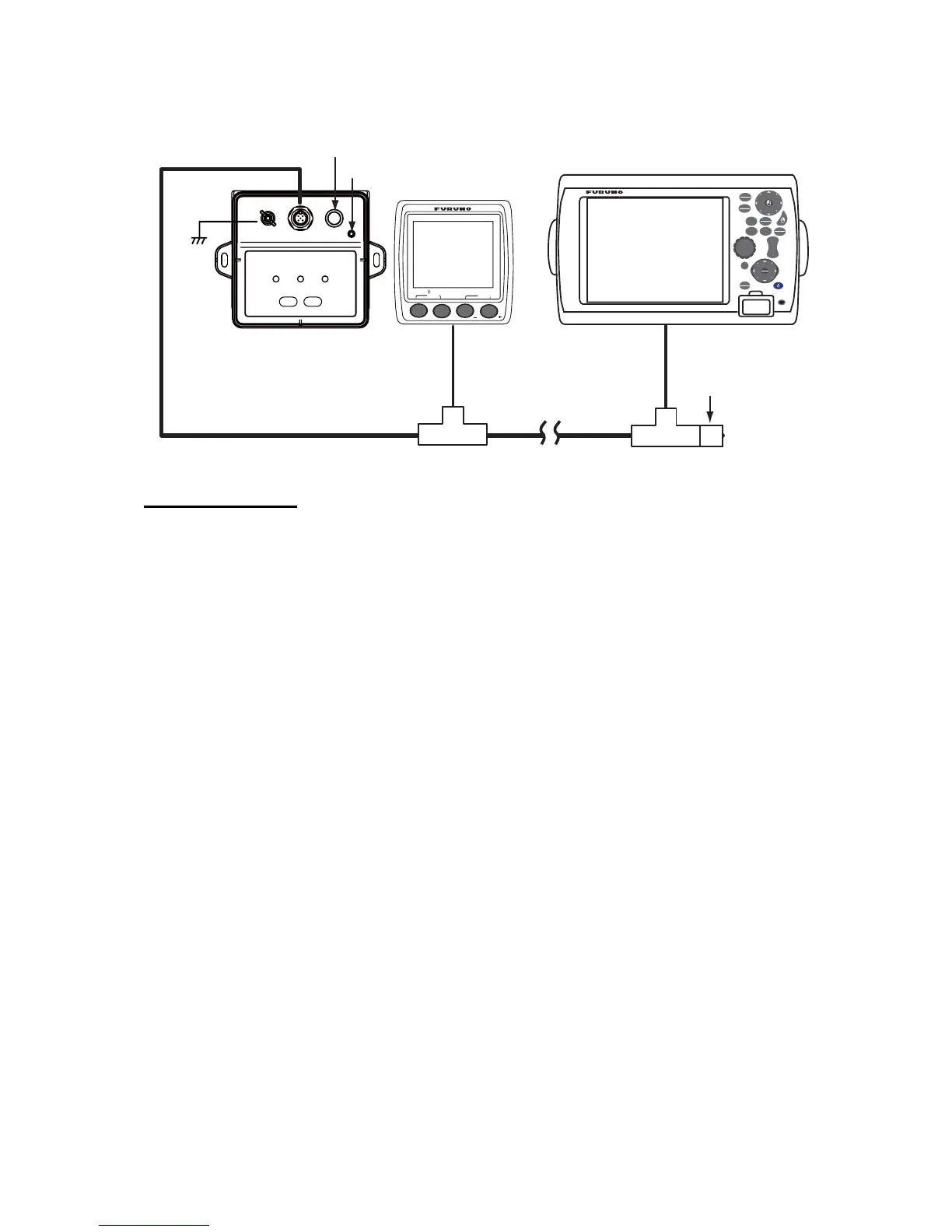
• If connecting M12-05BM+05BF-060 cable to a T-type connector as a backbone, as shown be-
low, turn the termination switch on.
Termination switch
This switch is set according to the network topology. Generally, turn on the switch at the end of
the backbone cable. When ON, the lamp lights green.
GO TO
LIST
DATA
VOL
C
U
R
S
O
R
POINTS
ROUTE
GAIN
TX
SHIP
3D
S
C
R
O
L
L
I
N
G
CTRL
SAVE
MOB
OUT
IN
RANGE
MENU
DISP
CANCEL
UPPER
MIDDLE
LOWER
SELECT
CLER
DIGITAL
FI-50
CAL
ADJ
BRILL
Termination switch ON
Lamp ON
Ground
wire
Example: Instrument Example: NavNet 3D
T-type connectorT-type connector
Terminator resisto


 To Next Page