-3.3-
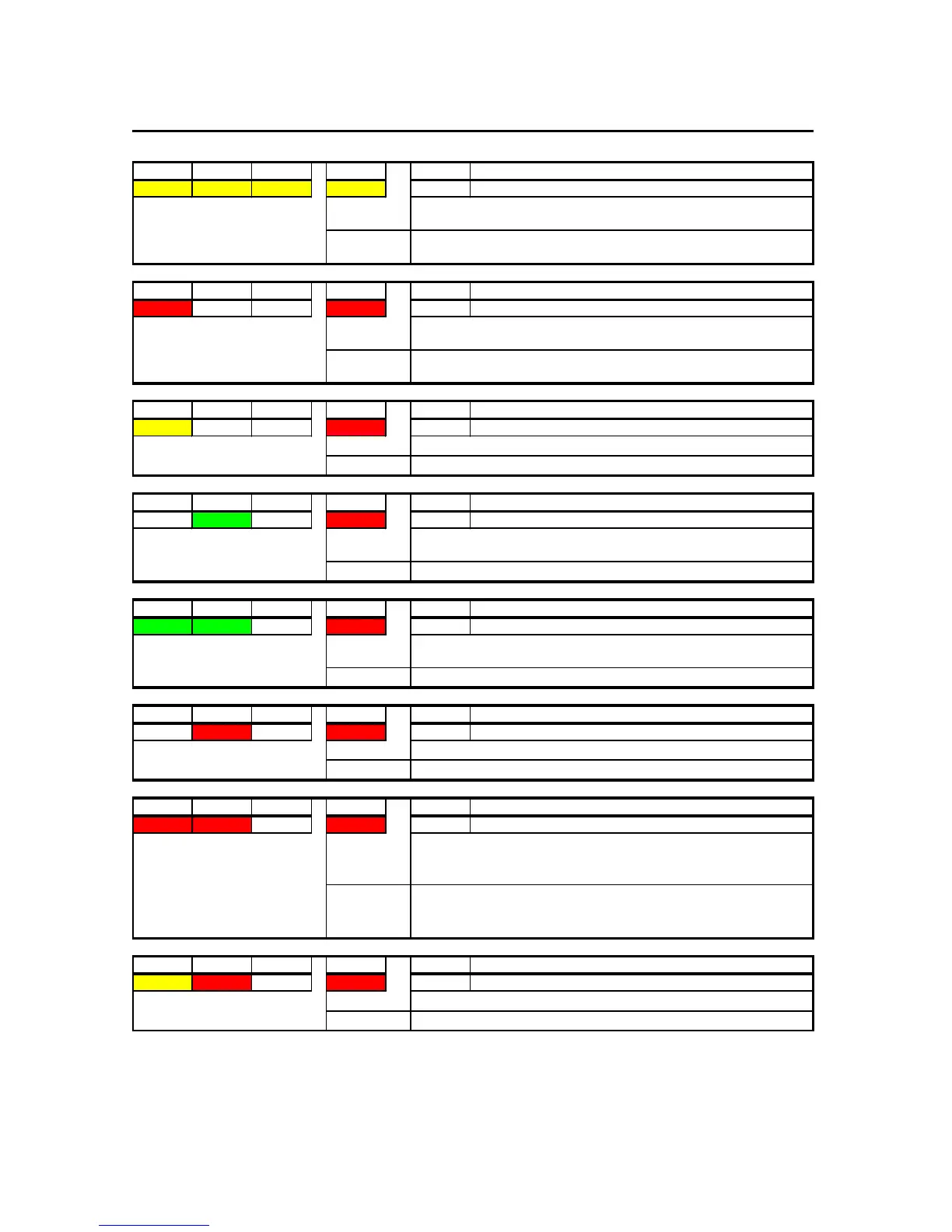
SYS 1 SYS 2 SYS 3 DCU OK Code Name
YELLOW YELLOW YELLOW YELLOW
SYS 1 SYS 2 SYS 3 DCU OK Code Name
RED OFF OFF RED 010
PRC_STATUS_DRU_FAILURE_INDICATION
SYS 1 SYS 2 SYS 3 DCU OK Code Name
YELLOW OFF OFF RED
014
PRC_STATUS_BACKUP_DEVICE_FAILURE
SYS 1 SYS 2 SYS 3 DCU OK Code Name
OFF GREEN OFF RED 018
PRC_STATUS_STORAGE_BACKUP_CONNECTION_TIMEOUT
SYS 1 SYS 2 SYS 3 DCU OK Code Name
GREEN GREEN OFF RED
022
PRC_STATUS_STORAGE_DRU_CONNECTION_TIMEOUT
SYS 1 SYS 2 SYS 3 DCU OK Code Name
OFF RED OFF RED
034
PRC_STATUS_STORAGE_FAILURE_INDICATION
SYS 1 SYS 2 SYS 3 DCU OK Code Name
RED RED OFF RED
042
PRC_STATUS_GRABBER_FAILURE_INDICATION
SYS 1 SYS 2 SYS 3 DCU OK Code Name
YELLOW RED OFF RED
046
PRC_STATUS_DRU_INDEX_ERROR
Description:
This indicates a problem with the INDEX in the DRU
Action:
Investigate LOG and clear INDEX
Description:
This indicates, that one of the active/enabled video-channels can't grab
from the channel. This can be either because of radar being turned OFF
or wrong configuration
Action:
If radar is turned OFF, press ACK on RAP to stop alarm. Error will clear,
when radar is turned ON again. If Radar is ON, check installation(cables)
and configuration.
Description:
This indicates a problem with storing data on storage-devices
Action:
Investigate LOG and repair/replace.
Description:
This indicates that the DRU has been disconnected more than 90
seconds.
Action:
Connect DRU again or investigate LOG and repair/replace
Description:
This indicates that the BACKUP-disk has been disconnected more than
90 seconds.
Action:
Connect BACKUP again or investigate LOG and repair/replace
Description:
Backup-device is either faulty or not set up correctly
Action:
Replace or reconfigure
Description:
This LED-indication is displayed when system is having a problem
communicating with the DRU.
Action:
Trouble-shoot connection from VR-5000 to the DRU(cable, repeaters and
possible EEE1394/Firewire - board in the PDU.



 To Next Page